

Table of Contents
By Marine Larmier - Last update on
WordPress plugins for agencies need to do more than add features. The right stack should help your team build faster sites, maintain dozens of client websites efficiently, keep them secure, simplify reporting, and scale without turning every new project into a completely different workflow.
That’s where choosing the right plugins — and standardizing them across your agency — makes a real difference. A reliable stack reduces troubleshooting, makes updates easier to test, simplifies onboarding, and helps your team reuse what already works instead of starting from scratch for every client.
In this guide, we’ve selected 20 WordPress plugins and tools for agencies in 2026, covering performance, image optimization, CDN, site management, client communication, security, backups, SEO, analytics, and more. We’ll also look at their performance impact, agency pricing, onboarding effort, and how well they scale from a handful of client sites to 50+.
| Key Takeaways ✅ Plugin sprawl costs time and money. Too many overlapping tools mean more conflicts, updates, licenses, and troubleshooting. ✅ Performance comes first. Test every plugin impact before adding it to your standard agency stack. ✅ Centralized management saves time. Updates, backups, monitoring, and client reports are easier to scale from one dashboard. ✅ Security can affect performance. Scans, firewalls, and backups use resources, so protection and speed need to be balanced. ✅ Standardization wins at scale. A trusted, documented stack makes deployment, maintenance, and onboarding much easier across dozens of client sites. |
Spoiler: The best WordPress plugins for agencies in 2026 cover six key areas: performance (WP Rocket, W3 Total Cache, Imagify, Optimole, RocketCDN, Bunny CDN), site management (ManageWP, WP Umbrella, MainWP), client communication (HubSpot, Fluent Support, WP-Client), security (Sucuri, Wordfence), backups (UpdraftPlus, BackWPup), and SEO and analytics (Rank Math, Yoast SEO, Matomo, Microsoft Clarity). The goal is to build a lean, reliable stack that keeps client sites fast, secure, and easy to manage as your agency grows.
How to Build a WordPress Plugin Stack for Your Agency
A good agency stack should stay fast, reliable, and easy to maintain as your client portfolio grows. Before adding a plugin to your standard setup, run through these six checks:
1. Keep the Plugin’s Performance Impact Low
Every plugin can add PHP execution, database queries, or extra assets that affect performance.
🏆 Golden rule: Test your site in GTmetrix before and after activating a plugin, using the same test conditions.
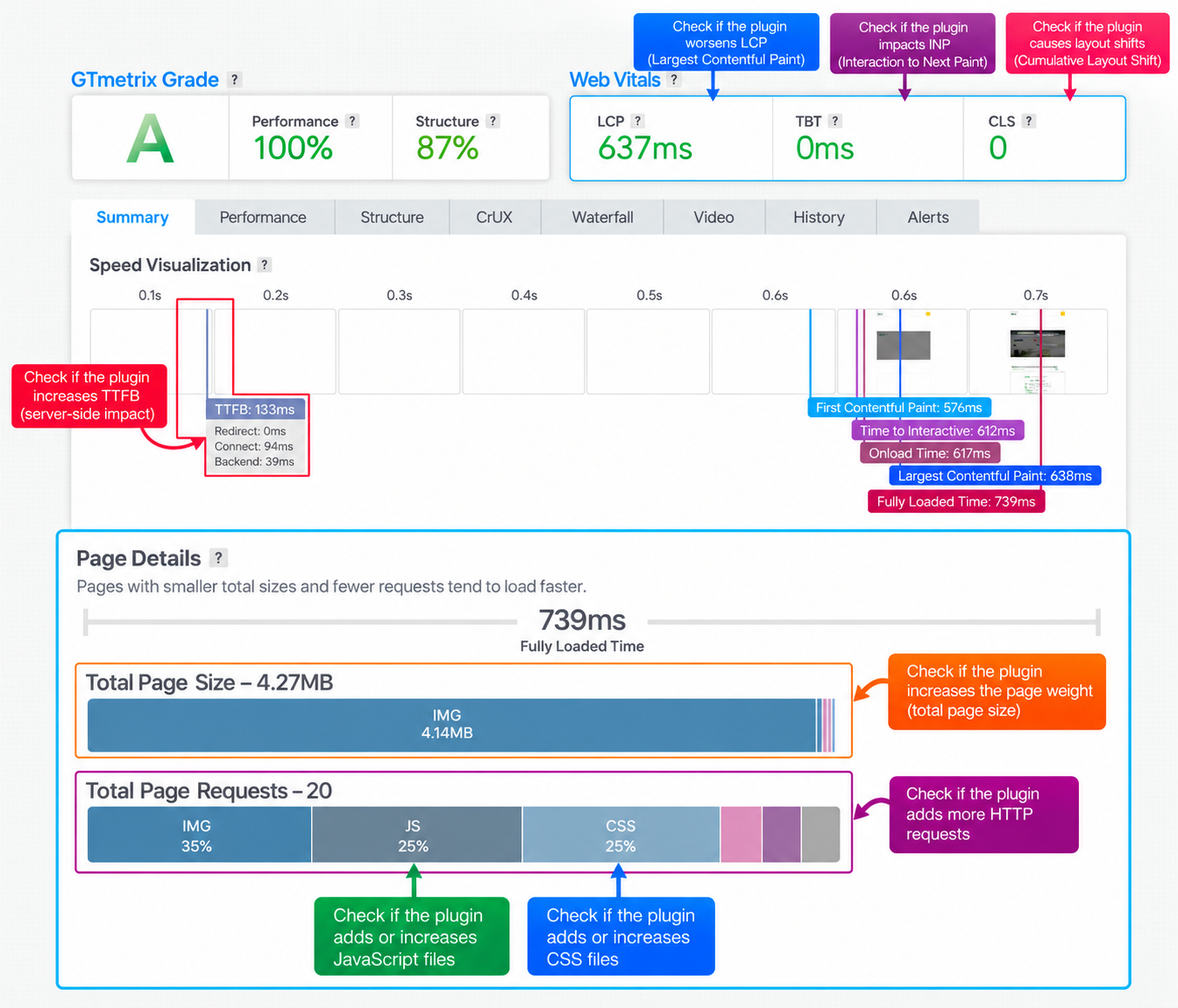
Key metric to monitor:
- Time to First Byte (TTFB): Aim to keep additional overhead around 50 ms or less where possible. A noticeable increase may indicate extra server-side processing.
2. Choose an Agency-Friendly License
Licensing costs can add up quickly across 20, 50, or 100 client sites. Look for agency plans, unlimited-site licenses, white-label options, and centralized management.
🏆 Golden rule: Calculate the cost per client site, check staging allowances and license transfers, and make sure pricing still works as your portfolio grows.
3. Check Update Stability
Poorly maintained plugins can cause conflicts and turn routine updates into hours of troubleshooting.
🏆 Golden rule: Review the plugin’s WordPress.org changelog, support forum, and recent reviews. Check how frequently it’s updated and how quickly issues are resolved.
4. Give Every Plugin a Unique Business Goal
Avoid overlapping functionality. Ideally, each plugin should have a clear role, whether that’s caching, image optimization, SEO, or security.
🏆 Golden rule: Before installing a new plugin, check whether your existing stack already covers the same functionality.
5. Test WordPress Ecosystem Compatibility
A plugin that works on a clean installation may behave differently with WooCommerce, Elementor, Gutenberg, multilingual plugins, Multisite, or custom code.
🏆 Golden rule: Test plugins on a staging site that reflects your typical client setup, including essential workflows like checkout, forms, and updates.
6. Make Sure It Scales Across Multiple Sites
Look for reusable settings, configuration exports, centralized management, and automation to reduce repetitive work.
🏆 Golden rule: Test how long a plugin takes to configure. If deploying across 50 sites means repeating dozens of manual steps, look for presets, imports, or automated alternatives.
The Core Performance Layer: Caching, Images, and CDN
Performance is one of the layers where client sites can directly win or lose revenue. According to Yottaa’s 2025 Web Performance Index, based on more than 500 million visits across 1,300+ ecommerce sites, saving one second of mobile page load time was associated with a 3% increase in conversions.
For agencies, the performance stack should cover three clear jobs: caching and Core Web Vitals optimization, image optimization, and content delivery through a CDN.
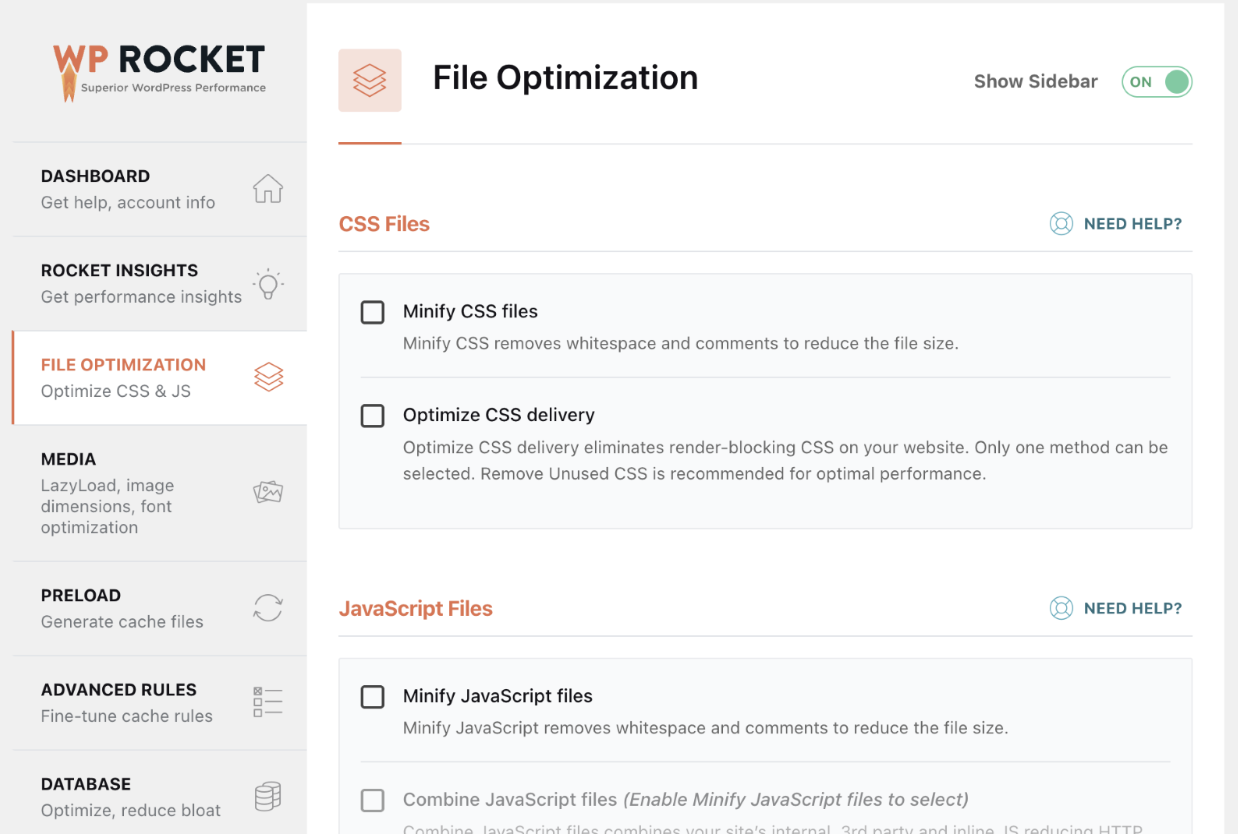
| Tool | Best for | Agency Pricing (2026) | Onboarding effort |
| WP Rocket | Agencies that want caching and Core Web Vitals optimization with minimal configuration | $299.95/year for 50 sites; $399.95/year for 100 sites and $599.95/year for 500 sites | Very low — around 80% of web performance best practices are applied automatically upon activation, including caching, GZIP compression, minification, critical image optimization, and automatic lazy rendering. |
| W3 Total Cache | Technical teams that want granular control over caching, minification, CDN integration, database caching, and other performance settings | $500/year for 10; custom bulk pricing for more | Medium–High — powerful, but there are many caching and optimization settings to understand, test, and configure correctly for each environment. |
| Imagify | Agencies that want straightforward image compression, resizing, and WebP/AVIF conversion | Infinite: $9.99/month billed yearly, unlimited images and websites | Very low — new uploads can be optimized automatically, while the Bulk Optimizer handles an existing Media Library in one go. |
| Optimole | Image-heavy sites that need adaptive image delivery — especially portfolios or client sites where automatic watermarking is useful | Business: about $39.08/month billed annually for 120K visits/month; unlimited sites | Low — optimization, adaptive sizing, next-gen formats are largely automated. |
| RocketCDN | Agencies that want to add a CDN without managing DNS zones or complex CDN settings | $79/year/domain with WP Rocket; $89.99/year standalone (excl. VAT) | Very low — configuration is automatic, so you can activate the CDN without manually configuring the delivery network. |
| Bunny CDN | Agencies that want more control and usage-based CDN pricing | From $0.01/GB in Europe and North America; $1/month minimum | Medium — you get more control over CDN configuration, but there is more setup and ongoing management. |
Here are six WordPress plugins and tools to consider when optimizing performance across your client websites:
1. WP Rocket
WP Rocket is a WordPress performance plugin that combines page caching with additional optimizations designed to improve loading speed and Core Web Vitals. It automatically applies many performance best practices, including GZIP compression, CSS and JavaScript minification, and lazy rendering. More features are available in one-click such as defer and delay JS, remove unused CSS and lazy loading.
🏢 Why agencies will like it: Its biggest advantage for agencies is the minimal configuration required to get started, making it easier to deliver consistent performance across multiple client sites.
✅ Main agency challenge it solves: Improving WordPress performance at scale without adding complex configuration and maintenance tasks.
💡 WordPress example: Your agency manages 40 client websites built with different themes and page builders. Instead of manually setting up caching and performance optimizations on each site, you deploy WP Rocket as part of your standard stack, apply your tested configuration, and use GTmetrix to monitor the results.
2. W3 Total Cache
W3 Total Cache is a performance optimization plugin offering detailed control over page caching, browser caching, database caching, object caching, minification, and CDN integration.
Its main strength is flexibility, making it particularly useful for technical agencies that need to customize caching strategies for different hosting environments.
🏢 Why agencies will like it: Developers can fine-tune caching and optimization settings based on each client’s hosting setup, traffic patterns, and technical requirements.
✅ Main agency challenge it solves: Giving technical teams granular control over performance optimization when a standard caching configuration isn’t enough.
💡 WordPress example: Your agency manages a high-traffic WooCommerce store with dynamic cart and checkout pages. You configure W3 Total Cache to cache suitable pages while excluding sensitive dynamic content, then test the setup to make sure customers can shop without caching conflicts.
3. Imagify
Imagify is an easy-to-use image optimization plugin that compresses, resizes, and converts images to modern formats such as WebP and AVIF. It can automatically optimize new uploads and process existing images through its Bulk Optimizer.
Its main advantage is automation, helping agencies keep image-heavy WordPress sites fast without relying on clients to optimize every image manually.
🏢 Why agencies will like it: Once configured, Imagify can optimize images uploaded by clients, editors, or content teams. This is particularly useful when managing portfolios, blogs, and WooCommerce stores where new images are added regularly.
✅ Main agency challenge it solves: Preventing oversized images from slowing down client websites while reducing repetitive image optimization work.
💡 WordPress example: Your agency manages a WooCommerce store with 2,000 product images. Instead of manually compressing them one by one, you use Imagify’s Bulk Optimizer to process the existing Media Library and automatically optimize new product images as they’re uploaded.
4. Optimole
Optimole is a cloud-based image optimization solution that automatically compresses, resizes, and delivers images in optimized formats based on each visitor’s device and screen size.
Unlike traditional image compression plugins, it focuses on adaptive image delivery, making it particularly useful for image-heavy websites.
🏢 Why agencies will like it: Image optimization and delivery are largely automated, which helps agencies manage websites with large galleries, portfolios, or frequently updated visual content. Automatic watermarking is another useful feature for photographers and creative clients.
✅ Main agency challenge it solves: Delivering appropriately sized images across different devices without manually creating and managing multiple image versions.
💡 WordPress example: Your agency builds a photography portfolio with hundreds of high-resolution images. Optimole delivers appropriately sized images to mobile and desktop visitors while applying watermarks to help protect the photographer’s work.
5. RocketCDN
RocketCDN is a content delivery network designed to speed up the delivery of static assets such as images, CSS, and JavaScript through a globally distributed network.
Its biggest advantage is simplicity. It integrates with WP Rocket and requires very little configuration, making CDN deployment accessible even to agencies without dedicated infrastructure specialists.
🏢 Why agencies will like it: You can add CDN delivery to client websites without manually configuring complex CDN settings or DNS zones. This makes it easier to provide a consistent performance setup across multiple websites.
✅ Main agency challenge it solves: Simplifying CDN deployment and reducing the technical overhead of delivering static assets to visitors worldwide.
💡 WordPress example: Your agency manages a French WooCommerce website that also attracts customers from the US and Canada. You activate RocketCDN to serve static assets from geographically distributed servers, helping reduce the distance those files travel to reach international visitors.
6. Bunny CDN
Bunny CDN is a content delivery network that distributes website assets through a global network of edge servers. It offers usage-based pricing and flexible configuration options.
Its biggest advantage is control, making it attractive to technical agencies that want to customize content delivery and manage CDN costs according to traffic.
🏢 Why agencies will like it: You can choose how assets are cached and delivered, configure CDN behavior for different client requirements, and pay based on bandwidth consumption rather than a fixed per-site subscription.
✅ Main agency challenge it solves: Giving agencies more control over CDN configuration and bandwidth costs, particularly when managing websites with different traffic volumes.
💡 WordPress example: Your agency manages 25 WordPress websites, including small business sites and high-traffic online stores. You configure Bunny CDN for each project, adjust caching rules where needed, and monitor bandwidth usage to keep delivery costs under control.
Client Management Tools and Site Management Dashboards
Managing client sites is not only about keeping them fast and secure. Your agency also needs a repeatable way to maintain dozens of WordPress installations, show clients what you’ve done, and keep requests from getting lost.
Standardization matters here just as much as it does with your plugin stack. Instead of logging into 50 WordPress dashboards individually to update Core, plugins, and themes, check backups, monitor uptime, or prepare reports, a site management platform lets you handle those recurring tasks from one place.
The tools below centralize the day-to-day WordPress maintenance work that becomes increasingly difficult to manage site by site.
| Tool | Best For | White-Label Reports | Agency Pricing (2026) | Onboarding Effort |
| ManageWP | Agencies wanting flexible centralized management with a strong free starting point | ✅ Premium option | Free for unlimited sites; premium add-ons available individually or in agency bundles | Low — updates, monthly backups, security and performance checks, reports, and one-click login can all be managed centrally |
| WP Umbrella | Agencies selling recurring WordPress maintenance and care plans | ✅ Included | €1.99/site/month; optional security add-on available | Very low — updates, backups, uptime, performance, vulnerabilities, PHP errors, and reports are grouped in one workflow |
| MainWP | Agencies wanting a self-hosted dashboard and predictable pricing as their portfolio grows | ✅ Available with Pro | Free for unlimited sites; Pro plan available for unlimited sites | Medium — you host your own central dashboard and choose the extensions and integrations you need |
Let’s go over each tool and see where it fits into an agency stack and what problem it actually removes from your daily WordPress workflow.
7. ManageWP
ManageWP gives you one dashboard for multiple WordPress sites. From there, you can manage WordPress Core, plugin and theme updates, run backups and security or performance checks, log into client sites with one click, and generate client reports.
Its biggest advantage is flexibility: the core platform is free, and you can add premium features only where they are needed.
🏢 Why agencies will like it: You do not have to give every client the same maintenance package. A small brochure site can stay on the basic setup, while a larger WooCommerce client can receive premium backups, uptime monitoring, advanced reports, and other add-ons.
✅ Main agency challenge it solves: Reducing repetitive maintenance without forcing you into the same paid setup for every client.
💡 WordPress example: WordPress releases a new Core version and you maintain 60 sites. Instead of opening 60 wp-admin dashboards, you can review which sites need the update from one place, test it on staging where necessary, and then manage the rollout across the relevant sites.
8. WP Umbrella
WP Umbrella is built around WordPress maintenance workflows. It combines bulk and automated updates, backups, uptime and response-time monitoring, vulnerability detection, PHP error monitoring, security features, and automated white-label client reports.
Its reporting is especially useful for agencies because maintenance activity can be turned into something the client can actually see.
🏢 Why agencies will like it: It connects the work happening behind the scenes with a clear deliverable for the client, which is especially useful when you charge a recurring care-plan fee.
✅ Main agency challenge it solves: Maintaining sites efficiently and proving the value of that maintenance every month.
💡 WordPress example: You updated 12 plugins, created several backups, fixed a PHP error, and maintained strong uptime during the month. Instead of collecting that information manually, WP Umbrella can turn it into a branded maintenance report for the client.
9. MainWP
MainWP takes a different approach because it is self-hosted. You install the central dashboard on your own WordPress setup and connect your client sites to it.
It supports unlimited sites and can handle updates, backups, monitoring, reports, security integrations, client management, team permissions, and other agency workflows.
🏢 Why agencies will like it: Your management costs do not automatically increase every time you sign another client, and you keep more control over the infrastructure behind your maintenance workflow.
✅ Main agency challenge it solves: Scaling a large WordPress portfolio while keeping costs predictable and avoiding a separate process for every site.
💡 WordPress example: Your agency signs ten new maintenance clients in one month. You connect all ten to MainWP, organize them by client or project, apply your usual maintenance process, and manage them alongside the rest of your portfolio.
Going Further: Automating Client Reports With MCP
This is also where MCP, or Model Context Protocol, becomes interesting for agencies.
With WP Rocket MCP, for example, an AI assistant can work with Rocket Insights performance data and help turn it into a client-ready performance report.
Instead of manually opening a report, copying metrics, taking screenshots, and writing an explanation from scratch, you can ask your AI assistant to summarize the latest performance data, explain what improved, highlight what still needs attention, and prepare a first draft for the client.
💡 Agency example: You manage performance for 30 client sites. Instead of preparing 30 reports manually every month, MCP can help generate the first draft from the latest performance data. Your team reviews it, adds context, and sends the final version to the client.
MCP does not replace your site management dashboard. The dashboard helps you manage the sites; MCP helps you use the data faster and communicate the results more efficiently.
Communication Plugins to Manage Client Relationships
Maintenance is only one side of client management. Agencies also need to standardize how clients contact the team and where those conversations are stored. Without a process, one client emails a developer, another messages the project manager on Slack, and another reports a broken WooCommerce checkout on WhatsApp. Requests become difficult to assign, track, and hand over.
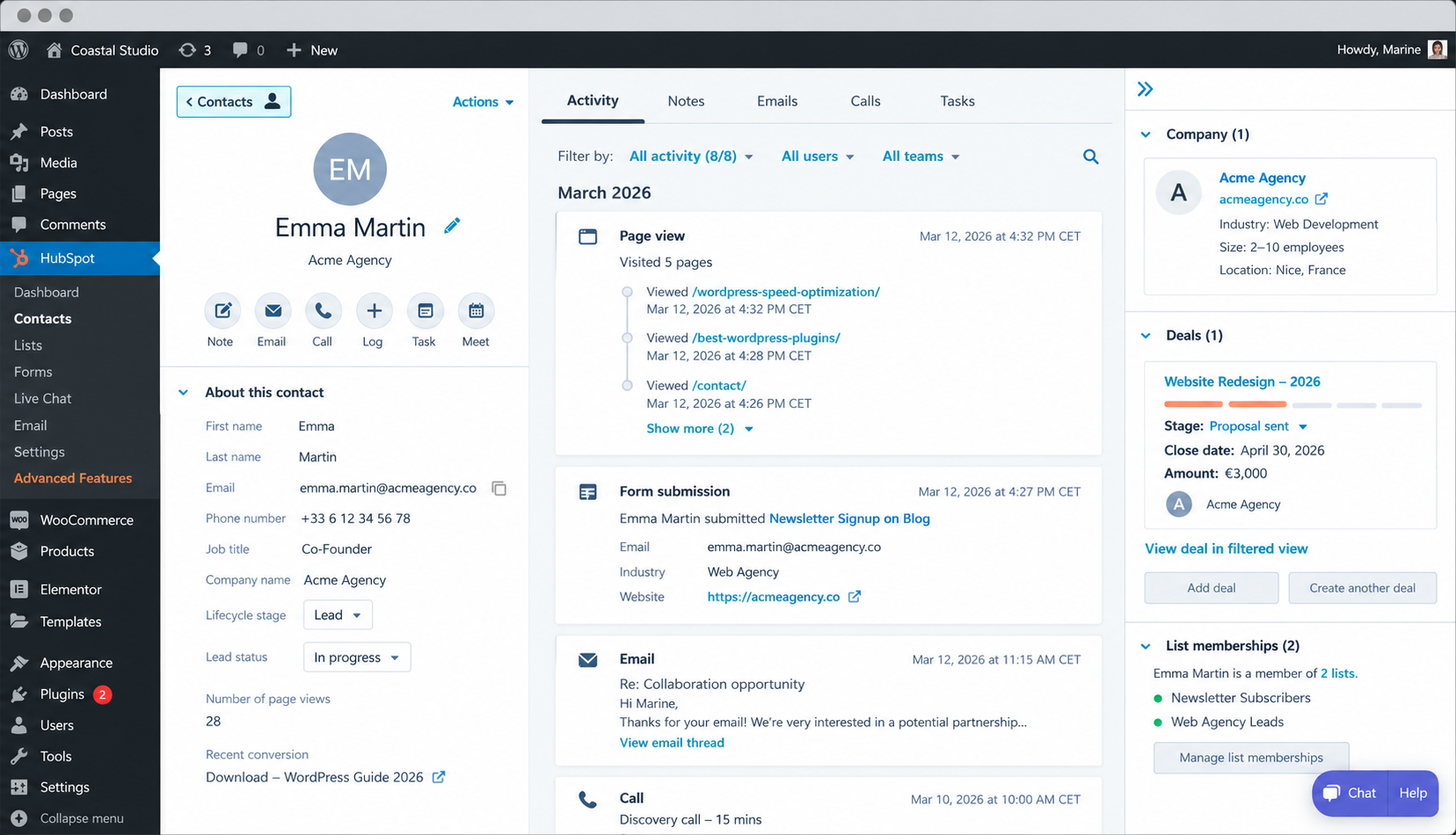
Choose the plugin that matches what you need: a CRM for the overall relationship, a helpdesk for recurring support, or a client portal for a private branded space.
| Tool | Best For | Agency Pricing (2026) | Onboarding Effort |
| HubSpot | Managing leads and the wider client relationship | WordPress plugin available free; premium plans available | Low — connect WordPress and centralize contacts and conversations in the CRM |
| Fluent Support | Agencies selling ongoing WordPress support and maintenance | Agency and multi-site plans available | Low — the helpdesk runs inside WordPress and can turn incoming emails into tickets |
| WP-Client | Agencies wanting a private, branded client portal | Multi-site and white-label plans available | Medium — more setup is needed to structure and brand the client portal |
Let’s go over each tool and see which type of client relationship it is designed to manage.
10. HubSpot
The HubSpot WordPress plugin connects your site to HubSpot’s CRM. It can sync contacts collected through WordPress, manage forms and live chat, track interactions, and keep conversations attached to the same contact record.
🏢 Why agencies will like it: Sales, marketing, and account-management teams can share the same client history instead of leaving important context in individual inboxes.
✅ Main agency challenge it solves: Keeping the full relationship visible as someone moves from lead > prospect > project > long-term client.
💡 WordPress example: A company first contacts your agency through a redesign form on your WordPress site. Six months later, they become a maintenance client and contact you again through live chat. Your team can see the relationship history instead of starting from zero.
11. Fluent Support
Fluent Support turns WordPress into a proper helpdesk. It provides ticket management, priorities, tags, filters, attachments, agent permissions, activity logs, reporting, and email piping.
That means support requests coming through email can enter the same workflow as tickets submitted directly through the site.
🏢 Why agencies will like it: It is a natural fit when technical support is part of your recurring WordPress maintenance package and several developers or support agents need to work from the same queue.
✅ Main agency challenge it solves: Preventing technical requests from disappearing into personal inboxes or messaging apps.
💡 WordPress example: A WooCommerce client emails, “Customers can’t complete checkout.” The request becomes a ticket, gets marked as critical, assigned to the right developer, tracked through resolution, and kept in the client’s support history.
12. WP-Client
WP-Client focuses on the client-facing experience rather than only support tickets. It creates a private branded area where clients can log in to access files, documents, invoices, messages, and other project information.
🏢 Why agencies will like it: It gives clients one clear place to interact with the agency while keeping the experience under your own brand.
✅ Main agency challenge it solves: Keeping files, project information, documents, and client exchanges from being scattered across email threads and different services.
💡 WordPress example: A client needs their monthly maintenance report, latest invoice, brand files, and project documents. Instead of sending four separate emails and links, you can make everything available through their private client area.
Security and Backup Plugins That Don’t Slow Sites Down
For agencies, security and backups are part of the same safety net: security helps prevent problems, while backups help you recover quickly when something still goes wrong. Security and backup plugins can also use server resources. Security tools may scan files, monitor traffic, or inspect requests, while backup plugins need to read and compress large amounts of data. That’s why TTFB (Time to First Byte) is useful here. It measures how quickly the server starts responding. If a plugin adds heavy server-side processing, TTFB may increase.
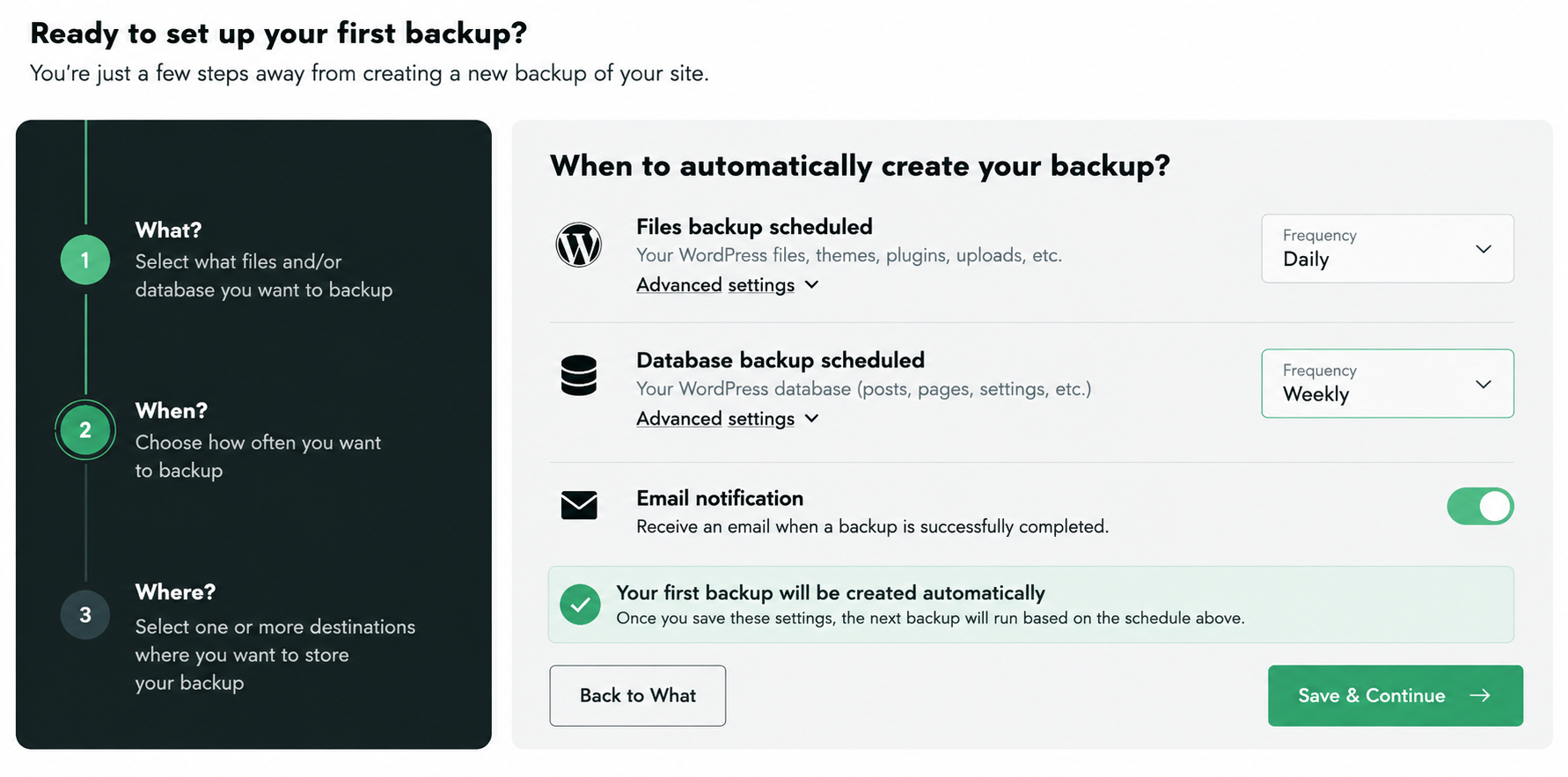
Security and Backup Plugin Comparison
| Plugin | Easiness of configuration | TTFB Impact | What Stands Out |
| Sucuri Security | Low–Medium | Low | Remote malware scanning; optional cloud firewall can block threats before they reach WordPress |
| Wordfence | Medium | Low–Medium | Deep WordPress firewall, malware scanning, login security, and centralized management |
| UpdraftPlus | Low | Low normally; higher during backups | Easy scheduled backups, remote storage, restore, and pre-update backups |
| BackWPup | Low–Medium | Low normally; higher during backups | Flexible backup jobs, many storage options, WP-CLI, and strong recovery tools |
Let’s look at each plugin and where it can fit into an agency stack.
13. Sucuri Security
Sucuri Security provides file-integrity monitoring, activity logs, hardening, and remote malware scanning. Its paid cloud firewall can also filter malicious traffic before it reaches the WordPress server.
🏢 Why agencies will like it: Much of the security work can happen outside WordPress itself, helping keep the server load relatively light.
✅ Main agency challenge it solves: Protecting multiple client sites without running heavy security scans locally on every server.
💡 WordPress example: A client’s WooCommerce store starts receiving thousands of malicious requests. The cloud firewall can block suspicious traffic before WordPress has to process it.
14. Wordfence
Wordfence provides an endpoint firewall, malware scanning, vulnerability detection, brute-force protection, 2FA, and traffic monitoring.
It also includes Wordfence Central, which helps agencies monitor and configure security across multiple sites from one place.
🏢 Why agencies will like it: You get very detailed WordPress-specific protection and can standardize security settings across client sites.
✅ Main agency challenge it solves: Managing a consistent security policy across a large WordPress portfolio.
💡 WordPress example: You manage 40 client sites. Instead of configuring firewall and login protection individually, you can apply similar settings across the portfolio and monitor alerts centrally.
Performance tip: Scans and detailed traffic logging can consume resources, so avoid running heavy scans during peak traffic.
15. UpdraftPlus
UpdraftPlus focuses on backup and recovery. You can schedule backups of the database, plugins, themes, uploads, and other files, send them to remote storage, and restore the site when needed.
🏢 Why agencies will like it: It is straightforward to set up and gives your team a simple rollback option before risky updates.
✅ Main agency challenge it solves: Recovering quickly when an update, human error, or technical problem breaks a client site.
💡 WordPress example: You update WooCommerce and several plugins and checkout stops working. Instead of manually undoing every change, you can restore the previous backup and investigate safely.
16. BackWPup
BackWPup lets you schedule WordPress database and file backups and send them to remote storage such as Google Drive, Dropbox, Amazon S3, or FTP.
It also supports WP-CLI and includes recovery tools designed to help when something goes wrong.
🏢 Why agencies will like it: It gives technical teams plenty of control over backup jobs, storage destinations, and recovery workflows.
✅ Main agency challenge it solves: Creating a repeatable backup strategy across many different client sites.
💡 WordPress example: A deployment causes a fatal error and the client can no longer access wp-admin. A recent off-site backup gives your team a clean recovery point instead of rebuilding the site manually.
SEO and Analytics Plugins Worth the Overhead
As an agency, you also need to know whether the site is visible in search, attracts the right traffic, generates leads or sales, and gives visitors a smooth experience once they arrive.
That means adding an SEO and analytics layer to the stack. The key is to choose tools that give you useful client data without adding unnecessary processing or tracking scripts.
For SEO, that now includes traditional rankings, technical SEO, structured data, and AI visibility/GEO. For analytics, it means understanding traffic and conversions, then going one step further with behavior data such as heatmaps and session recordings.
🏆 Agency rule: Test the site before and after activation. For SEO plugins, watch TTFB and database/server processing. For analytics tools, also check whether new JavaScript, requests, or tracking scripts affect page weight and Core Web Vitals.
SEO and Analytics Plugin Comparison
| Tool | Best For | What It Helps You Track or Improve | Performance Impact | Onboarding Effort |
| Rank Math | Agencies wanting an all-in-one SEO and AI/GEO toolkit | Technical SEO, Schema, XML sitemaps, rankings, internal links, broken links, Content AI, AI visibility | Very low in our quick test — TTFB stayed unchanged after activation | Low–Medium |
| Yoast SEO | Agencies wanting a guided SEO workflow for content teams | Metadata, Schema, internal linking, XML sitemaps, AI content tools, llms.txt, AI visibility features | Low when configured normally | Low |
| Matomo Analytics | Clients that need detailed traffic, conversion, and privacy-focused analytics | Traffic sources, campaigns, goals, ecommerce, funnels, conversions | Low–Medium depending on tracking setup | Medium |
| Microsoft Clarity | Clients where you need to understand user behavior and conversion friction | Heatmaps, recordings, rage clicks, dead clicks, AI summaries, AI visibility | Low, but adds a tracking script and requests | Very low |
Let’s go over each tool and see what it adds to a client site:
17. Rank Math SEO
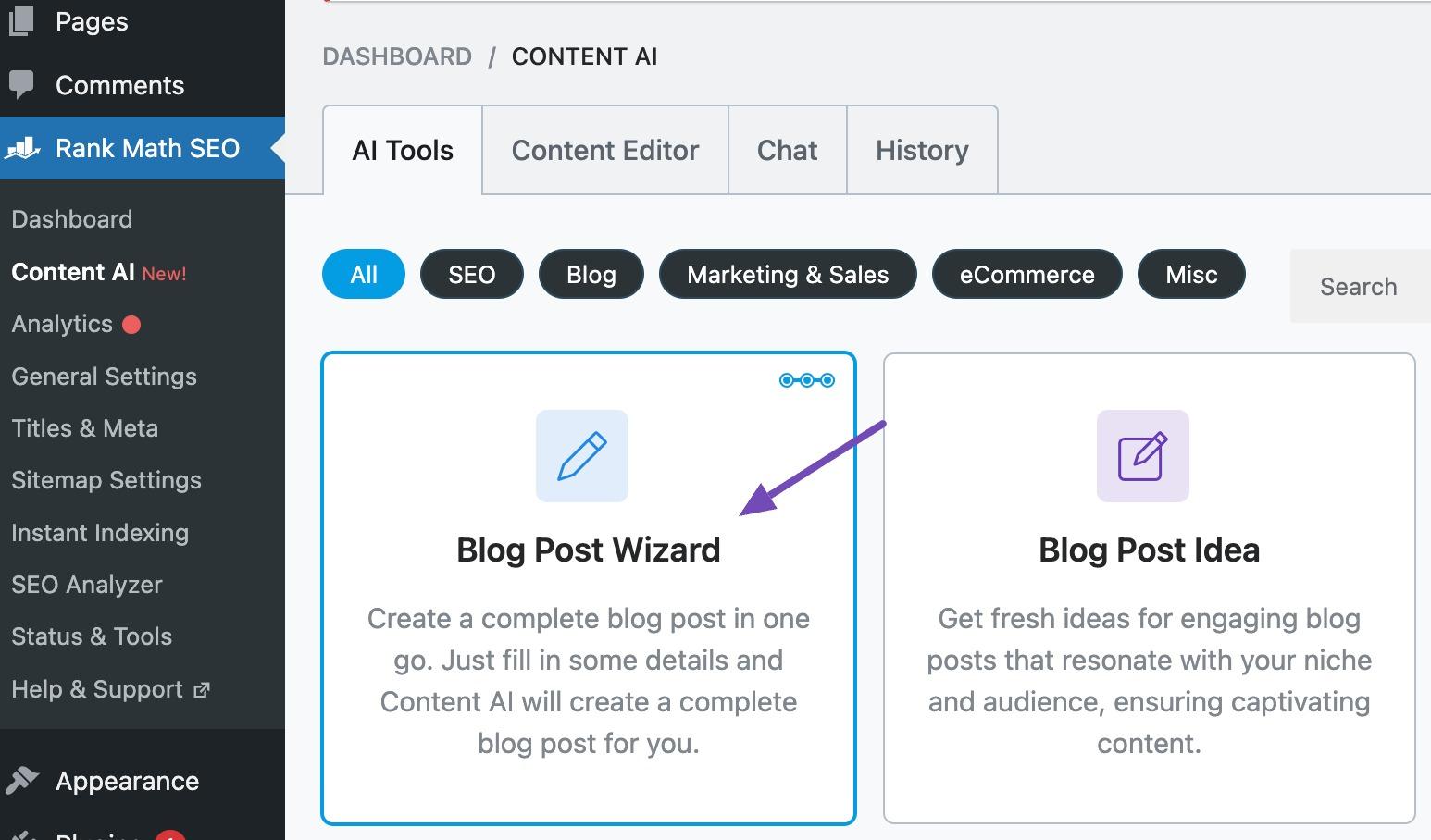
Rank Math combines technical SEO, content optimization, Schema, XML sitemaps, redirects, broken-link monitoring, rank tracking, and AI-powered SEO features in one WordPress plugin.
Its Content AI can help generate and optimize SEO content, while AI Link Genius focuses on internal linking. Rank Math also includes keyword rank tracking and tools designed to improve both traditional organic visibility and visibility in AI-driven search.
🏢 Why agencies will like it: It covers a wide range of SEO tasks in one plugin, which can reduce the need for several separate SEO utilities across client sites.
✅ Main agency challenge it solves: Building a repeatable SEO setup for clients while giving SEO specialists enough tools for technical SEO, content, internal linking, and AI visibility.
💡 WordPress example: You launch a new 100-page client site. Rank Math can handle the XML sitemap and Schema, help optimize titles and descriptions, identify broken links, suggest internal links, and then track keyword positions after launch.
18. Yoast SEO
Yoast SEO also covers the essentials: titles and meta descriptions, canonical URLs, XML sitemaps, Schema, breadcrumbs, content analysis, and internal-linking recommendations.
In 2026, it goes further into AI search. It can generate llms.txt, aggregate structured data for AI systems, generate and optimize metadata with AI, and its AI+ offering can monitor how a brand appears across tools such as ChatGPT, Gemini, Claude, and Perplexity.
🏢 Why agencies will like it: It gives content teams a very guided editing experience, which is useful when clients will continue publishing content after the agency hands over the site.
✅ Main agency challenge it solves: Keeping SEO standards consistent when several editors, copywriters, and client-side marketers contribute to the same WordPress site.
💡 WordPress example: Your agency builds a publishing site, but the client’s marketing team writes three articles every week. Yoast gives them the same workflow for metadata, internal linking, content structure, and SEO checks without requiring an SEO specialist to review every post.
19. Matomo Analytics
Matomo helps answer what happens after people discover the client’s site: where visitors come from, which pages they use, whether campaigns work, and whether those visits turn into leads or sales.
It supports traffic and acquisition reporting, goals, ecommerce tracking, funnels, campaign measurement, and advanced reporting, with a strong focus on data ownership and privacy.
🏢 Why agencies will like it: It lets you move client reporting beyond “traffic increased” and show whether your work is contributing to actual business goals.
✅ Main agency challenge it solves: Connecting SEO, content, and marketing activity with measurable results such as leads, purchases, registrations, or downloads.
💡 WordPress example: Organic traffic to a client’s service pages rises by 20%. Matomo shows that those visitors also generated 35 quote requests, giving your agency a much stronger result to report than traffic alone.
Performance check: Matomo relies on tracking, so check the added JavaScript and requests after implementation. If you enable more advanced features such as heatmaps or session recordings, the tracking workload can increase further.
20. Microsoft Clarity
Microsoft Clarity helps explain how visitors actually behave once they land on the client’s site.
It includes session recordings, click and scroll heatmaps, rage clicks, dead clicks, JavaScript-error filtering, smart events, AI summaries, and AI chat. In 2026, it also includes AI visibility features, such as tracking citations and bot activity to understand how AI systems interact with a client’s content.
🏢 Why agencies will like it: It makes UX and CRO problems much easier to demonstrate to clients because you can show what visitors are actually doing instead of relying only on charts and percentages.
✅ Main agency challenge it solves: Explaining why a page gets traffic but does not convert.
💡 WordPress example: A client’s landing page receives plenty of organic traffic, but form submissions are low. Clarity recordings reveal that visitors repeatedly click an image they think is a button, while the actual CTA sits much farther down the page. Your agency now has a clear change to test.
Performance check: Clarity adds a third-party tracking script, so verify the additional requests and JavaScript in GTmetrix and check that LCP and INP remain stable.
Why Your Current Plugin Stack Is Costing Your Agency More Than You Think
Your plugin stack directly affects your maintenance costs, profit margins, security, team productivity, and client retention.
Here’s where the hidden costs usually appear:
📝 Downtime becomes a business problem. A WooCommerce plugin conflicts with an update, checkout stops working, and your client loses sales. Your agency then spends hours fixing the issue and explaining what went wrong.
📝 Troubleshooting eats into your margins. If every client uses different caching, form, backup, and security plugins, every issue becomes a new investigation. With a standardized stack, a fix developed for one site can often be reused across dozens of others.
📝 Updates become harder to manage. With a consistent stack, you can test compatibility on staging and follow a repeatable update process. With 50 different setups, each website may require its own checks.
📝 Scaling and onboarding get complicated. It’s easier to train new developers on 10–15 trusted plugins than to expect them to understand dozens of different plugin combinations and configurations.
📝 Plugin overlap adds unnecessary complexity. Installing several plugins that perform the same task means more settings, updates, licenses, and potential conflicts. Give each plugin a clear purpose, whether that’s caching, image optimization, SEO, or security.
📝 License management becomes a headache. Managing different premium plugins across clients means tracking more accounts, license keys, invoices, and renewals. Agency or unlimited-site licenses can help centralize billing and simplify administration.
📝 Cheap plugins can become expensive. Saving $50 on a license means little if your developer spends three hours troubleshooting poor documentation, limited support, or compatibility issues.
One thing to keep in mind: Standardization also comes with risks. If the same plugin runs across your entire portfolio, a problematic update could affect multiple websites. That’s why you need a reliable security and backup strategy, along with a staging environment to test updates before deploying them to production.
The Stack That Scales: From 5 Clients to 50
At five client sites, you can still get away with exceptions: different backup plugins, different caching setups, and a few one-off configurations.
At 30 or 50 sites, those exceptions become maintenance debt. Every extra combination means more updates to test, more settings to remember, more documentation to maintain, and more ways for something to break.
A scalable agency stack should feel familiar every time: your team knows how to deploy it, troubleshoot it, maintain it, and hand it over without reinventing the process for every client.
Best Practices for Scaling Your Agency with the Right Plugin Stack
Before adding a plugin to your standard stack, check whether it will still make sense when you manage 50 sites instead of five.
☑️ Check the pricing at scale. Don’t judge a plugin by its single-site price. Calculate what it costs at 10, 25, 50, or 100 sites and look for agency licenses, unlimited-site plans, staging allowances, and centralized billing.
☑️ Choose plugins that are quick to deploy. Automatic configuration, presets, reusable settings, imports, and bulk management become much more valuable when you repeat the same setup dozens of times.
☑️ Standardize one trusted solution per job. Define your usual performance, image optimization, security, backup, SEO, and management tools. Swap them only when the client’s WordPress setup genuinely requires something different.
☑️ Prioritize reliable support. If the same plugin runs on 40 client sites, one useful support answer can solve the same issue across the whole portfolio.
☑️ Test compatibility with real client setups. Your stack has to work with WooCommerce, multilingual sites, Elementor or other builders, custom themes, different PHP versions, Multisite, and custom code — not just a clean WordPress install.
☑️ Favor stability over novelty. Regular updates, clear changelogs, solid documentation, and predictable behavior are often more valuable to an agency than switching tools every time a new plugin launches.
☑️ Make the setup easy for the whole team to understand. Your lead developer should not be the only person who knows why a setting is enabled or how a backup workflow works. Keep the configuration documented and transferable.
☑️ Test once and reuse what you learn. Save known conflicts, recommended settings, performance benchmarks, fixes, and support answers. Each new client should benefit from the work you already did for the previous ones.
☑️ Document every exception. If a WooCommerce store needs a different caching rule or a multilingual site cannot use your usual setup, record why. Otherwise, someone may “fix” it back to the standard configuration six months later.
☑️ Review the stack regularly. Pricing changes, features start overlapping, WordPress evolves, and some plugins eventually stop earning their place. Audit the stack and remove unnecessary complexity.
☑️ Use AI to remove repetitive work once the process is solid. MCP can connect compatible AI assistants to actual WordPress tools and data instead of relying on copied screenshots and manual reports. With WP Rocket MCP, for example, agencies can work with performance data and settings to help review client sites, identify performance issues, reuse proven configurations, monitor changes, and prepare client reports faster.
Frequently Asked Questions
How Many Plugins Should an Agency WordPress Site Have?
There is no universal right number of plugins. The number matters less than the discipline: every plugin should have a clear purpose, stay well maintained, and avoid duplicating functionality already covered by another tool. For agencies, keeping the stack lean and standardized also makes updates, troubleshooting, and onboarding easier.
What’s the Best White-Label Reporting Tool for WordPress Agencies?
The best white-label reporting tool depends on your portfolio size and workflow. ManageWP offers flexible reporting with premium options, while MainWP gives agencies deeper control through a self-hosted dashboard and Pro features. WP Umbrella is particularly worth considering if your retainers focus on recurring maintenance, uptime, performance monitoring, and branded client reports.
How Do You Handle Plugin Conflicts When a Client Insists on Keeping a Specific Plugin?
The best way to handle a plugin conflict is to document the impact specifically — not just “this plugin causes issues,” but, for example, “Plugin X increases LCP by 340ms on mobile.” Concrete numbers make the conversation much easier. If the client still wants to keep it, document the exception and its performance or compatibility impact in your maintenance agreement so there is a clear record of why the standard agency setup was changed.
Wrapping Up
For agencies, security and performance are two of the biggest priorities when managing client websites. The right plugin stack should protect each site, keep it fast, and make maintenance easier as your portfolio grows.
WP Rocket can help you keep your clients’ WordPress sites fast with caching and performance optimizations, so your team can spend less time configuring and more time delivering business results. Try it for free, or purchase a license with a 14-day money-back guarantee.