

Table of Contents
By Marine Larmier - Last update on
The fastest WordPress themes in 2026 can give you a strong foundation for better performance and user experience, but the best choice still depends on the type of site you’re building.
Spoiler: Astra is our best all-round lightweight option; Hello is ideal for Elementor; Kadence works well for blogs and content sites; GeneratePress suits developers and lightweight custom builds; and OceanWP is a flexible choice for blogs, business sites, and WooCommerce. Among feature-rich themes, Avada and Divi are strong for agencies and highly customizable sites, Salient stands out for portfolios and visual websites, The7 suits Elementor-heavy projects, and BeTheme is a good fit for complex or dynamic business sites.
To help you choose, we tested around 30 popular WordPress themes under the same conditions and selected the 10 fastest, all with fully loaded times under 4 seconds. Below, you’ll see how they compare in terms of speed, use case, strengths, and limitations.
| TL;DR: The 10 Fastest Themes for WordPress We tested around 30 popular WordPress themes and selected the 10 fastest based on fully loaded time, while also comparing mobile performance and Core Web Vitals. Lightweight themes generally delivered the best raw speed, while some multipurpose themes with page builders also performed very well. The best choice depends on what you need: a lightweight setup, more design flexibility, WooCommerce features, or a built-in page builder. We also tested how performance optimization can improve a heavier theme, showing that choosing the right theme is only the first step, ongoing speed optimization matters too. |
Key Takeaways
✅ Page speed can impact SEO, user experience, and conversions, making theme performance an important part of choosing a WordPress theme.
✅ Astra was the fastest lightweight theme in our test, with a 1.9s fully loaded time and a 91/100 mobile score.
✅ Avada was the fastest multipurpose theme with a page builder, reaching a 2.3s load time and an 87/100 mobile score.
✅ All 10 tested themes provided a solid performance foundation, with no red PageSpeed Insights scores.
✅ A performance plugin can further improve a slower theme. In our BeTheme test, WP Rocket increased the mobile score from 82/100 to 98/100, cut load time nearly in half, and reduced LCP from 3.3s to 1.2s.
What’s the Fastest Theme for Your Needs?
Start with your site type and budget, then consider how much customization you need, whether you prefer the Block Editor (Gutenberg), the Site Editor, or a page builder, your level of coding experience, and who will manage the site after launch. Advanced projects may also require features such as custom fields, loops, custom post types, and reusable templates. Here are a few recommendations based on the site type you are building:
📝 If you are building a blog or a content-oriented site:
Kadence is a strong choice for blogs, authors, podcasts, and content-heavy sites, especially if you want ready-made designs and good Gutenberg compatibility. GeneratePress is another lightweight option if performance and layout flexibility are priorities.
🛒 If you are launching a WooCommerce store:
Astra is a strong performance-first choice, especially for larger catalogs. Divi gives you more design flexibility for product, shop, cart, and checkout layouts, while Salient is well suited to stores where visual presentation matters.
🏢 If you are a WordPress agency or freelancer:
Avada, Divi, and BeTheme combine extensive design flexibility with large libraries of prebuilt websites and reusable layouts. They can save time when you build different types of client sites and don’t want to start every design from scratch.
🧩 If you build primarily with Elementor:
Hello provides a lightweight foundation designed specifically for Elementor. The7 is a better fit if you want more built-in design possibilities and site-building features around the Elementor workflow.
🧱 If you prefer Gutenberg or the Block Editor:
Kadence offers an accessible, low-code block workflow with starter templates, while GeneratePress provides a lightweight foundation with more control over layouts and site structure.
🗂️ If you are building an advanced content or directory site:
BeTheme, Divi, and Avada are better suited to projects that need dynamic layouts, reusable templates, custom fields, loops, or custom post types. Also check compatibility with the directory, filtering, membership, or other plugins your project relies on.
🖼️ If you are showcasing your portfolio:
Salient stands out for creative portfolios thanks to its visual layouts, animations, and portfolio features. Avada is a flexible alternative if your portfolio also needs broader business functionality.
💰 If you are on a budget:
Hello, Astra, Kadence, OceanWP, and GeneratePress all offer free versions. Check which premium features and integrations you may eventually need, as these can affect the real long-term cost.
⚔️ Final choice: If you’re still hesitating between a few themes, test their demos or install them on a staging site and compare them on mobile. Look at performance, responsiveness, the features you actually need, ease of editing, documentation, and support. Then think long term: regular updates and reliable support can matter just as much as the initial design.
Testing Methodology at a Glance
We tested approximately 30 WordPress themes and retained the 10 that achieved a fully loaded time under 4 seconds in our setup.
Here’s how we compared the WordPress themes under consistent testing conditions:
- Hosting and server: Every theme was tested on the same OVH server located in France.
- WordPress and PHP: We used the same WordPress installation and PHP 8.0 environment for every theme.
- Mobile vs. desktop: The results and rankings in this comparison are based on mobile performance, using the same testing approach across all themes.
- Testing tools: We used PageSpeed Insights and GTmetrix to analyze performance.
- Core Web Vitals for WordPress: We monitored Largest Contentful Paint (LCP) and Cumulative Layout Shift (CLS).
- Page weight and requests: We compared total page size and the number of HTTP requests generated by each page.
- Additional performance metrics: We also tracked First Contentful Paint (FCP), Speed Index, Total Blocking Time (TBT), and fully loaded time to get a broader view of each theme’s performance.
The Fastest WordPress Themes in 2026: Performance, Use Case, and Limitations
Below is a quick comparison of the 10 fastest WordPress themes in our tests. We ranked each category by Fully Loaded Time, mobile score then added the best use case and main limitation to help you compare raw performance with what each theme is actually best suited for.
We’ve kept the two categories separate: lightweight themes and multipurpose themes that include or work closely with a page builder.
Fastest Lightweight WordPress Themes
| Theme | Fully Loaded Time | Mobile Score | Best Use Case | Main Limitation |
| Astra | 1.9s | 91/100 | All-round sites, WooCommerce, performance-first builds | Some advanced customization and WooCommerce features require the premium version |
| Hello | 1.9s | 90/100 | Elementor websites | Very minimal on its own and mainly designed to work with Elementor |
| GeneratePress | 2.5s | 87/100 | Developers, Gutenberg, lightweight custom builds | Less design functionality out of the box than multipurpose themes |
| Kadence | 2.8s | 89/100 | Bloggers, content sites, low-code Block Editor builds | More advanced layouts and features may require premium tools |
| OceanWP | 2.9s | 88/100 | Blogs, business sites, WooCommerce | More features and extensions can mean more configuration than simpler lightweight themes |
Fastest Multipurpose WordPress Themes with a Page Builder
| Theme + Builder | Fully Loaded Time | Mobile Score | Best For | Main Limitation |
| Avada + Fusion (Winner) | 2.3s | 87/100 | Freelancers, agencies, multipurpose and advanced sites | More features and settings to configure than a lightweight theme |
| Divi + Divi Builder | 3.2s | 84/100 | Agencies, client-managed sites, visually customized WooCommerce stores | Heavier than lightweight themes and tied closely to the Divi building workflow |
| Salient + WPBakery | 3.8s | 82/100 | Portfolios, creative and highly visual websites | Design-heavy approach can be unnecessary for simple content sites |
| The7 + Elementor / WPBakery | 3.9s | 81/100 | Elementor users, client sites, flexible visual builds | More components and builder functionality can add complexity |
| BeTheme + BeBuilder | 4.0s | 82/100 | Agencies, dynamic sites, directories and advanced business websites | Heaviest result in our shortlist and likely to benefit more from performance optimization |
Inside the 10 Fastest WordPress Themes (+ Data)
We tested popular free and premium WordPress themes and selected the 10 fastest based on our performance results. To make the comparison more useful than speed alone, we’ve also highlighted the strengths, limitations, and best use cases of each theme, alongside the full set of performance KPIs measured during our tests.
We separated them into two categories: lightweight themes and more feature-rich themes that include or work closely with a page builder.
1. Hello
Hello is a free, minimalist WordPress theme developed by Elementor specifically to work as a lightweight foundation for the Elementor page builder. The theme itself uses very few resources, but that also means most of the design functionality comes from Elementor rather than the theme.
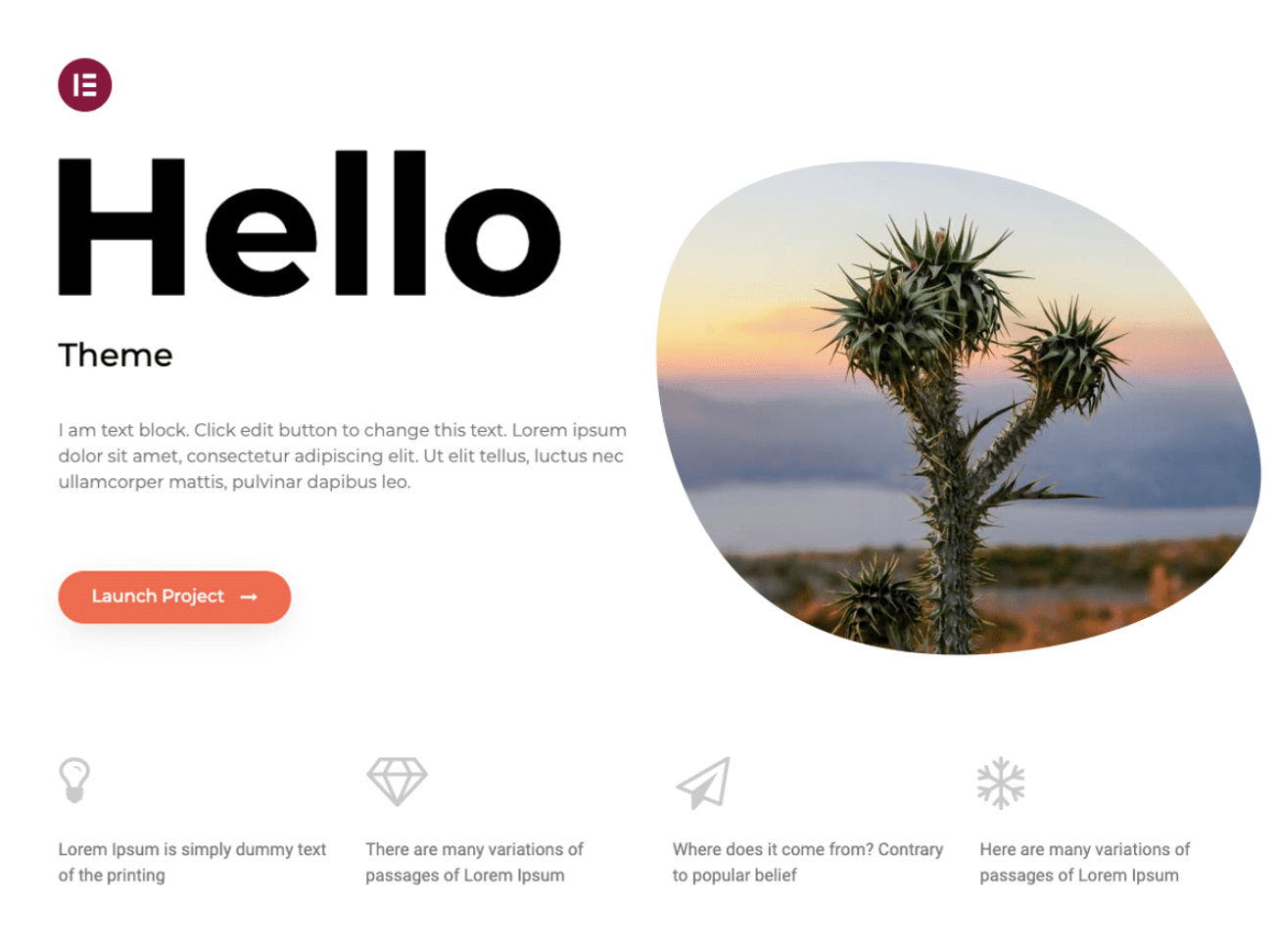
Strengths: Very lightweight, simple foundation, and tightly integrated with Elementor.
Limitations: Customization is intentionally limited when you use the theme alone, so it makes the most sense if Elementor is already part of your workflow.
Best for: Elementor websites, landing pages, portfolios, and users who want to design most of the site with a page builder.
Performance results for the Hello theme:
| Performance KPIs | Score |
| Overall mobile score | 90/100 |
| First Contentful Paint | 2.0s |
| Largest Contentful Paint | 1.8s |
| Cumulative Layout Shift | 1.9 |
| Speed Index | 1.3s |
| Total Blocking Time | 0 ms |
| Fully loaded time | 1.9s |
| Total page size | 890 KB |
| HTTP requests | 13 |
2. Astra
Astra is one of the most popular free WordPress themes and combines lightweight code with a large library of ready-to-use templates. In our tests, it delivered the best overall performance among the lightweight themes.

Strengths: Excellent raw performance, easy to customize, large template library, and flexible enough for many different site types.
Limitations: More advanced websites may require additional plugins, a page builder, or premium functionality depending on the level of customization you need.
Best for: Blogs, business sites, WooCommerce stores, freelancers, and users looking for a fast all-round WordPress theme.
Performance results for the Astra theme:
| Performance KPIs | Score |
| Overall mobile score | 91/100 |
| First Contentful Paint | 2.1s |
| Largest Contentful Paint | 1.8s |
| Cumulative Layout Shift | 1.2 |
| Speed Index | 1.1s |
| Total Blocking Time | 0 ms |
| Fully loaded time | 1.9s |
| Total page size | 870 KB |
| HTTP requests | 11 |
3. OceanWP
OceanWP is a lightweight and highly extendable theme designed to work for many types of websites. It includes responsive design options, translation features, Gutenberg templates, and compatibility with popular builders such as Elementor and Beaver Builder.
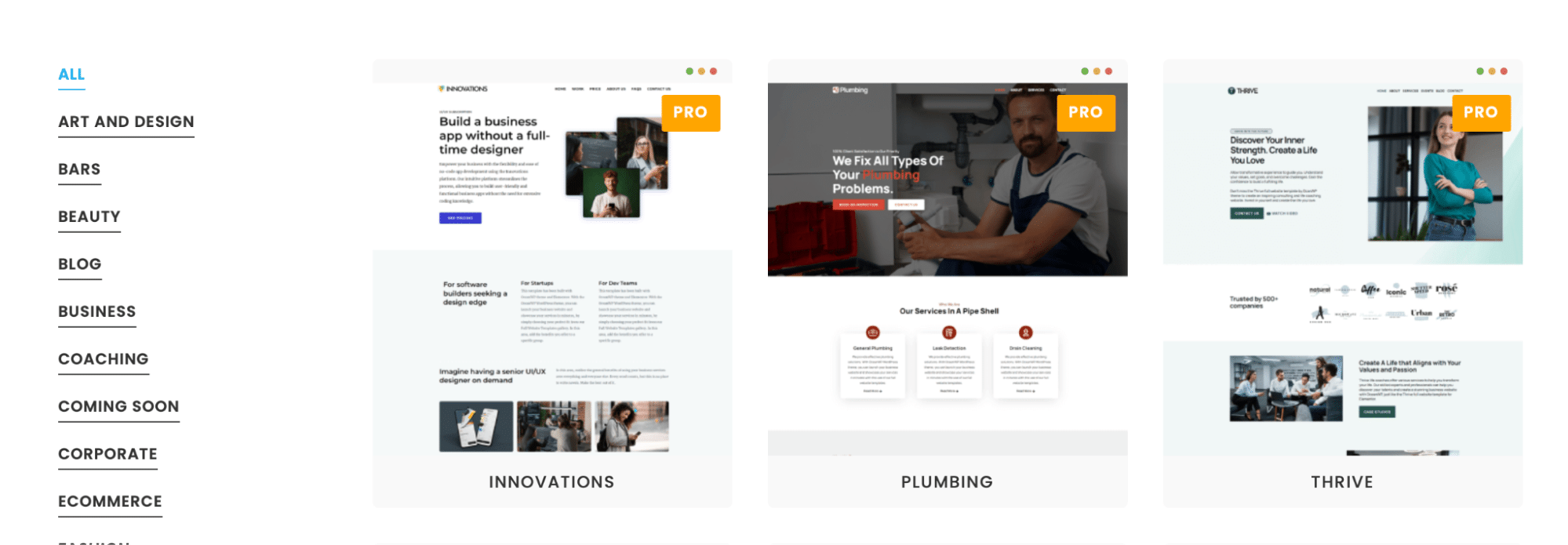
Strengths: Flexible, responsive, multilingual-friendly, and compatible with both the Block Editor and popular page builders.
Limitations: Its flexibility also means there can be more options and configuration to manage than with a more minimal theme.
Best for: Blogs, business websites, multilingual projects, WooCommerce sites, and users who want flexibility without committing to a single builder.
Performance results for the OceanWP theme:
| Performance KPIs | Score |
| Overall mobile score | 88/100 |
| First Contentful Paint | 1.5s |
| Largest Contentful Paint | 2.9s |
| Cumulative Layout Shift | 1.8 |
| Speed Index | 2.3s |
| Total Blocking Time | 0.2 ms |
| Fully loaded time | 2.9s |
| Total page size | 986 KB |
| HTTP requests | 14 |
4. GeneratePress
GeneratePress is a lightweight theme built with usability and speed in mind. A fresh installation adds less than 10 KB to the page size, and the theme works closely with the WordPress Block Editor.
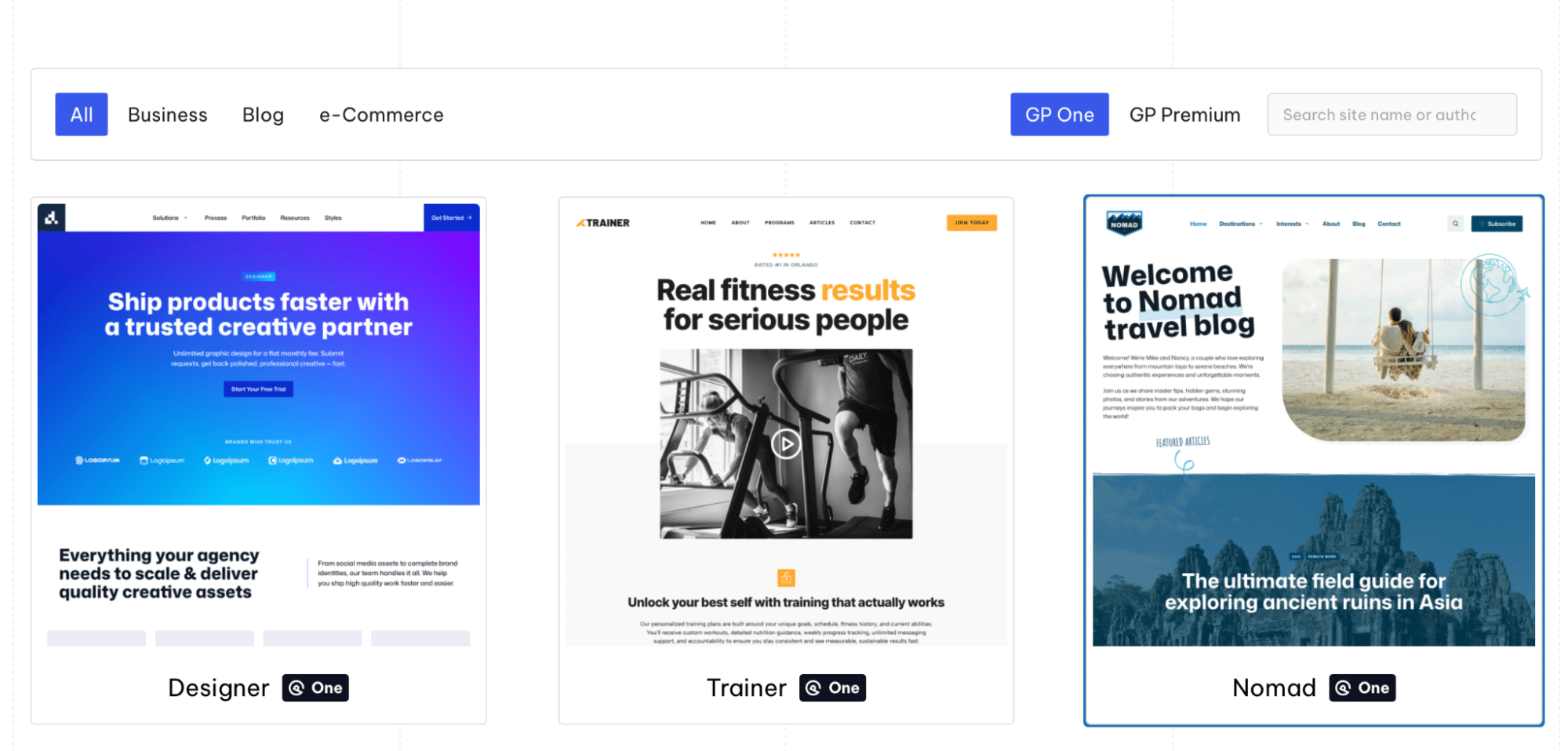
Strengths: Very lightweight foundation, strong Block Editor integration, and plenty of control without requiring a traditional page builder.
Limitations: The minimalist approach means you get fewer ready-made visual features out of the box than with multipurpose themes such as Avada, Divi, or BeTheme.
Best for: Developers, performance-focused websites, Gutenberg users, and anyone who prefers building a custom site from a lightweight foundation.
Performance results for the GeneratePress theme:
| Performance KPIs | Score |
| Overall mobile score | 87/100 |
| First Contentful Paint | 3.2s |
| Largest Contentful Paint | 1.9s |
| Cumulative Layout Shift | 2.8 |
| Speed Index | 1.3s |
| Total Blocking Time | 0 ms |
| Fully loaded time | 2.5s |
| Total page size | 890 KB |
| HTTP requests | 12 |
5. Kadence
Kadence combines a lightweight foundation with more built-in design options. It includes a drag-and-drop header and footer builder and a multipurpose template library covering many types of projects.
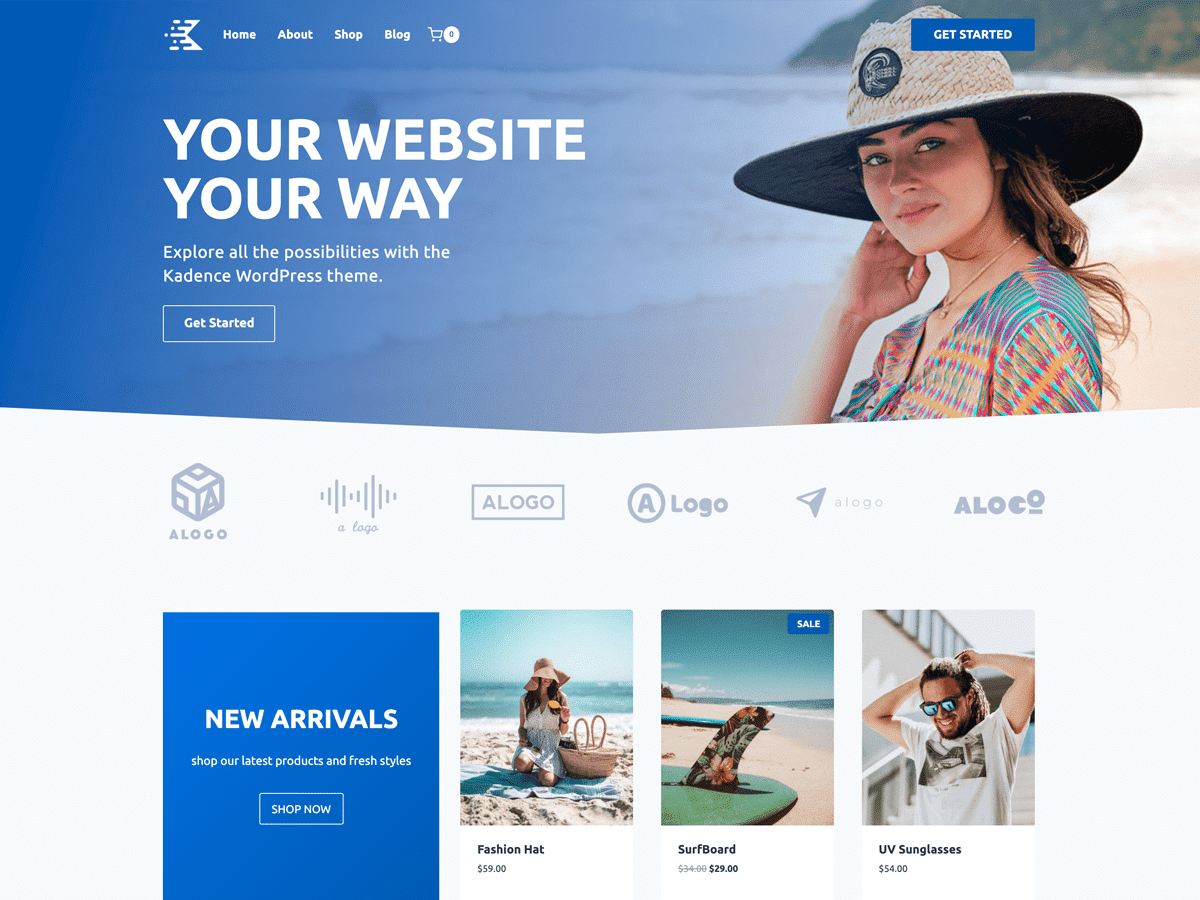
Strengths: Good balance between performance and customization, beginner-friendly design controls, and plenty of ready-made templates.
Limitations: More complex layouts or advanced functionality may require additional tools compared with an all-in-one visual builder.
Best for: Bloggers, content creators, small businesses, and users who want to build visually with the WordPress Block Editor without starting from a completely blank canvas.
Performance results for the Kadence theme:
| Performance KPIs | Score |
| Overall mobile score | 89/100 |
| First Contentful Paint | 3.1s |
| Largest Contentful Paint | 1.9s |
| Cumulative Layout Shift | 2.9 |
| Speed Index | 1.3s |
| Total Blocking Time | 0.3 ms |
| Fully loaded time | 2.8s |
| Total page size | 898 KB |
| HTTP requests | 10 |
⚠️ Important performance note: The following themes come with their own visual builder or are closely integrated with tools such as Elementor or WPBakery. We tested them separately because these themes naturally include more design and site-building functionality than the lightweight options above. To keep the comparison fair, we recreated similar layouts and content using each builder.
6. Avada (+ Fusion Builder)
Avada has been one of the best-selling WordPress themes on Envato for years. It combines a large template library with its own visual builder, allowing you to design the site from header to footer within the same ecosystem.

Strengths: Large selection of ready-made designs, powerful visual building tools, and an integrated ecosystem maintained by the same team.
Limitations: The large number of features and configuration options creates a steeper learning curve than a lightweight theme and adds more resources to the page.
Best for: Freelancers, agencies, portfolios, business websites, and advanced sites where extensive visual customization is important.
Performance results for the Avada theme:
| Performance KPIs | Score |
| Overall mobile score | 87/100 |
| First Contentful Paint | 3.0s |
| Largest Contentful Paint | 1.4s |
| Cumulative Layout Shift | 1.8 |
| Speed Index | 1.6s |
| Total Blocking Time | 0 ms |
| Fully loaded time | 2.3s |
| Total page size | 998 KB |
| HTTP requests | 19 |
7. Divi (+ Divi Builder)
Divi combines a WordPress theme with its own visual page builder. You can build and customize layouts visually without touching code, including more advanced site templates and WooCommerce layouts.
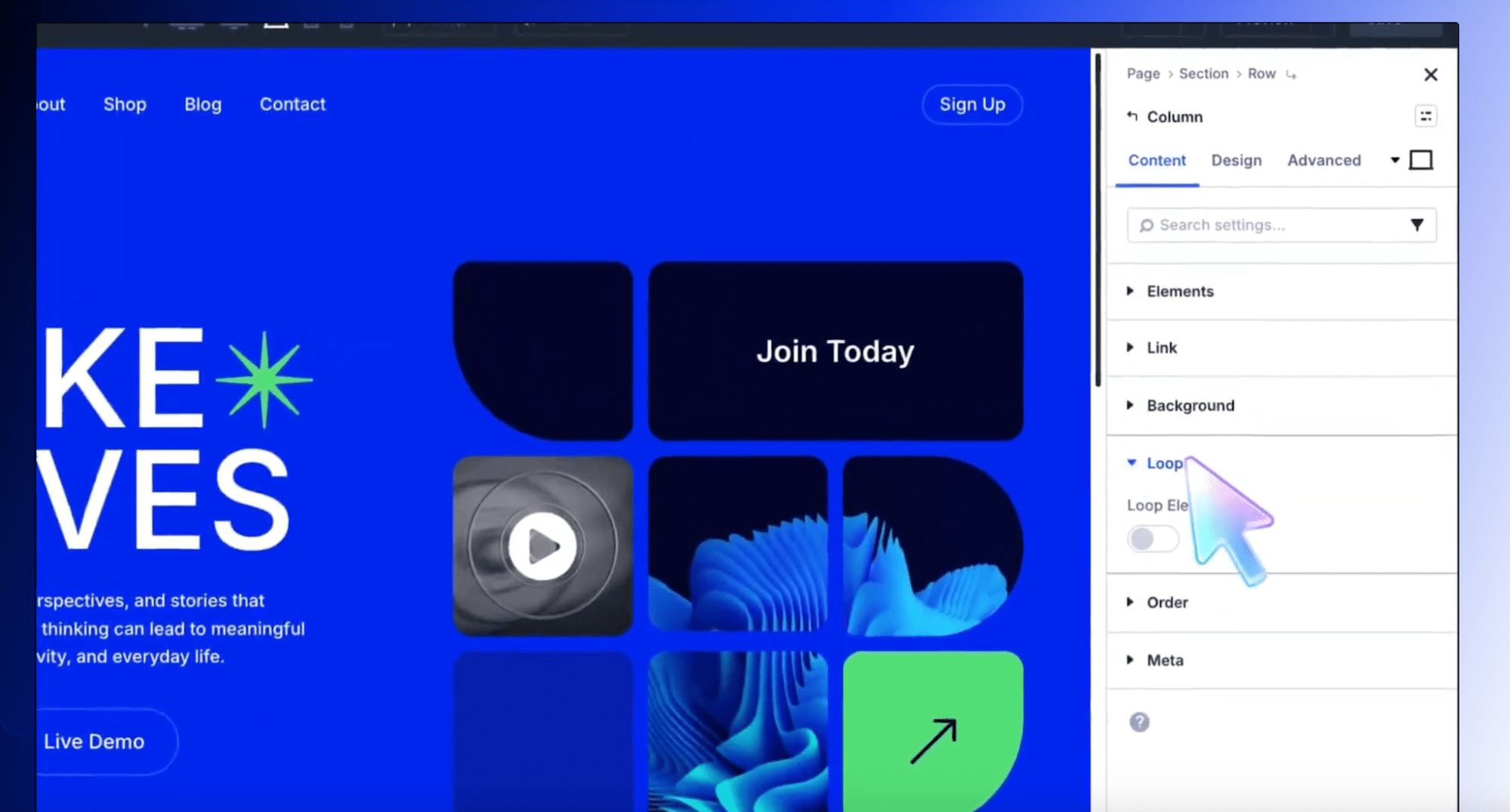
Strengths: Strong visual editing experience, extensive design controls, and an all-in-one workflow that reduces the need for separate design plugins.
Limitations: Divi is heavier than the lightweight themes in our comparison, and your design workflow becomes closely tied to the Divi ecosystem.
Best for: Agencies, freelancers, client-managed websites, visually customized business sites, and WooCommerce projects that need more control over shop and product layouts.
Performance results for the Divi theme:
| Performance KPIs | Score |
| Overall mobile score | 84/100 |
| First Contentful Paint | 4.1s |
| Largest Contentful Paint | 1.6s |
| Cumulative Layout Shift | 1.8 |
| Speed Index | 1.4s |
| Total Blocking Time | 0.1 ms |
| Fully loaded time | 3.2s |
| Total page size | 1.2 MB |
| HTTP requests | 18 |
8. BeTheme (+ BeBuilder)
BeTheme is a multipurpose WordPress theme and website builder with more than 650 prebuilt websites. BeBuilder also supports WooCommerce and more advanced dynamic website requirements through features such as query-based layouts.

Strengths: Huge template library, visual editing, WooCommerce compatibility, and tools for building more complex websites without starting from scratch.
Limitations: It was the heaviest theme in our shortlist, with a 1.4 MB page size and a 4.0s fully loaded time in our test, so performance optimization becomes particularly important as the site grows.
Best for: Agencies, client websites, directories, dynamic content sites, business websites, and users who value a large selection of prebuilt designs.
Performance results for the BeTheme theme:
| Performance KPIs | Score |
| Overall mobile score | 82/100 |
| First Contentful Paint | 4.1s |
| Largest Contentful Paint | 3.3s |
| Cumulative Layout Shift | 0 |
| Speed Index | 4.1s |
| Total Blocking Time | 0 ms |
| Fully loaded time | 4.0s |
| Total page size | 1.4 MB |
| HTTP requests | 22 |
9. The7 (+ Elementor)
The7 is a multipurpose WordPress theme designed around visual site building. It includes prebuilt websites and templates and works with Elementor and WPBakery, giving users extensive control over layouts from the WordPress dashboard.
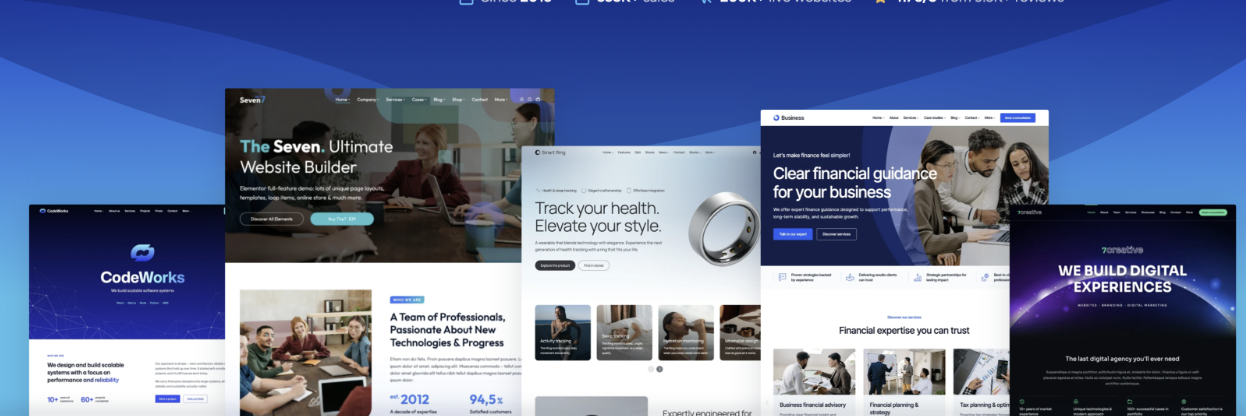
Strengths: Large selection of prebuilt designs, extensive visual customization, and strong compatibility with popular page-building workflows.
Limitations: Using a feature-rich theme together with a page builder creates a more complex setup and adds more resources than a minimal Elementor theme such as Hello.
Best for: Elementor users who want more theme-level functionality, freelancers, business websites, and client projects requiring flexible visual customization.
Performance results for The7 theme:
| Performance KPIs | Score |
| Overall mobile score | 81/100 |
| First Contentful Paint | 2.4s |
| Largest Contentful Paint | 1.7s |
| Cumulative Layout Shift | 2.9 |
| Speed Index | 1.1s |
| Total Blocking Time | 0 ms |
| Fully loaded time | 3.9s |
| Total page size | 1.3 MB |
| HTTP requests | 19 |
10. Salient (+ WPBakery)
Salient is a design-focused multipurpose theme built around a customized version of WPBakery. It provides hundreds of professional templates and extensive visual options, making design one of its strongest selling points.
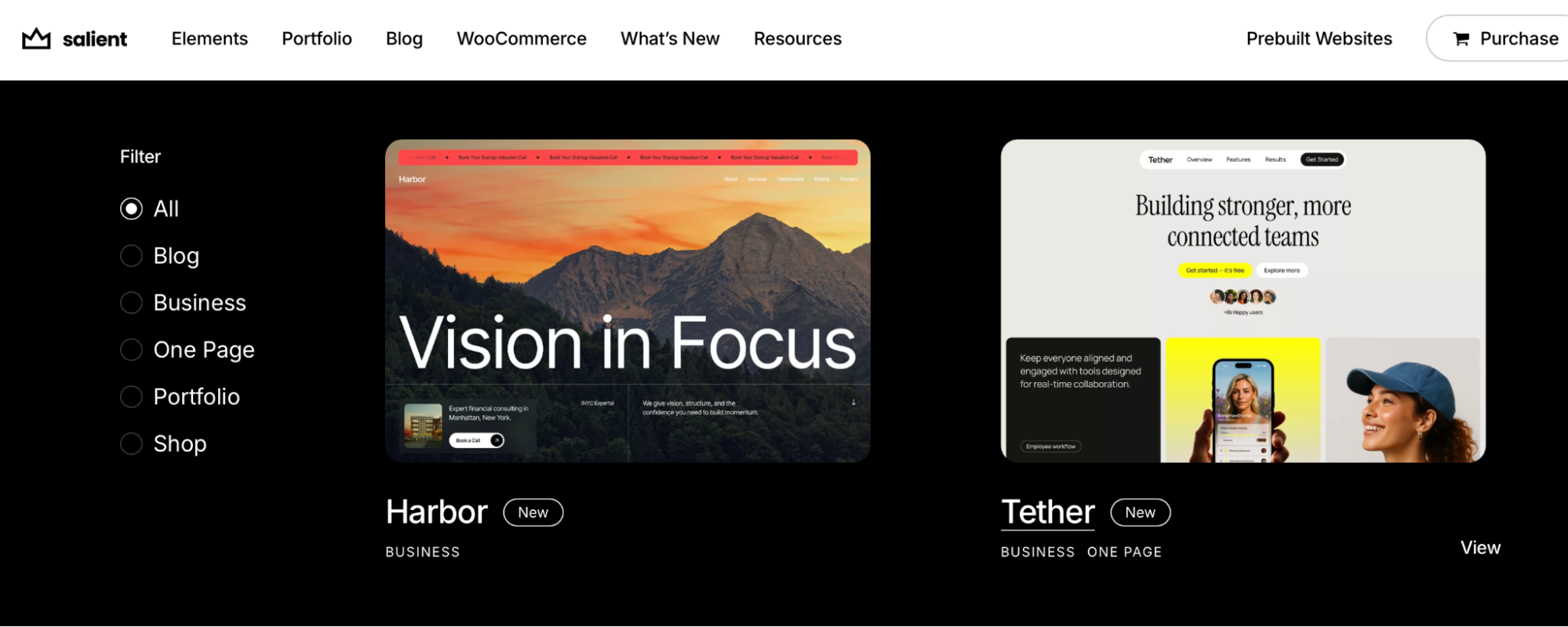
Strengths: Strong visual design, large template library, and plenty of options for creating distinctive layouts and portfolios.
Limitations: Its design-heavy approach can be unnecessary for a simple blog or content website, and it generated the highest number of HTTP requests in our builder-based test.
Best for: Creative agencies, designers, photographers, portfolios, and visually driven business or WooCommerce websites.
Performance results for the Salient theme:
| Performance KPIs | Score |
| Overall mobile score | 82/100 |
| First Contentful Paint | 2.5s |
| Largest Contentful Paint | 1.7s |
| Cumulative Layout Shift | 1.8 |
| Speed Index | 1.9s |
| Total Blocking Time | 0.35 ms |
| Fully loaded time | 3.8s |
| Total page size | 1.1 MB |
| HTTP requests | 25 |
How to Choose a WordPress Theme Beyond Speed
Performance matters, but the fastest theme isn’t automatically the best one for your project. Also consider who will use the site, your preferred page builder, WooCommerce requirements, design flexibility, and how much maintenance the setup will require.
For example, before choosing, ask yourself a few practical questions:
- Site type: Are you building a blog, WooCommerce store, portfolio, business site, or more advanced directory?
✅ Themes you can try: Kadence or GeneratePress for content sites, Astra for WooCommerce, and Salient for portfolios.
- Maintenance: Who will manage the site after launch? If a client needs to make changes easily, avoid a setup that relies too heavily on manual coding and consider a more feature-rich theme with visual editing and reusable templates.
✅ Themes you can try: Divi, Avada, or BeTheme.
- Compatibility: Does the theme work well with your preferred editor, page builder, WooCommerce, and the key plugins in your stack?
✅ Themes you can try: Hello for Elementor, Kadence or GeneratePress for Gutenberg, and Astra for broad builder compatibility.
- Design flexibility: Do you need a lightweight foundation or more advanced control over layouts, headers, templates, dynamic content, and visual effects?
✅ Themes you can try: Avada, Divi, BeTheme, or Salient for more built-in design possibilities.
If you are more a visual learner, here is a comparison table to help you choose the best fast WordPress theme for your needs. For easier comparison, we’ve split the themes into two groups: lightweight themes and feature-rich themes.
Lightweight WordPress Themes Comparison at a Glance
| Theme | Best For | When Not to Choose It | Page Builder Compatibility | WooCommerce Suitability | Design Capabilities |
| Astra | Blogs, business sites, freelancers, WooCommerce | If you want a complete visual builder bundled with the theme | Excellent — works with Gutenberg/Spectra, Elementor, Beaver Builder, and other major builders | Excellent — shop and product customization, variation swatches, galleries, sticky Add to Cart, side cart, and checkout options | Very good — header/footer builder, global styles, starter templates, site layouts, and advanced menus |
| Hello | Elementor sites, landing pages, portfolios | If you don’t plan to build with Elementor | Very good — designed primarily for Elementor and its visual-building ecosystem | Good — WooCommerce compatible, with Elementor adding visual control over store templates and widgets | Good — intentionally minimal theme-level styling; most design flexibility comes from Elementor |
| GeneratePress | Developers, Gutenberg users, lightweight custom sites | If you want lots of ready-made visual features out of the box | Excellent — works with Gutenberg/GenerateBlocks, Elementor, and Beaver Builder | Good — WooCommerce compatible, with additional store controls available in the premium theme | Very good — advanced layouts, hooks, headers, navigation, off-canvas panels, masonry, and conditional layouts |
| Kadence | Bloggers, content creators, small businesses | If you prefer an all-in-one proprietary page builder | Excellent — works with Gutenberg/Kadence Blocks, Elementor, Beaver Builder, and Brizy | Very good — WooCommerce-ready; premium tools add side cart, AJAX Add to Cart, custom shop layouts, and product controls | Very good — drag-and-drop header/footer builder, global colors and typography, custom layouts, responsive controls, and CPT layouts |
| OceanWP | Blogs, business sites, multilingual sites, WooCommerce | If you want a very minimal setup with few configuration options | Excellent — works with Gutenberg, Elementor, Beaver Builder, and other major builders | Very good — detailed shop/product styling, archive layouts, related products, cart options, and eCommerce extensions | Very good — extensive controls for layouts, headers, page titles, responsive settings, and individual page structures |
Feature-Rich WordPress Themes Comparison at a Glance
| Theme | Best For | When Not to Choose It | Page Builder Compatibility | WooCommerce Suitability | Design Capabilities |
| Avada | Freelancers, agencies, advanced business sites, portfolios | If you only need a simple lightweight site | Good — primarily built around the integrated Avada Builder rather than multiple third-party builders | Excellent — complete WooCommerce Builder for product, shop, archive, cart, and checkout layouts | Excellent — live visual builder, headers, footers, forms, mega menus, off-canvas content, dynamic layouts, and 80+ design elements |
| Divi | Agencies, client sites, customized WooCommerce stores | If keeping the site as minimal as possible is your priority | Good — primarily designed around Divi Builder and Theme Builder | Excellent — dedicated WooCommerce modules, dynamic product data, and custom WooCommerce templates | Excellent — full visual editing plus custom headers, footers, post/product templates, global design controls, and dynamic content |
| Salient | Portfolios, creative agencies, designers, highly visual sites | If you’re building a simple content-focused website | Good — centered around its tailored WPBakery Builder workflow | Very good — AJAX cart, Quick View, advanced filters and reviews, and multiple product gallery layouts | Excellent — strong portfolio tools, masonry grids, sliders, animations, global sections, and device-specific responsive controls |
| The7 | Elementor users, agencies, WooCommerce and flexible visual projects | If you want a minimal Elementor foundation like Hello | Excellent — supports Elementor, WPBakery, and Full Site Editing workflows | Excellent — WooCommerce Theme Builder for storefront, products, product lists, cart, and checkout, plus custom product widgets | Excellent — custom headers, footers, archives, content templates, extensive Elementor widgets, grids, carousels, and multiple builder workflows |
| BeTheme | Agencies, business sites, directories and more complex builds | If you want the lightest and simplest possible foundation | Very good — centered around BeBuilder, with Elementor also supported for selected workflows | Very good — WooCommerce Builder for custom shop and single-product templates, conditions, swatches, and store features | Excellent — front- and back-end visual building, templates, layouts, headers, prebuilt sections, dynamic data, and query-loop tools |
Now that we’ve covered the 10 fastest WordPress themes, let’s go behind the scenes. In the next section, we break down the full testing setup, including the test site, settings, tools, and how each theme looked and performed under the same conditions.
How We Tested the Fastest WordPress Themes
Our selection is based on popularity, high download or sales volumes (for example, on Envato), and consistently positive user reviews. We tested approximately 30 themes and retained only those that achieved a page load time under 4 seconds in our setup.
First, we shortlisted 10 themes and divided them into two categories:
#1 Free WordPress lightweight themes
These themes follow a minimalist approach and act as a clean, optimized canvas to build your website on:
- Hello
- Astra
- OceanWP
- GeneratePress
- Kadence
#2 Heavier builder-based WordPress themes
The second category includes “heavier” multipurpose themes that ship with their own page builder or come bundled with one. It wouldn’t be fair to compare a theme like Avada (with its Fusion Builder) directly with a lightweight theme like Astra, so they’re grouped separately:
- Avada (Fusion Builder)
- Divi (Divi Builder)
- BeTheme (BeBuilder)
- The7 (Elementor / WPBakery)
- Salient (WPBakery)
Performance Tools Used
For our tests, we relied on Lighthouse, PageSpeed Insights, and GTmetrix. These tools analyze both raw performance and real-world user experience signals. The key KPIs we focused on are Core Web Vitals and detailed diagnostics that show how each page is built and rendered, and where there is room for optimization.
To ensure consistency and comparability, we measured the following 10 performance metrics on mobile for each theme and test page.
Powered by Lighthouse, PageSpeed Insights, and GTmetrix, both analyze the performance and the user experience of your Website. The most important KPIs are the Core Web Vitals and the detailed report that shows how your pages perform and where there is room for improvement. That’s why we have included the following 10 metrics in our tests – measured on mobile:
From PageSpeed Insights:
- Overall mobile score
- First Contentful Paint
- Largest Contentful Paint
- Cumulative Layout Shift
- Speed Index
- Total Blocking Time
From GTmetrix:
- Fully loaded time
- Total page size
- HTTP requests
The Testing Sites
For the first category, we built a realistic test site using the WordPress Editor and we used the blocks to create a hero banner with a button, 5 testimonials with pictures, 1 call to action (full section with an image), 4 icons and text, 2 titles and 2 subtitles, and 8 services with pictures.

For the second category, we made sure every time to build a page with similar elements present in each builder: a hero banner with an image and a button, 3 services with icon and texts, 2 images (we re-used the same), 2 text elements, 3 icon lists, and a call to action section with a header, sub-header and button (full section).

By using the same testing scenarios and content across themes, we can conduct a fair performance comparison. We performed a new installation for each theme and used the same server for speed testing across all themes.
Important:
Those tests were performed on a server in France, and we built each page ourselves. The results we present are based on our experience and may vary depending on the image size you upload, the amount of content you use, or your location.
Performance testing is essential, but real-life usage is even more telling. We asked an agency if they would perform this kind of test for a future client, and that’s what Jérôme, Developer at Calenzy, said:
Definitely! One of our clients wanted a beautiful website, but without excessive animations or visual effects. The theme had to feel fast, intuitive, and easy to navigate for their users. That’s why testing a theme’s performance before going live is absolutely critical, and we always do it! Whether you rely on a curated list like this one or test your own theme on a staging site, speed should always be validated before delivering a project to a client. Even if we are not always using WordPress, we also test the speed of our own design and code before delivering the site.
How to Speed Up Your Site Even After Choosing a Fast Theme
Even with a fast, lightweight theme, performance can drop as you add images, videos, plugins, embeds, or page-builder elements. This is especially important for WooCommerce performance, where product images, scripts, and dynamic features can make pages heavier. A complete optimization strategy should also include caching, image optimization, CSS and JavaScript optimization, and a reliable hosting/CDN setup.
1. Implement WordPress Caching
WordPress Caching stores ready-to-serve versions of your pages so WordPress doesn’t have to generate them from scratch for every visitor. It can benefit any theme, especially as you add plugins, WooCommerce features, or more complex content.
Tools to consider:
- WP Rocket: The WP Rocket cache is automatically enabled upon activation, along with GZIP compression, critical image optimization, JS and CSS minification.
- WP Fastest Cache: It provides page caching, cache preloading, browser caching, and additional optimization options.
- LiteSpeed Cache: It offers server-level page caching when used with a compatible LiteSpeed environment, plus additional page optimization features.
2. Optimize Your Images
Images can quickly outweigh the theme itself, particularly on portfolios, blogs, and WooCommerce stores. To optimize images for WordPress, resize and compress large images before they become a performance bottleneck, and use modern formats such as WebP or AVIF. Pay particular attention to large hero and product images, as they may become the LCP element.
Tools to consider:
- Imagify: A freemium WordPress plugin that automatically compresses and resizes images and can convert them to WebP or AVIF. It uses Smart compression to compress images without impacting the quality.
- TinyPNG: An online tool for quickly compressing WebP, JPEG, and PNG images before uploading them to WordPress.
3. Optimize CSS and JavaScript
Feature-rich themes and page builders such as Avada, Divi, BeTheme, The7 and Salient can add more CSS and JavaScript as you introduce widgets, animations, and integrations. Reducing unused code and delaying non-essential scripts can help the browser render important content sooner and remain responsive.
Tools to consider:
- WP Rocket: It includes CSS and JavaScript minification, Remove Unused CSS, deferred JavaScript loading, and Delay JavaScript Execution.
- Autoptimize: It also provides CSS and JavaScript optimization, Critical CSS, and options for delaying JavaScript and other non-critical resources.
4. Use a CDN and Reliable Hosting
A fast theme can still feel slow if the server takes too long to respond. Reliable hosting provides the resources WordPress needs, while a CDN distributes site assets across different locations so they can be served closer to visitors. This is particularly useful for international audiences, high-traffic sites, and WooCommerce stores.
CDNs to consider:
- RocketCDN: It integrates with WP Rocket and distributes assets such as images, CSS, JavaScript, and fonts across a global network of edge servers.
- Cloudflare CDN: It uses a global edge network to cache and deliver content closer to visitors while reducing traffic reaching the origin server.
Quick Action Plan: What to Optimize And How
If you want to speed up your WordPress theme and you face some performance issues in GTmetrix or PageSpeed Insights, here’s an easy recap to see what to optimize and which performance or image optimization tool can help.
| Theme Performance Issue | Recommended Fix | Recommended Next Optimization Step with WP Rocket or Imagify |
| Slow page loading time | Enable caching and preload pages | Use WP Rocket for page caching and cache preloading |
| Poor LCP | Prioritize above-the-fold content and the LCP image | Use WP Rocket to optimize critical images and reduce render-blocking CSS |
| High page weight | Compress and resize large images | Use Imagify for Smart Compression, resizing, WebP, and AVIF |
| Too much CSS | Remove CSS that isn’t needed | Use WP Rocket to Remove Unused CSS |
| Too much JavaScript | Delay non-essential scripts | Use WP Rocket to Delay JavaScript Execution |
| 💡 Hint: Even a fast theme needs ongoing WordPress speed optimization as you add plugins, images, and new features. WP Rocket can help keep that extra weight under control with caching and automatic performance optimizations. |
Frequently Asked Questions
What Is the Fastest WordPress Theme in 2026?
Astra and Hello are the fastest lightweight themes, both loading in 1.9 seconds. Astra achieved the highest mobile score at 91/100.
Does a Fast WordPress Theme Improve SEO?
It can help. A fast theme provides a better performance foundation, which can support Core Web Vitals and user experience. However, SEO also depends on your content, technical setup, links, and overall site optimization.
Which Fast WordPress Theme Is Best for WooCommerce?
Astra is a strong performance-first option for WooCommerce. If you need more visual control over product, shop, cart, and checkout layouts, feature-rich themes such as Divi or Avada may be a better fit.
Are Page-Builder Themes Slower Than Lightweight Themes?
Generally, they load more resources because they include additional design and building features. However, our tests show that a well-optimized builder theme can still perform very well — Avada, for example, loaded in 2.3 seconds.
How Should I Test a WordPress Theme Before Using It on a Live Site?
Install it on a staging site, create a realistic page, and test it on mobile with tools such as PageSpeed Insights and GTmetrix. Check loading time, Core Web Vitals, page size, and how performance changes as you add real content.
Wrapping up
Choosing a fast WordPress theme is one of the most important decisions you’ll make when starting a new project. It sets the technical foundation for everything that follows: user experience, SEO, conversions, and long-term scalability. With this study, you now have all the data you need to confidently pick a theme that delivers strong performance right out of the box.
But that’s only step one.
As soon as you start adding real content — images, videos, embeds, custom layouts, and scripts — performance can quickly degrade, even on the fastest themes. That’s why step two is just as critical: optimizing your content, code, assets, and loading behavior across the entire site.
And best of all, there’s no risk: WP Rocket comes with a 14-day free trial or a 14-day money-back guarantee, so you can test it on your own site and see the results for yourself.