Table of Contents
By Valentina Orlandi - Last update on
Have you ever optimized your website and wondered if pages could load even faster for visitors? Then you’ll love what’s coming with our new major release: WP Rocket 3.22 now includes Content Delivery, the new tab inside WP Rocket where you can enable RocketCDN for free to give an extra boost to the pages that matter the most for your business.
Included in every WP Rocket license at no extra cost, RocketCDN is already configured and works directly inside WP Rocket with no bandwidth limits.
And while improving content delivery often means adding another tool to your stack, at WP Rocket, our mission has always been the same: make performance as easy and effective as possible for everyone, no matter their technical knowledge.
With version 3.21, we turned Rocket Insights into a performance hub to help all Rocketeers monitor their website, better understand performance, and optimize with built-in guidance tied to WP Rocket features.
Now, with WP Rocket 3.22, we’re taking the next step by helping your content reach visitors faster too, in the simplest way and inside our plugin.
Keep reading or watch the video to discover everything new!
What’s Content Delivery and Why It Matters for Performance
Let’s start by understanding what content delivery actually means. You may wonder how it works and why it matters when your website is already optimized. Truth is, how your content reaches visitors can have a significant impact on loading time.
Picture this: someone visits your homepage from another continent. Every image, CSS file, JavaScript file, font, and other asset on your page needs to travel from the server where your website is hosted to that person’s browser.
The farther the user is from your server, the longer this process can take. This extra distance increases latency, meaning content takes longer to reach them and pages can feel slower to load. It can also directly impact performance metrics that depend on those assets loading quickly, such as Largest Contentful Paint when the LCP element is an image or text using a custom font.
That’s where content delivery comes in.
Instead of serving files from a single location, content delivery uses multiple edge locations distributed around the world to deliver your website assets closer to this visitor. So instead of waiting for files to travel across the world from your origin server, they receive them from a nearby edge location.
In simple terms, your content takes a shorter path to reach visitors, reducing delays and helping pages load faster.
And the impact goes beyond loading time. Faster content delivery can improve first impressions, reduce bounce rates, and help visitors interact with your website more quickly. And you know what happens next: when users can access your content faster, they’re more likely to stay engaged, browse more pages, and ultimately convert.
This explains why, with this release, we focused on making content delivery simple and accessible directly inside WP Rocket.
Introducing Built-In Content Delivery
With WP Rocket 3.22, you can now enable RocketCDN on your top 3 pages directly from a new built-in tab inside WP Rocket, which replaces the former CDN tab.
RocketCDN is the easiest way to start using a CDN on your website, with optimized settings automatically applied and unlimited traffic included.
At the same time, we want to give you full control over your website, so RocketCDN is not activated automatically. You’ll find everything you need to get started in the next section.
In a nutshell, here’s what you’ll get with WP Rocket 3.22:
- 3 key pages of your choice to speed up, such as your homepage and 2 additional high-impact pages
- 10 edge locations worldwide
- Optimized CDN settings automatically applied
- Unlimited bandwidth.
💡 Bottom line: With WP Rocket 3.22, you can improve loading time on the 3 pages that matter most for your business thanks to RocketCDN, the built-in CDN that doesn’t require any extra setup and that you can manage directly inside WP Rocket.
Get Started: Speed Up Delivery for Your Most Important Pages
Ready to try RocketCDN inside the new Content Delivery tab?
Here’s our suggestion to help you get the most out of it: start with your homepage, since it’s often one of the most visited pages and the first impression visitors get of your brand and business.
From there, you can add up to 2 additional pages, such as the pricing page or high-traffic content.
We recommend prioritizing the pages with the highest potential for traffic, engagement, and conversions, so users experience faster loading on the pages that drive the most value for your business.
And if your needs change over time, you can update or replace pages whenever you want.
🚀 Tip: Before enabling RocketCDN, run a performance test with Rocket Insights. Then add your pages and re-test them to compare loading time and measure the impact.
How to Manage Your Key Pages in the Content Delivery Tab
Once you update WP Rocket to 3.22 or buy WP Rocket for the first time, you’ll find the new Content Delivery tab on the left, right below the Rocket Insights tab.
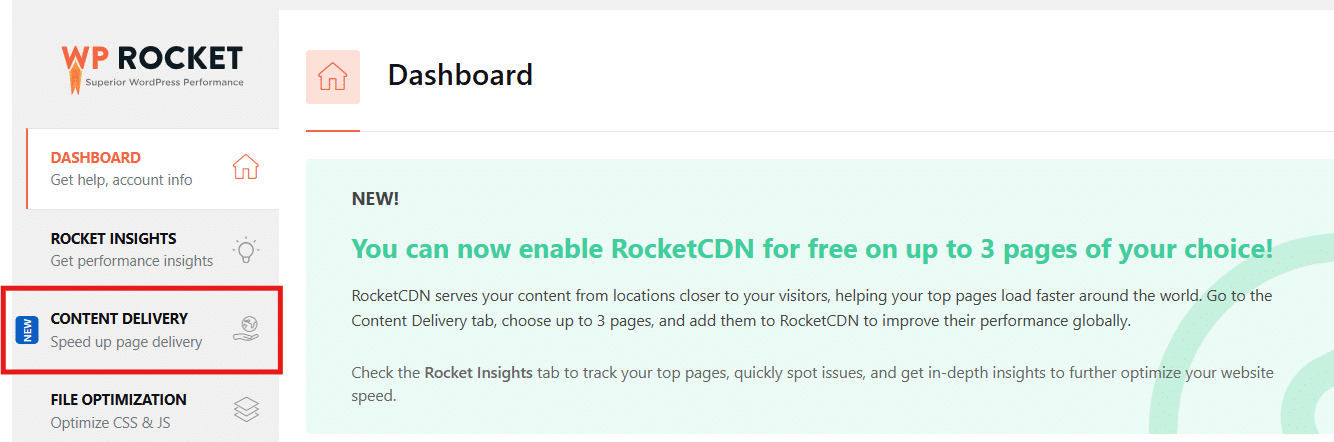
From there, open the tab and add your homepage URL, along with up to 2 additional pages you want to optimize.
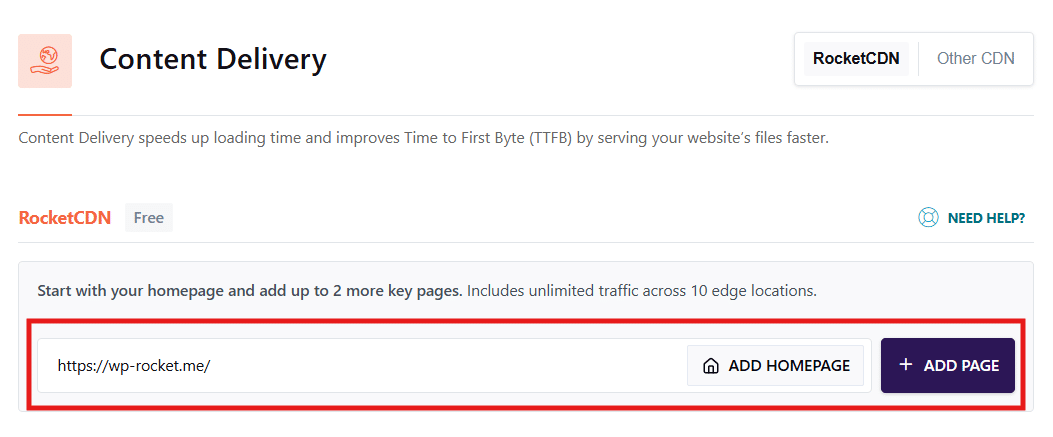
Once you add your URLs, their status will appear as Active, meaning RocketCDN is running for those pages.
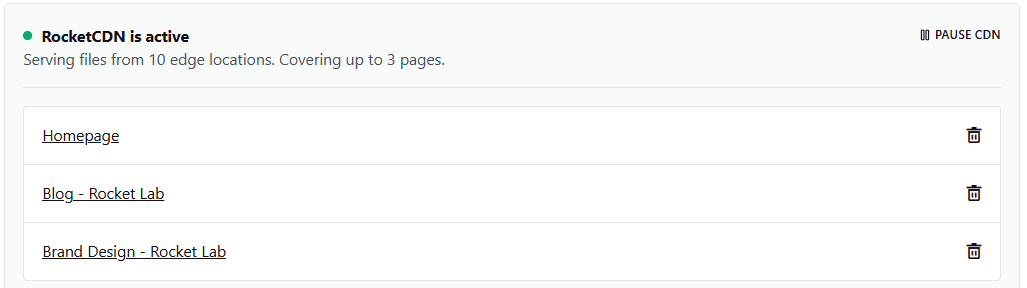
🚀 Tip: Don’t forget to check the performance impact! Re-test your pages with Rocket Insights after enabling RocketCDN to measure the loading time improvements. You only need to click on the Re-test performance button:
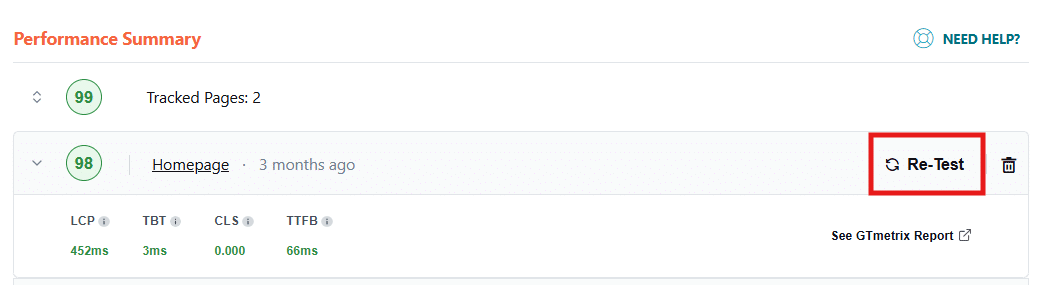
You also have full flexibility over how to manage RocketCDN.
Here are the options available to you:
- At any time, you can pause or resume RocketCDN for one or more pages:
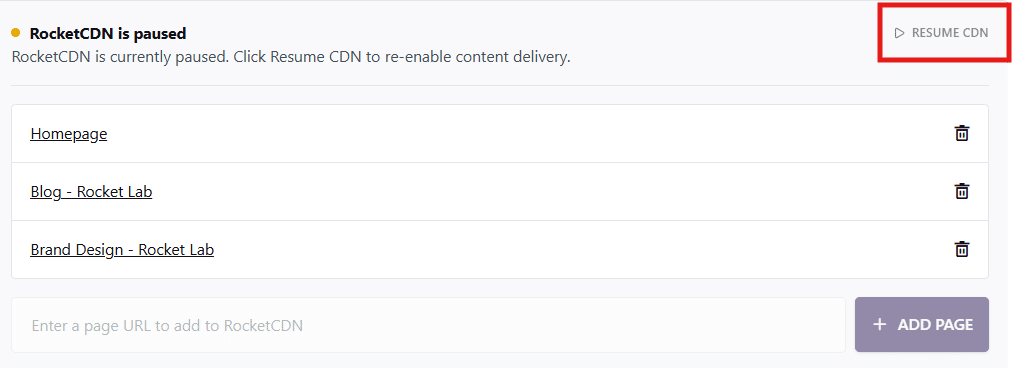
- You can also exclude specific files from delivery:
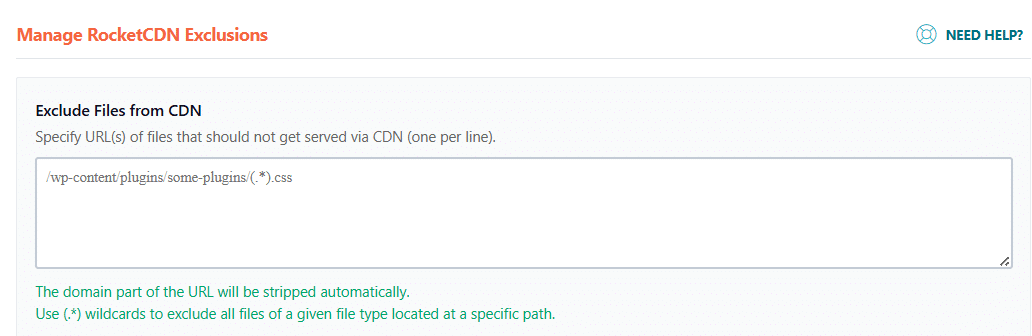
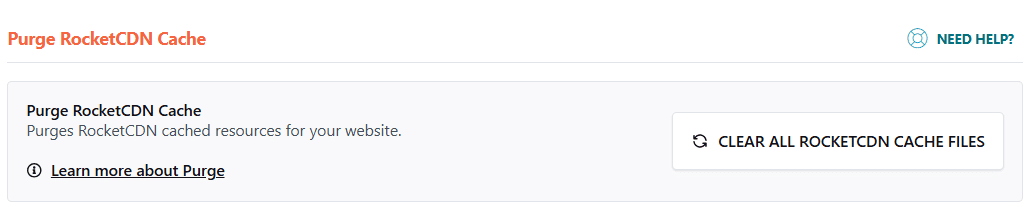
- Lastly, you have the option to purge the CDN cache directly from the tab:
Note: If you already use your own CDN, you can also add the CDN CNAME inside the Content Delivery tab.
Last but not least: if you’d like to extend RocketCDN beyond your 3 key pages, you can take advantage of RocketCDN Pro to get full website coverage with over 100+ edge locations worldwide. RocketCDN Pro is the same Premium subscription already available before WP Rocket 3.22, and now you’ll find the option directly inside the Content Delivery tab.
And, spoiler alert, we’re already working on an enhancement to make the Content Delivery tab more powerful and let your website load even faster worldwide. It’s already on its way, and we can’t wait to share more details soon!
💡 Bottom line: the Content Delivery tab included in WP Rocket allows you to enable RocketCDN on your most important pages at no extra cost, while RocketCDN Pro is the smoothest option for accelerating your entire website with wider global coverage and no bandwidth limit.
Wrapping up
With WP Rocket 3.22, content delivery is now built directly into WP Rocket, making it easier to improve loading times on your most important pages at no extra cost, with optimized settings automatically applied for you.
From monitoring performance with Rocket Insights to speeding up content delivery with RocketCDN, WP Rocket continues to make performance optimization simpler and more accessible for all Rocketeers.
Update to WP Rocket 3.22 and keep boosting your top pages today!
As always, we’d love to hear what you think about the new Content Delivery tab. Feel free to share your feedback and first impressions in the comments below!