Table of Contents
By Marine Larmier - Last update on
Conversion rate optimization tools are the key to turning more visitors into customers and improving your overall website performance. But the real question is: how does a simple visitor become a paying customer? What’s the actual recipe behind high-converting websites?
Do you think your conversion rate is good enough? Have you noticed a drop recently? Are users adding products to their cart but leaving at the payment page? Is your site fast enough, or is it frustrating for visitors and pushing them away?
The best conversion rate optimization tools help you answer these questions.
In this article, you will discover the best CRO tools for websites, the right conversion optimization software based on your goals, and the most common mistakes to avoid.
| TL;DR The best conversion rate optimization tools depend on your needs: understanding user behavior, running A/B tests, personalizing experiences, analyzing data, or improving performance. The most effective CRO tools for ecommerce and lead generation work together to remove friction, improve UX, and increase conversions. ✅ Conversion rate optimization tools don’t all solve the same problem, define your CRO strategy first. ✅ The best CRO tools for websites combine behavior insights, testing, and optimization. ✅ Speed and UX are critical for conversion optimization. ✅ Many teams invest in too many conversion optimization tools before identifying the real issue: data is key. ✅ Choosing the best conversion rate optimization tools depend on your traffic volume, goals, and technical level. |
12 Best Conversion Rate Optimization Tools (Top Picks)
Conversion rate optimization tools help you turn more visitors into customers by improving user experience, performance, and decision-making. There is no single “best” conversion optimization software. The best conversion rate optimization tools depend on the type of issue you need to solve to avoid cart abandonment, whether it is understanding user behavior, improving trust, simplifying the checkout process, offering better payment options, or optimizing performance.
We selected these tools based on the most common conversion issues (speed, UX, trust, checkout, and behavior analysis), not just “pure” CRO features. Some tools may not focus on testing or analytics directly, but they still play a key role in conversions by building trust and reducing hesitation at key moments.
Below, you will find the best CRO tools organized by category, each answering a key question to help you choose the right tool for your needs.
📁 Category: Analytics & Behavior CRO Tools
👉 Why are users not converting?
1. Hotjar
Overview
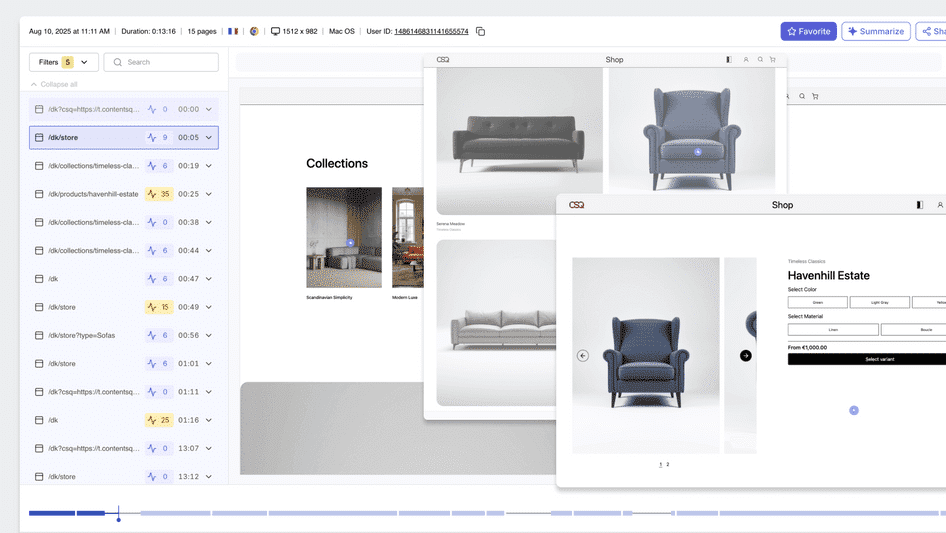
Hotjar is one of the most widely used conversion rate optimization tools for understanding how users interact with your website. It helps you move beyond raw data by showing real user behavior in action.
Key Features
It offers heatmaps, session recordings, and feedback tools to identify friction points.
Ease of Setup
Very easy, with quick installation via script or plugin.
Main Strength
It offers visual insights into user behavior, enabling quick identification of conversion blockers.
Pros
Easy to use, fast insights, and combines qualitative and quantitative data.
Cons
Limited advanced analytics, pricing increases with traffic.
Best For
Teams improving website conversion optimization through UX insights.
Pricing
Free plan available. Paid plans start at $32/month.
2. Contentsquare
Overview
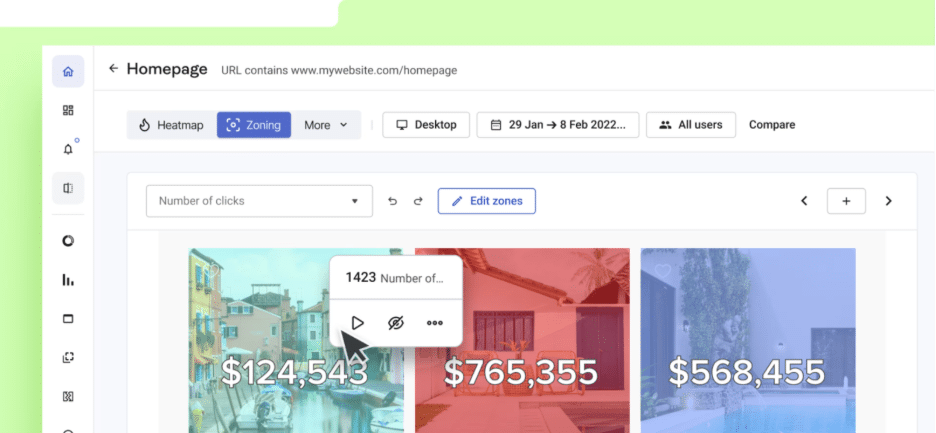
Contentsquare is an advanced analytics platform designed to analyze complex user journeys and optimize conversions at scale.
Key Features
It offers AI-powered journey analysis, heatmaps, and segmentation tools.
Ease of Setup
Moderate, requires onboarding.
Main Strength
It offers deep behavioral insights for enterprise CRO strategies.
Pros
Powerful insights, scalable platform.
Cons
Expensive, requires time to master.
Best For
Large ecommerce businesses and advanced CRO teams.
Pricing
Custom pricing.
3. Google Analytics
Overview
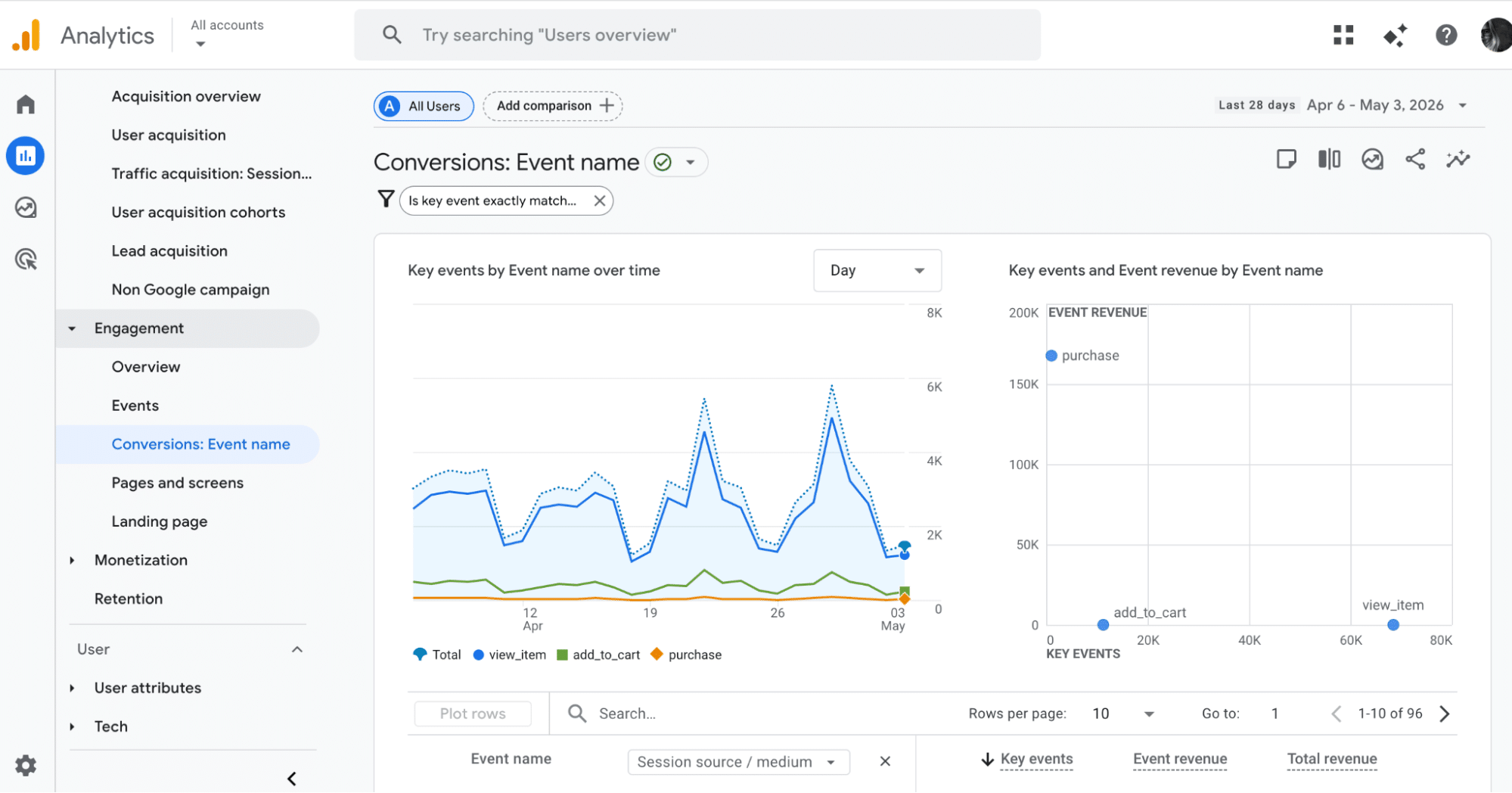
Google Analytics is a foundational conversion-optimization tool used to track user behavior, traffic sources, and conversion funnels.
Key Features
It offers funnel tracking, event tracking, and reporting capabilities.
Ease of Setup
Moderate.
Main Strength
It offers powerful and free data tracking to support all CRO decisions.
Pros
Free, flexible, and highly scalable.
Cons
Complex interface and learning curve.
Best For
Any website looking to improve conversions through data.
Pricing
Free.
📁 Category: Trust & Social Proof CRO Tools
👉 Do users trust your website enough to convert?
4. Reviews Feed Pro
Overview
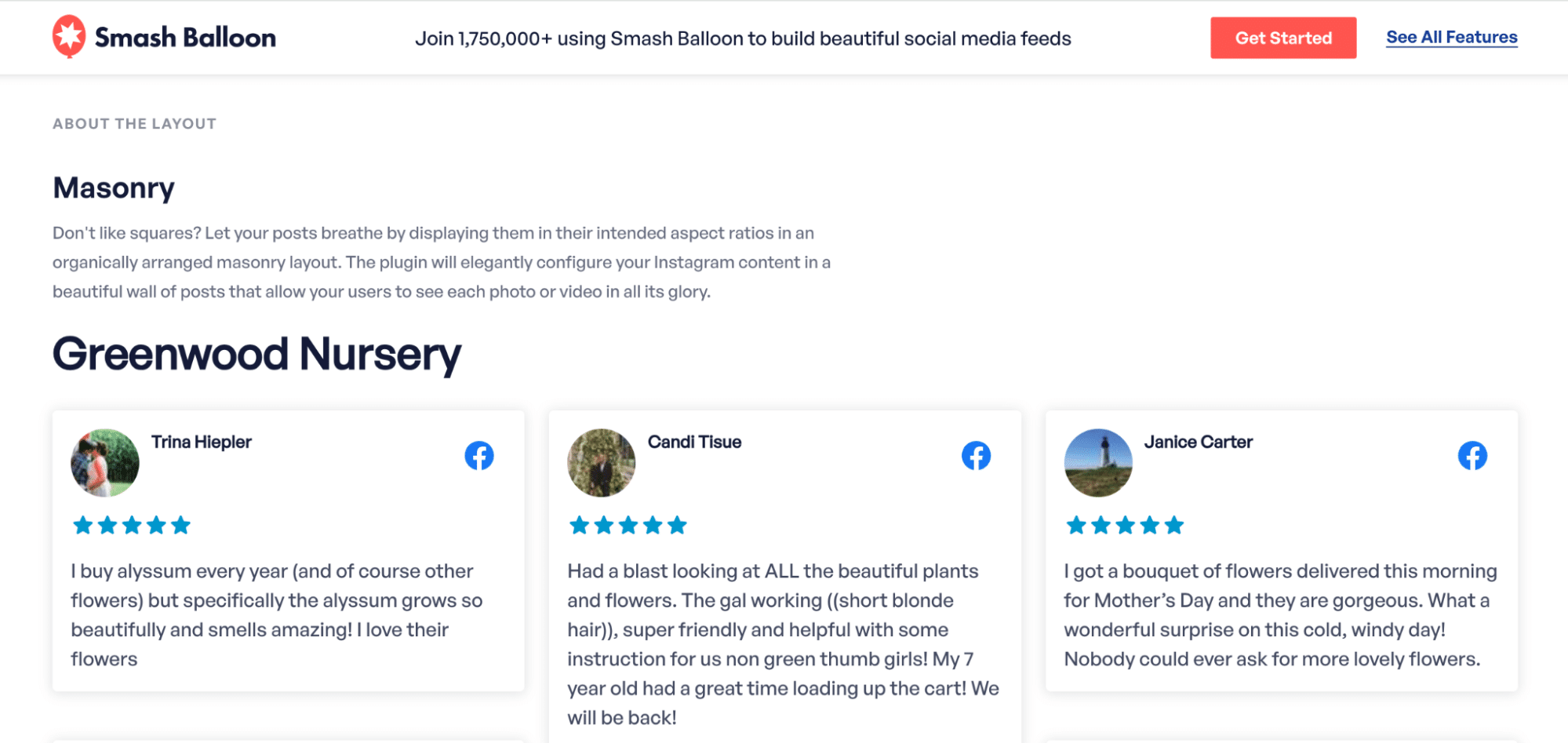
Reviews Feed Pro is a WordPress plugin that helps you display real customer reviews directly on your website to build trust.
Key Features
It offers multi-platform review feeds and customizable layouts.
Ease of Setup
Easy.
Main Strength
It offers instant social proof integration that reassures users at key conversion moments.
Pros
Boosts credibility, easy to implement.
Cons
Paid only, relies on existing reviews.
Best For
WooCommerce stores needing strong trust signals.
Pricing
Starts at $49/year.
5. Trustpilot
Overview
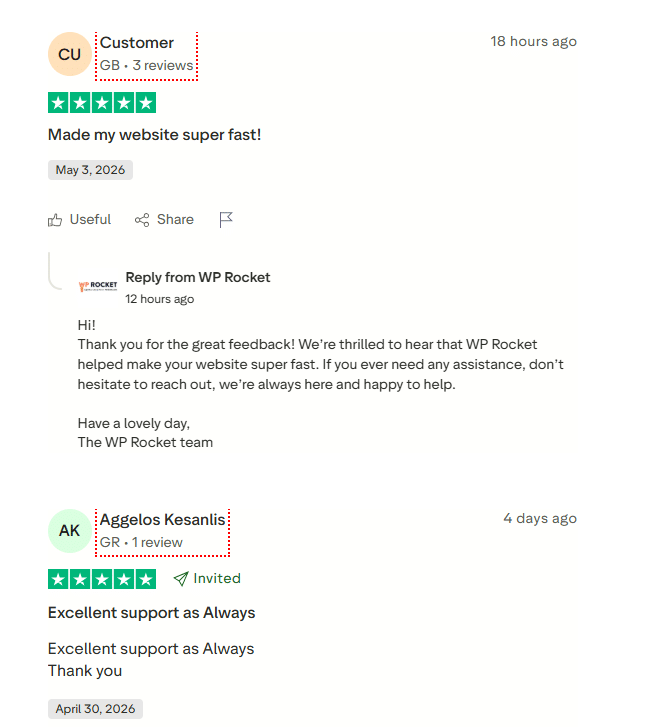
Trustpilot is a leading review platform that allows businesses to collect and display verified customer feedback.
Key Features
It offers review collection, ratings display, and trust badges.
Ease of Setup
Easy.
Main Strength
It offers strong third-party validation, increasing user confidence.
Pros
Recognized platform improves brand authority.
Cons
Expensive plans, limited control over reviews.
Best For
Brands looking to reinforce credibility.
Pricing
Free plan available. Paid plans start around $259/month.
6. Fomo
Overview
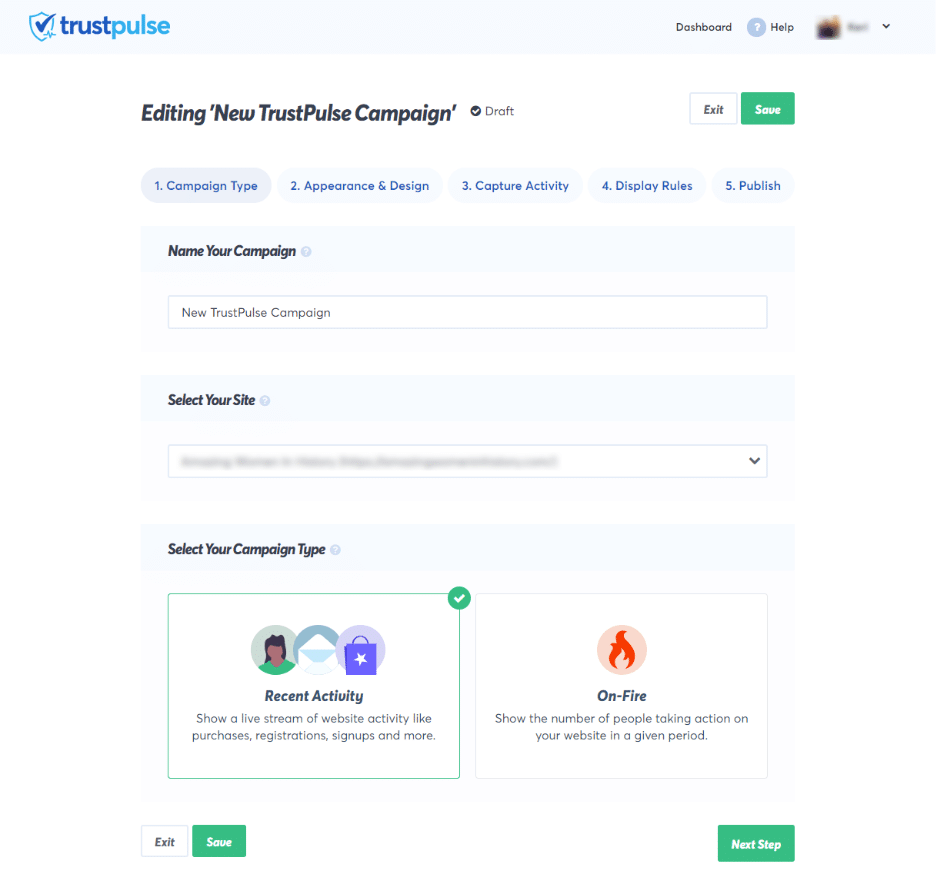
Fomo is a social proof tool that displays real-time activity notifications to create urgency and encourage conversions.
Key Features
It offers live purchase notifications and customizable pop-ups.
Ease of Setup
Easy.
Main Strength
It offers real-time social proof that increases urgency and engagement.
Pros
Increases conversions quickly, easy to integrate.
Cons
Can feel intrusive if overused.
Best For
Ecommerce stores looking for quick conversion wins.
Pricing
Starts at $25/month.
📁 Category: Payment & Checkout CRO Tools
👉 Can users complete their purchase easily?
7. WooCommerce Stripe Payment Gateway
Overview
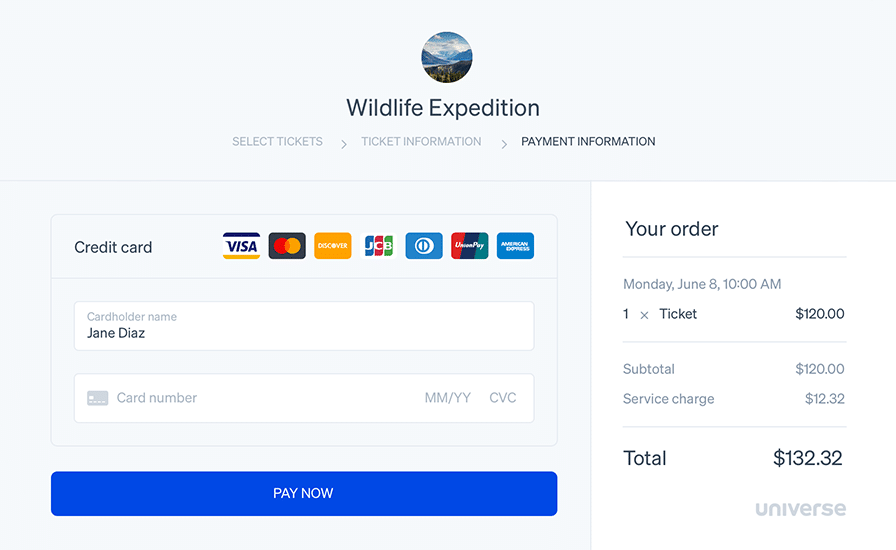
This plugin allows WooCommerce stores to accept multiple payment methods through a single integration.
Key Features
It offers cards, Apple Pay, Google Pay, and local payment methods.
Ease of Setup
Moderate.
Main Strength
It offers flexible global payment options that reduce checkout friction.
Pros
Wide payment support, secure checkout.
Cons
Requires a Stripe account, PayPal not included.
Best For
International ecommerce stores.
Pricing
Free plugin. Transaction fees apply.
8. WooCommerce PayPal Payments
Overview
This plugin integrates PayPal and express checkout into WooCommerce for faster and more familiar payments.

Key Features
It offers PayPal, Pay Later, and express checkout buttons to simplify the final step of the purchase.
Ease of Setup
Easy.
Main Strength
It offers a trusted payment method that reduces hesitation and improves checkout completion.
Pros
Trusted brand, easy to use, improves checkout experience.
Cons
Transaction fees, limited customization.
Best For
Stores targeting PayPal users and international customers.
Pricing
Free plugin. Transaction fees apply.
9. Square for WooCommerce
Overview
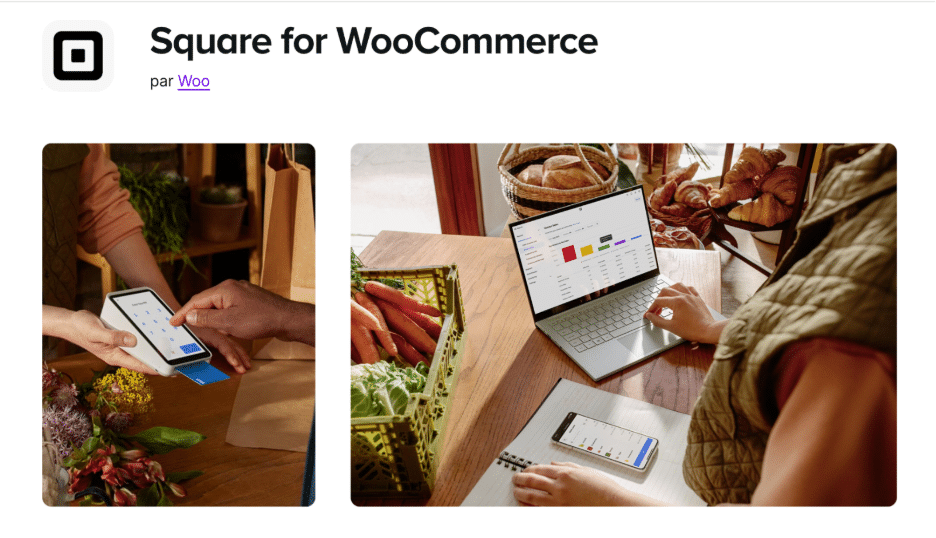
Square connects your online and offline payments into a single system, making it easier to manage sales across channels.
Key Features
It offers POS integration, payment synchronization, and inventory management.
Ease of Setup
Moderate.
Main Strength
It offers seamless omnichannel payment management between online and physical stores.
Pros
Syncs online and offline sales, a reliable ecosystem.
Cons
Regional limitations, transaction fees.
Best For
Retail and omnichannel businesses.
Pricing
Free plugin. Transaction fees apply.
📁 Category: Checkout UX CRO Tools
👉 Is your checkout process too long or too complex?
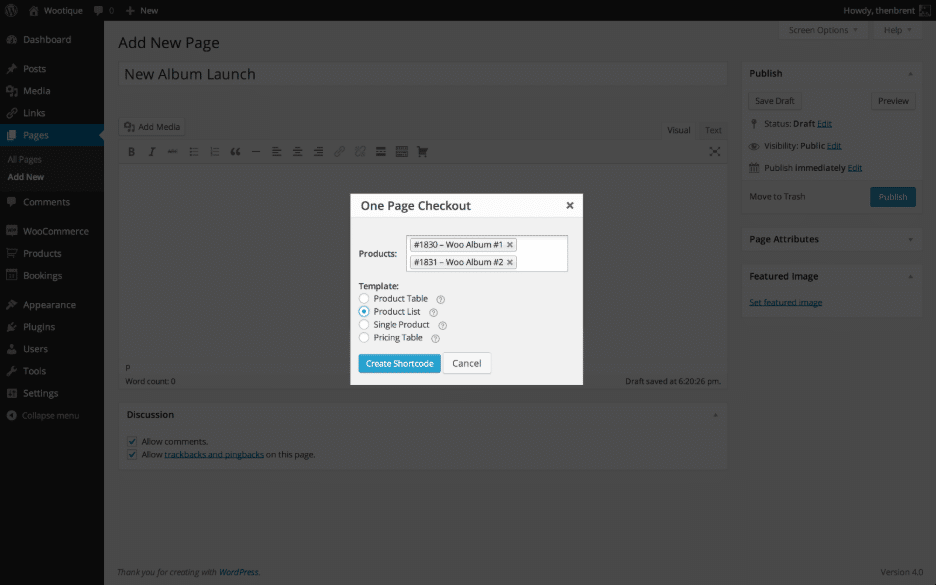
10. WooCommerce One Page Checkout
Overview
This plugin simplifies the buying journey by turning the checkout into a single-page experience, reducing unnecessary steps.
Key Features
It offers one-page checkout layouts and customizable checkout pages.
Ease of Setup
Easy.
Main Strength
It offers a simplified checkout flow that reduces friction and improves completion rates.
Pros
Improves UX, reduces steps, faster checkout experience.
Cons
Paid only, limited design flexibility.
Best For
Stores that want to streamline the checkout process.
Pricing
$79/year.
11. WooCommerce Direct Checkout
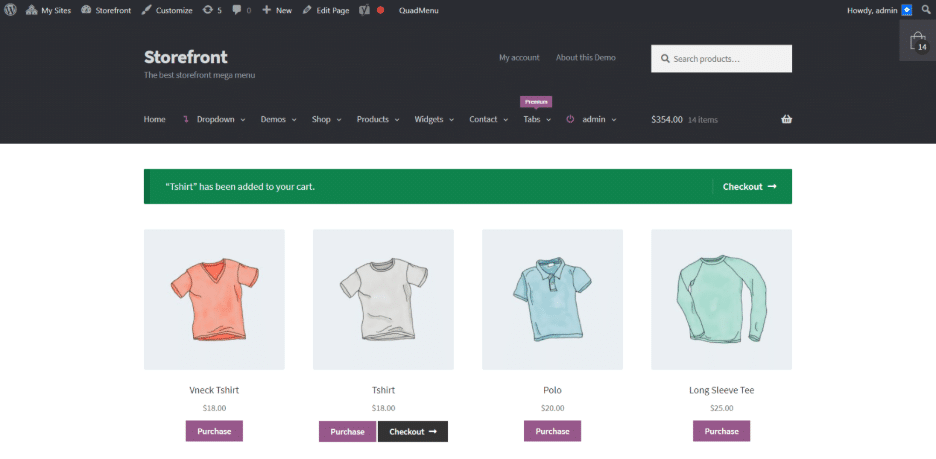
Overview
This plugin removes unnecessary steps by sending users directly to checkout, skipping the cart page.
Key Features
It offers direct checkout redirection and a faster purchase flow.
Ease of Setup
Easy.
Main Strength
It offers a faster path to purchase that minimizes friction.
Pros
Simple, effective, and improves speed.
Cons
Limited customization, fewer upsell opportunities.
Best For
Stores focused on quick and impulse purchases.
Pricing
Free.
12. CartFlows
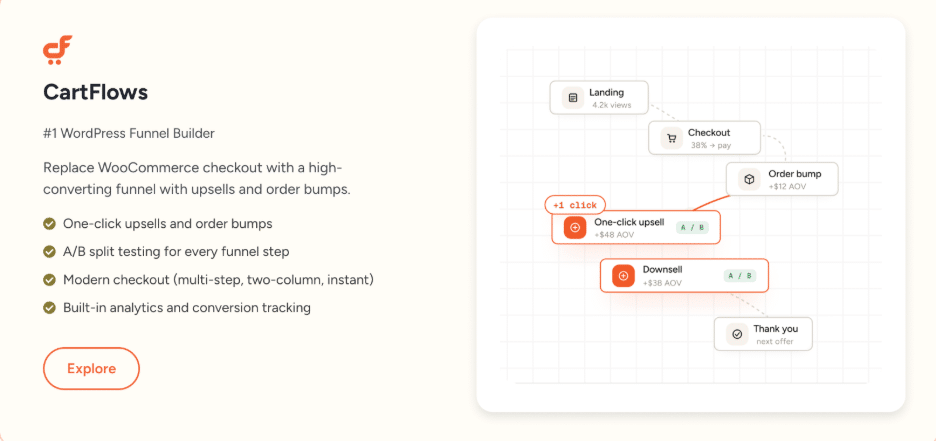
Overview
CartFlows is a funnel builder designed to optimize checkout flows and increase conversions by improving the user journey.
Key Features
It offers prebuilt funnels, order bumps, upsells, and A/B testing.
Ease of Setup
Moderate.
Main Strength
It offers conversion-focused checkout funnels that help increase average order value.
Pros
Boosts conversions, flexible funnel builder, strong ecommerce features.
Cons
Learning curve, advanced features require paid plan.
Best For
Growth-focused ecommerce stores.
Pricing
Free version available. Paid plans start at $199/year.
📁 Category: Performance Tools
👉 Is your site fast enough to convert?
| 💡 Hint: These performance tools do not directly increase conversions in the same measurable way as A/B testing or checkout tools. However, a slow website creates friction, hurts user experience, and can push users to leave before completing their purchase. Performance tools help create a faster experience, which supports conversions and helps prevent cart abandonment. |
Conversion Optimization Tools Comparison (2026)
To help you choose the best conversion rate optimization tools, this table compares the most effective CRO tools based on their checkout optimization goal, ease of setup, and ideal use case. It gives you a quick overview to identify the right tools to improve website conversions and support your optimization strategy.
| Conversion Rate Optimization Tools | Checkout Optimization Goal | Best For | Key Features | Pros and Cons | Easy Setup |
|---|---|---|---|---|---|
| Hotjar | Identify user friction and drop-off points | Users who want to understand user behavior visually | Heatmaps, session recordings, feedback tools | Pros: Easy to use, fast insights, combines qualitative and quantitative data. Cons: Limited advanced analytics, pricing increases with traffic. | ✔ |
| Contentsquare | Analyze complex user journeys at scale | Large companies needing advanced analytics | AI-powered journey analysis, heatmaps, segmentation tools | Pros: Powerful insights, scalable platform. Cons: Expensive, requires time to master. | ✖ |
| Google Analytics | Track funnels and conversion data | Users who want data-driven decisions | Funnel tracking, event tracking, reporting capabilities | Pros: Free, flexible, highly scalable. Cons: Complex interface, learning curve. | ✖ |
| Reviews Feed Pro | Build trust with real customer reviews | Users who want to display reviews and testimonials | Multi-platform review feeds, customizable layouts | Pros: Boosts credibility, easy to implement. Cons: Paid only, relies on existing reviews. | ✔ |
| Trustpilot | Reinforce credibility with external reviews | Brands that want strong third-party validation | Review collection, ratings display, trust badges | Pros: Recognized platform improves brand authority. Cons: Expensive plans, limited control over reviews. | ✔ |
| Fomo | Create urgency to increase conversions | Ecommerce stores wanting quick conversion boosts | Live purchase notifications, customizable pop-ups | Pros: Increases conversions quickly, easy to integrate. Cons: Can feel intrusive if overused. | ✔ |
| WooCommerce Stripe Payment Gateway | Offer multiple payment options | Stores needing flexible global payments | Cards, Apple Pay, Google Pay, local payment methods | Pros: Wide payment support, secure checkout. Cons: Requires a Stripe account, PayPal not included. | ✖ |
| WooCommerce PayPal Payments | Enable fast and trusted checkout | Users who want to offer PayPal and express checkout | PayPal, Pay Later, express checkout buttons | Pros: Trusted brand, easy to use, improves checkout experience. Cons: Transaction fees, limited customization. | ✔ |
| Square for WooCommerce | Manage online and offline payments | Retailers selling both online and in-store | POS integration, payment synchronization, inventory management | Pros: Syncs online and offline sales, reliable ecosystem. Cons: Regional limitations, transaction fees. | ✖ |
| WooCommerce One Page Checkout | Simplify checkout into one page | Users who want to reduce checkout steps | One-page checkout layouts, customizable checkout pages | Pros: Improves UX, reduces steps, faster checkout experience. Cons: Paid only, limited design flexibility. | ✔ |
| WooCommerce Direct Checkout | Reduce steps in the buying journey | Stores focused on fast purchases | Direct checkout redirection, faster purchase flow | Pros: Simple, effective, improves speed. Cons: Limited customization, fewer upsell opportunities. | ✔ |
| CartFlows | Optimize funnels and increase order value | Users who want to build high-converting funnels | Prebuilt funnels, order bumps, upsells, A/B testing | Pros: Boosts conversions, flexible funnel builder, strong ecommerce features. Cons: Learning curve, advanced features require paid plan. | ✖ |
Do You Really Need Conversion Rate Optimization Tools?
Conversion rate optimization tools are powerful, but the key is to understand if your problem is really about optimization or something more fundamental.
Let’s say you run an online store selling shoes. You launch a promotion with ads, traffic starts coming in, but no one buys. At this point, you are left guessing. Is the shipping too expensive? Is the price too high? Are the available colors not appealing? Or is the checkout process too slow or confusing?
This is exactly where conversion rate optimization tools come in. They remove guesswork and help you understand what is actually happening on your site.
Scenarios Where You Likely Need CRO Tools
You likely need CRO tools when you start noticing a drop in sales or conversions without a clear explanation. If your traffic is stable but fewer users complete purchases, it usually means something is blocking them during the journey.
The real signal that you need conversion rate optimization tools is when guesswork is no longer enough.
If you find yourself asking “why are users leaving?” without a clear answer, it is time to rely on data. CRO tools help you move from assumptions to insights, so every decision you make is based on real user behavior.
Actually, if you answer YES to at least one affirmation, you likely need to use one or more conversion rate optimization tools:
✅ Your traffic is good, but your conversions are low.
✅ Users add to cart but don’t complete the purchase.
✅ You don’t know why visitors leave your site.
✅ Your checkout feels long or confusing.
✅ Your site is slow or frustrating to use.
To go even further, we’ve created a list of the most common conversion issues. This helps you quickly identify if your situation matches one of them, see the solution, and choose the right tool. This framework makes it easier to decide whether you actually need a CRO tool and which one to use.
Common Conversion Problems (And the Tools That Help)
Most ecommerce stores lose sales because of specific friction points in the user journey. Here are the main reasons why conversions do not happen, and how to fix them with the right CRO tools.
1. Users Click, but Don’t Convert Because of a Slow Site
A slow website kills conversions before users even engage. If your pages take too long to load, especially on mobile, visitors leave before interacting with your content.
✅ Solution to improve conversion: Improve loading speed and Core Web Vitals to create a faster experience. You should aim at optimizing performance across your entire site, not just checkout.
🛠️ Recommended CRO tools: A performance plugin like WP Rocket.
2. Users Add to Cart but Don’t Buy
This usually means there is friction in the checkout process. If your checkout is too long, requires too many steps, or forces account creation, users drop off before completing the purchase. This is where funnels leak before checkout.
✅ Solution to improve conversion: Simplify the checkout flow and reduce the number of steps required to complete a purchase.
🛠️ Recommended CRO tools: WooCommerce One Page Checkout, WooCommerce Direct Checkout, CartFlows.
3. Users Almost Buy but Leave at the Shipping Page
Shipping is one of the biggest conversion killers. Unexpected costs, slow delivery times, or unclear information create hesitation at the final stage.
✅ Solution to improve conversion: Be transparent about shipping early, clearly explain delivery options, and reduce uncertainty to reassure users.
🛠️ Recommended CRO tools: CartFlows, WooCommerce One Page Checkout.
4. Users Reach the Payment Page but Drop Off
At this stage, users are ready to buy, but they may leave if their preferred payment method is not available. For example, in France, users often expect options like Klarna or PayPal.
✅ Solution to improve conversion: Offer multiple payment gateways to match user preferences and reduce friction at checkout.
🛠️ Recommended CRO tools: WooCommerce Stripe Payment Gateway, WooCommerce PayPal Payments.
5. Users Don’t Trust Your Site Enough
If your website lacks credibility, users hesitate before entering their payment details. This is especially true for new or unknown brands.
✅ Solution to improve conversion: Add social proof, testimonials, and real-time signals to build trust and reassure users.
🛠️ Recommended CRO tools: Reviews Feed Pro, Trustpilot, Fomo.
6. Landing Pages Get Traffic, but Engagement Is Low
You may attract visitors through ads or SEO, but if your content does not engage them, they leave without interacting. This often comes from poor UX or unclear messaging.
✅ Solution to improve conversion: Analyze user behavior to understand where attention drops and optimize your page structure and content.
🛠️ Recommended CRO tools: Hotjar, Contentsquare.
7. Funnels Leak Before Checkout or Signup
Users start the journey but never complete it. This can happen at multiple stages due to friction, confusion, or lack of motivation.
✅ Solution to improve conversion: Analyze your funnel step by step and test improvements to reduce drop-offs.
🛠️ Recommended CRO tools: Google Analytics, CartFlows.
When CRO Tools Will Not Fix Conversion Issues
CRO tools are not a magic fix. If you are getting a lot of visitors but very low conversions, the issue may come from outside your website experience.
For example:
- Your traffic may not be qualified (wrong audience from ads)
- Your pricing may not match market expectations
- Your messaging may not be clear or convincing
- Your product offering may not meet user needs
In these cases, optimization tools will not fix the root problem. You first need to align your offer with your audience.
How to Choose the Right CRO Tool
Choosing the right conversion rate optimization tool depends on your goals, your website, and the type of conversion issue you want to solve. There is no single best CRO tool, only the one that fits your needs best. The right conversion optimization software should help you improve website conversions by addressing your biggest friction point, whether it is performance, user experience, trust, or checkout optimization.
To make the right decision, focus on a few key criteria before choosing your CRO tools.
Key Criteria to Choose the Right CRO Tool
Start by identifying your main conversion problem. If your site is slow, performance tools like WP Rocket should be your priority. If users drop off during checkout, UX and checkout optimization tools will have more impact.
Then, consider your level of complexity. Some CRO tools are simple and quick to set up, while others require more technical knowledge or time to master. Choose tools that match your skills and resources.
You should also think about your traffic and goals. If you have high traffic, analytics and testing tools become essential. If your traffic is lower, focus first on improving UX and trust signals.
Finally, check compatibility with your existing stack. Avoid overlapping tools with the same purpose and prioritize complementary solutions that work well together.
Choose the Right CRO Setup Based on Who You Are
You are a business owner: Focus on tools that deliver quick wins without complexity. Start with performance, then build trust and simplify checkout. You also need to understand what your customers are actually doing on your site to identify friction points.
🛠️ Recommended CRO tools: Hotjar, Reviews Feed Pro
You are a developer: Choose flexible and advanced tools that allow deeper customization .
🛠️ Recommended CRO tools: Google Analytics, Contentsquare
You are a web designer: Focus on user experience and behavior analysis to improve layout, navigation, and engagement.
🛠️ Recommended CRO tools: Hotjar, Fomo
You are a blogger: Prioritize speed, readability, and engagement to keep visitors on your site and increase conversions.
🛠️ Recommended CRO tools: Google Analytics, Hotjar
You are an SEO consultant or a marketer: Focus on data, testing, and funnel optimization to improve conversion rates from traffic. +
🛠️ Recommended CRO tools: +Google Analytics, CartFlows
You a web agency owner: Choose scalable and versatile tools that can be used across multiple client projects, combining performance, analytics, and conversion optimization
🛠️ Recommended CRO tools: CartFlows, Contentsquare
How Conversion Rate Optimization Tools Work
Conversion rate optimization tools help you improve conversions by showing what users actually do on your website, so you can fix issues, test improvements, and make decisions based on real data instead of guesswork.
Let’s go back to a shoe store example. You are getting traffic, but sales are low. CRO tools help you understand what is happening step by step.
1. Understand User Behavior
First, you need to see how users interact with your site. For example, tools like Hotjar or Contentsquare show heatmaps and session recordings so you can see where users click, scroll, or stop engaging. You might notice that users view your product page but never click “Add to cart.”
2. Identify Friction Points
Once you understand behavior, you need to find what is blocking conversions. For example, Google Analytics or Contentsquare can show that users drop off at checkout. This could mean the process is too long, the shipping cost appears too late, or the page is too slow.
3. Test Variations (A/B Testing)
Instead of guessing the solution, you test different versions. For example, you can test a shorter checkout, a different CTA button, or a one-page checkout versus a multi-step process. Tools like CartFlows help you create and test these variations to see what performs best.
4. Personalize Experiences
CRO tools also help you adapt the experience to different users. For example, you can display local currency, highlight preferred payment methods, or show tailored offers depending on user behavior or location. This makes the experience more relevant and increases the chances of conversion.
5. Validate Changes with Data
Finally, you measure results to confirm what works. For example, after simplifying your checkout or improving performance with WP Rocket, you can track whether more users complete their purchase and whether your conversion rate improves.
How CRO Tools Work Together in a Real Optimization Workflow
The best conversion rate optimization tools work together as a system to improve website conversions at every stage of the user journey.
A typical CRO workflow starts with understanding user behavior. Tools like Hotjar or Google Analytics help you identify where users drop off and what is not working.
Then, you optimize performance first. A slow website creates friction at every step, so using WP Rocket ensures fast loading pages and a smoother user experience.
Next, you improve the user journey and test variations. Tools like CartFlows help you simplify checkout flows, test different versions, and increase conversions.
Finally, you build trust and validate results. Adding social proof with Reviews Feed Pro or Trustpilot reassures users, while analytics tools confirm that your changes improve performance.
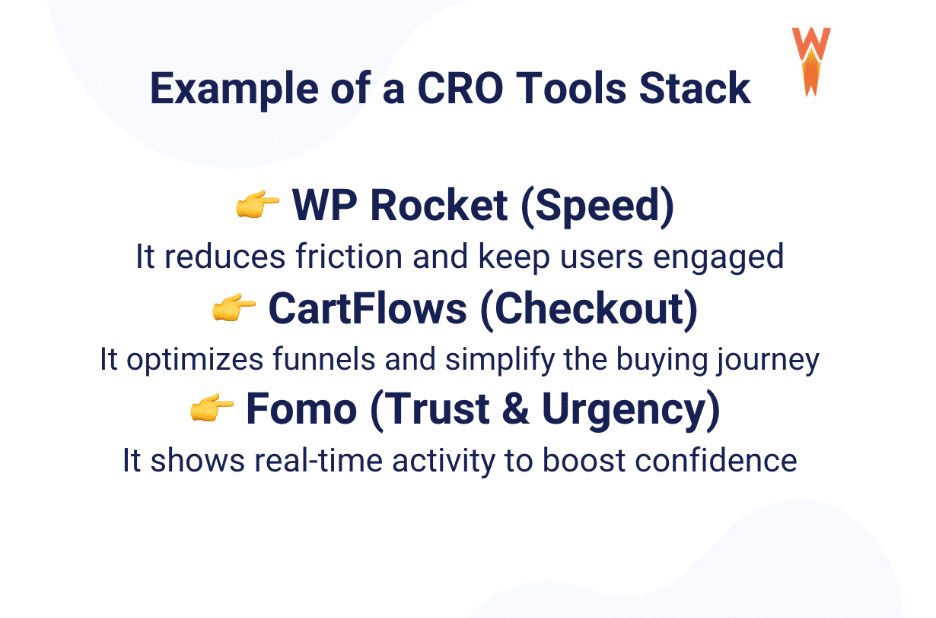
Here’s an example of a CRO tools stack:
Why Website Speed and Performance Matter for Conversion Optimization
The reason is simple: would you buy a €200 pair of shoes on a laggy, slow site that keeps crashing? Of course not. Well, your visitors think exactly the same way.
A slow website creates friction at every step of the buying journey. Even if your product is great, poor performance can break trust, frustrate users, and push them to leave before completing their purchase. Here are a few key statistics that show why performance is critical for conversion optimization:
📊 A website that loads in 1 second has a conversion rate up to 2.5x higher than a site loading in 5 seconds.
📊 40% of users leave a website if it takes more than 3 seconds to load.
📊 Even a 1-second delay in page load time can reduce conversions by around 7%.
| 💡Hint: These e-commerce stats clearly show that performance is not just technical, it directly impacts your revenue. This is why tools like WP Rocket play a key role in any conversion rate optimization strategy. |
Bonus: Common CRO Mistakes to Avoid
Many businesses make the same mistakes, which can waste time, money, and even hurt conversions. This section is based on insights gathered from marketers’ reports, expert interviews, and CRO case studies. We have summarized the most common mistakes into 10 key points you should avoid.
1. Testing Without Enough Traffic
Running A/B tests with low traffic leads to unreliable results and poor decisions.
2. Relying Only on Heatmaps
Heatmaps are useful, but they do not explain why users behave a certain way. You need deeper analytics and context.
3. Optimizing Button Colors Before Fixing Real Friction
Changing colors will not fix a broken checkout or a slow page. Focus on high-impact issues first.
4. Ignoring Mobile User Experience
Most traffic comes from mobile. If your site is not optimized for smaller screens, you are losing conversions.
5. Overlooking Site Speed as a Conversion Issue
A slow website is one of the biggest conversion killers, yet many businesses underestimate its impact.
6. Adding Too Many Plugins or Tools
Stacking tools with overlapping features can slow down your site and create conflicts instead of improving conversions.
7. Forcing Account Creation at Checkout
Requiring users to create an account adds friction and increases cart abandonment.
8. Not Offering Enough Payment Options
If users cannot pay the way they want, they will leave, even at the final step.
9. Ignoring Trust Signals
If you display no reviews, no testimonials, no guarantees, users may hesitate and do not convert.
10. Making Decisions Based on Assumptions Instead of Data
Guesswork leads to poor optimization. CRO should always be based on real user behavior and measurable data.
FAQ Section
Can you explain what conversion rate optimization is and how it actually works?
Conversion rate optimization (CRO) is the process of improving your website so more visitors take action, such as making a purchase, signing up, or filling out a form. It works by analyzing user behavior, identifying friction points, and testing improvements like faster loading times, better calls to action, simplified forms, and stronger trust signals. A well-optimized website can also improve visibility across search engines and AI-driven platforms by delivering a faster, smoother user experience.
What are conversion rate optimization tools?
Conversion rate optimization tools (CRO tools) help you turn more visitors into customers. They show how users behave, where they drop off, and what to improve. Tools like Google Analytics, Hotjar, or WP Rocket help you fix friction and improve conversions.
What is the best CRO tool for beginners?
There is no single best tool, it depends on your goal. If your site is slow, start with WP Rocket. If you want to understand user behavior, use Hotjar. The best CRO tool is the one that solves your main issue first.
Which CRO tools are best for ecommerce?
The best CRO tools for ecommerce combine performance, insights, and checkout optimization. A strong stack includes WP Rocket (speed), Hotjar or Google Analytics (behavior), and CartFlows (checkout optimization).
How do I choose the right CRO tool for my website?
Start by identifying your biggest problem. If your site is slow, fix performance first with WP Rocket. If users drop off, use analytics or UX tools. Always choose tools based on your main conversion issue, not trends.
Do CRO tools improve conversion rates on their own?
Yes, they can help, but they are not magic. You also need the right pricing, clear messaging, a smooth checkout, and a good product. CRO tools help you optimize, but the fundamentals must be strong first.
What’s the difference between analytics tools and CRO tools?
Analytics tools show what is happening on your site (traffic, drop-offs, funnels). CRO tools go further by helping you fix and improve those issues. In practice, you need both to understand and optimize conversions.
Do I need both A/B testing and heatmap tools?
Yes. Heatmaps show how users behave (where they click or scroll). A/B testing helps you test changes and see what works best. One helps you understand, the other helps you improve.
How does website speed affect conversion rate optimization?
Speed has a direct impact on conversions. A slow site frustrates users and makes them leave before buying. Tools like WP Rocket help you create a fast experience, which reduces drop-offs and supports better conversion rates.
Wrapping Up
Improving your conversion rate is one of the fastest ways to grow your revenue without increasing traffic. The rule is simple: reduce friction, improve speed, simplify the buying journey, and use the right conversion rate optimization tool based on your needs.
If your site feels slow or your checkout is not converting, performance is the first thing to fix. This is where WP Rocket makes a real difference!
Try WP Rocket today and see how a faster site can contribute to improve your conversions. Plus you take no risk, with a 14-day refund guarantee.