
Table of Contents
Last update on
How many times have you checked your performance score and metrics and wondered what to optimize next? If you run a website, you know that monitoring speed is only the first step. Understanding what’s affecting performance and applying the right optimizations leads to measurable speed improvements.
With WP Rocket 3.20, we introduced Rocket Insights powered by GTmetrix and brought performance monitoring directly into WordPress, so you could track how your key pages perform without leaving WP Rocket.
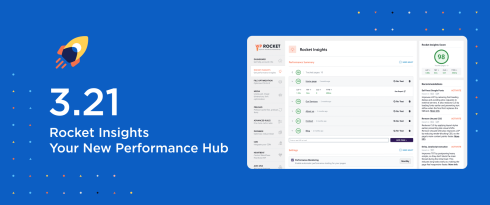
Today, with WP Rocket 3.21, we are enhancing that foundation and turning Rocket Insights into a performance hub to give you a comprehensive view of your website performance that typical speed testing tools can’t provide. In addition to monitoring speed on a global view and for your top pages, you can now measure key metrics, take action with clear guidance, optimize with more confidence, and run unlimited tests to track improvements – all inside our plugin.
In line with this evolution, Rocket Insights is now included with your WP Rocket license: the full experience is free and doesn’t require any additional subscription. We’re truly confident in how Rocket Insights can help you improve your website speed even further and excited about what’s coming next.
We can’t wait for you to discover all you’ll get from Rocket Insights: keep reading or watch the video!
Rocket Insights Becomes a Key Part of WP Rocket
First things first: WP Rocket 3.21 makes Rocket Insights part of the full WP Rocket experience for all Rocketeers at no extra cost.
We believe that Rocket Insights is your most effective ally to further improve your performance score and make the most out of our plugin. So, we highly encourage you to take full advantage of it to strengthen your speed results.
As soon as you update WP Rocket to 3.21, here’s what you’ll get:
- Up to 10 pages to test and track
- A global website performance score and 4 global advanced performance indicators on WP Rocket sidebar, so you can always keep an eye when optimizing your website
- 4 advanced performance indicators for each page you’ve been tracking in the Rocket Insights tab
- Performance recommendations suggesting which WP Rocket features to enable on every tab (except the dashboard)
- Unlimited performance tests, so you can re-test as many times as you like and measure the impact of your optimizations on your score and performance indicators
- Automatic monitoring with a daily, weekly, or monthly scheduling.
ℹ️ If you have a Plus or Multi license, you can use Rocket Insights on each website included in your plan, with up to 10 pages per website.
Now, let’s take a closer look at the key Rocket Insights enhancements included in this major release.
Understanding Your Performance with Advanced Indicators
While a score gives you a quick overview of your website’s speed, it’s understanding the metrics behind it that helps you optimize the overall performance.
That’s why we included 4 advanced performance indicators directly inside WP Rocket, available at both global and page level:
- Largest Contentful Paint (LCP), which is a Core Web Vital, shows how long it takes for the largest visible element to load and become visible.
- Cumulative Layout Shift (CLS), which is also a Core Web Vital, tracks unexpected layout shifts that affect visual stability.
- Total Blocking Time (TBT) measures how long the main thread is blocked before the page becomes interactive.
- Time to First Byte (TTFB) indicates how quickly your server responds to the first request.
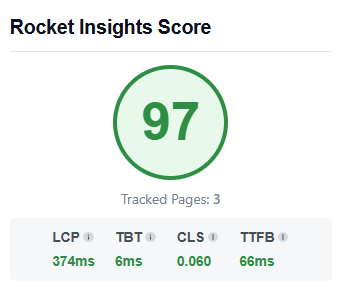
These metrics show you exactly which issue is affecting your score. Is your page slow to become interactive? Is your server response time too high? Is layout instability hurting your experience?
What makes Rocket Insights different is that it answers these questions beyond the page-level. It also provides global advanced indicators based on the average metric scores across all your tested pages. So instead of only getting metrics for single pages, you see the bigger picture of your website’s performance. The more pages you add, the more accurate and representative your global view becomes.
All performance data is powered by GTmetrix, providing the reliability you need to check your speed results and move forward with confidence.
🚀 Why you’ll like it: You’ll clearly see which metric is affecting your overall score. And when a metric needs improvement, you won’t be left alone wondering what to optimize next.
Taking Action with Our Performance Recommendations
When the global score or specific metrics need to be optimized, Rocket Insights guides you toward the WP Rocket feature that can help improve it.
Let’s say your LCP grade needs improvements and should be optimized for better performance. You’ll see the list of recommendations suggesting the WP Rocket features to enable. Next to it, you’ll find an Activate button that takes you directly to the relevant settings.
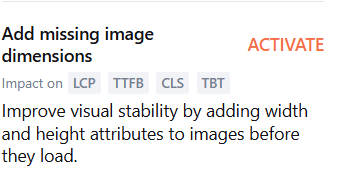
🚀 Why you’ll like it: Instead of trying different options, you’ll be guided toward the most effective optimization based on your website’s performance needs, saving time and effort.
Once you enable the recommended feature, you should immediately run a new test to measure the impact on your score and key metrics. This allows you to validate your optimizations right away and clearly see the impact they have on your website’s performance.

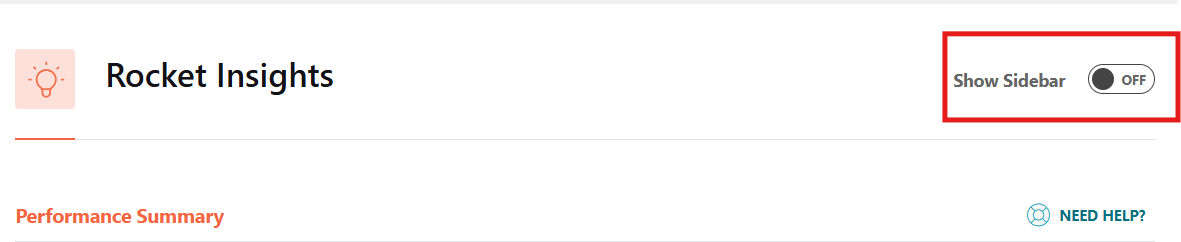
🎯 Done applying all the recommendations? You can hide the sidebar by toggling off and keep Rocket Insights performance data only in its dedicated tab.
In a nutshell, WP Rocket 3.21 helps you turn insights into effective action and optimize speed even faster with dedicated guidance.
Meet the Enhanced Rocket Insights Tab
You’ll always see the global score and global advanced indicators on every tab. Then, you can access Rocket Insights from the WP Rocket dashboard. Simply click on the dedicated Rocket Insights tab in the left menu.
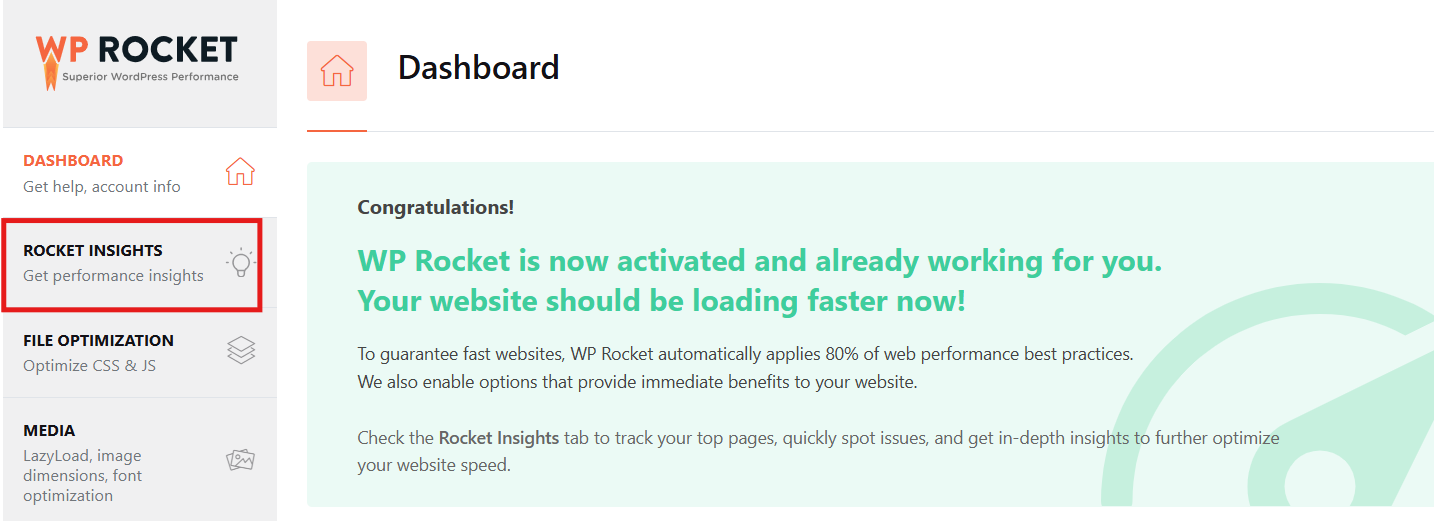
From there, adding a new page is simple. Enter the URL you want to monitor and click Add Page. In just a few seconds, it becomes part of your tracked pages.

After running the first test, you’ll quickly see whether performance needs improvement and which WP Rocket features to enable based on the recommendations provided.
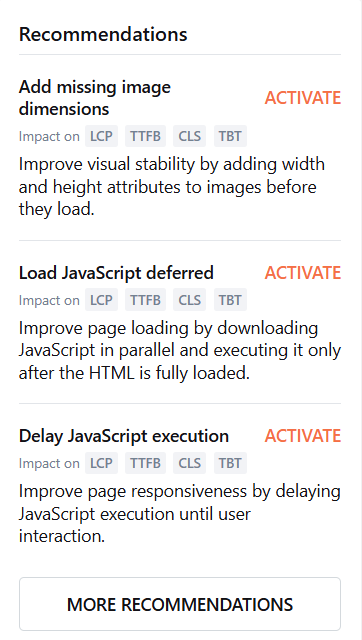
💡 Tip: We encourage re-testing after making changes so you can immediately see the impact on your score and metrics. With unlimited tests available, your monitoring can continue without restrictions as you refine and improve your site at its best.
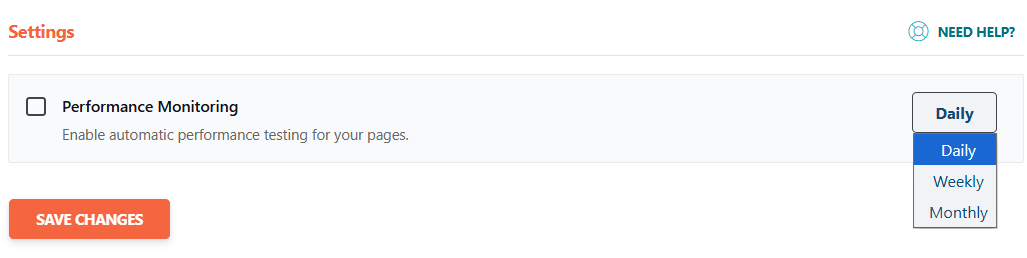
Last but not least, you can set up automatic monitoring for all your tracked pages on a schedule that suits you best. You can run automatic tests daily, weekly, or monthly, and get updates about your pages’ performance without having to run tests manually.
Wrapping Up
WP Rocket 3.21 makes Rocket Insights, our performance hub powered by GTmetrix, fully part of your WP Rocket experience, and takes another step forward to easier web performance optimization and improved speed results.
You can track up to 10 pages, see what’s really affecting your performance at both page and global level, get clear recommendations, and re-test as often as you like to measure the impact – and all is included in your WP Rocket license at no extra cost.
Update to WP Rocket 3.21, take advantage of Rocket Insights to improve your website performance, and let us know what you think in the comments!