


WP Rocket AI Assistant
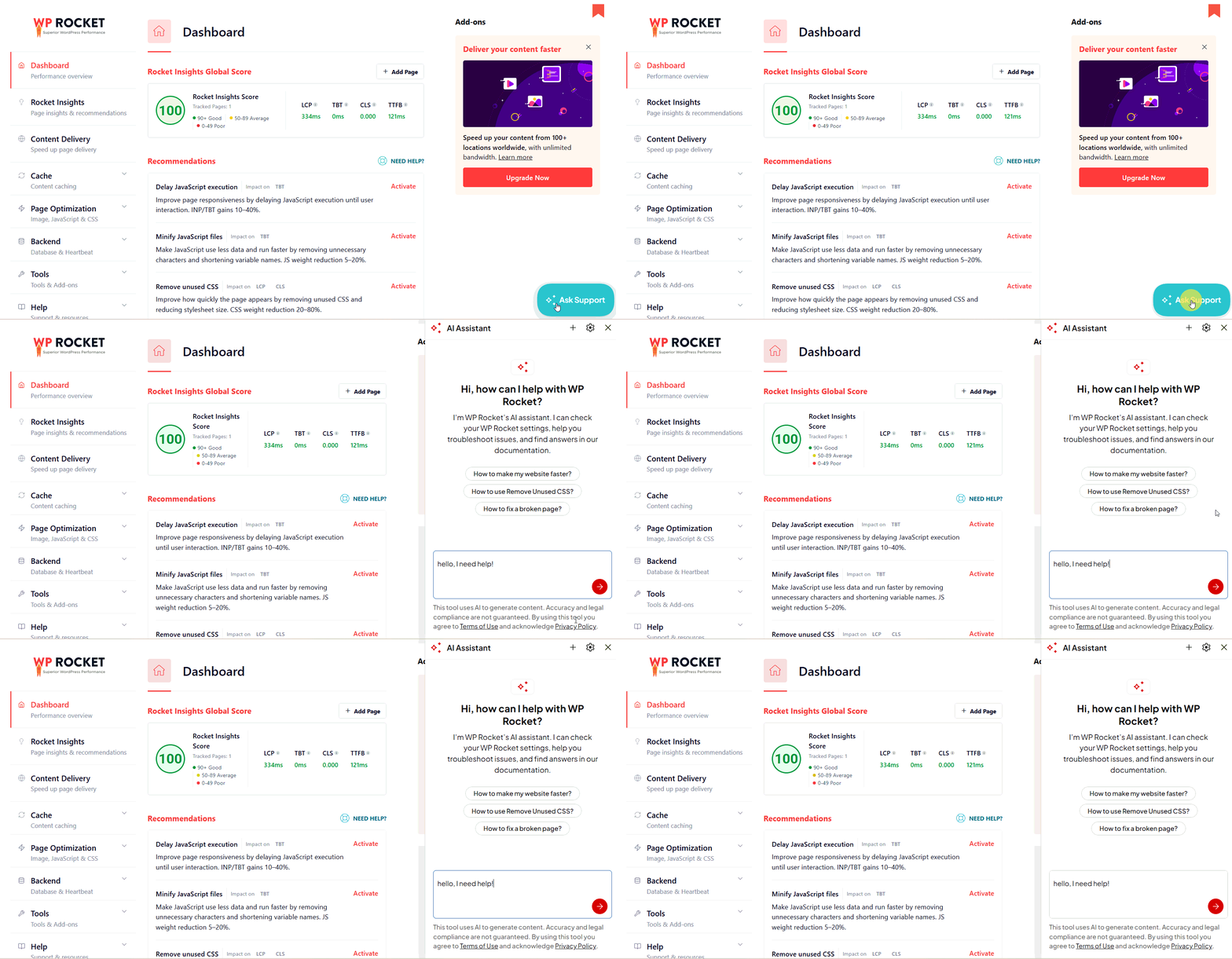
WP Rocket 3.24.3 includes the AI Assistant, which helps users quickly find answers and guidance directly within the plugin.
The AI Assistant is available from the Ask Support button in the bottom-right corner across the WP Rocket dashboard, as well as from the Need Help? buttons displayed next to plugin settings.
Basic requirements
These are the requirements to use the AI Assistant:
- A valid/active WP Rocket license.
- To get more customized support based on the settings, users will be asked to install and activate the standalone MCP Adapter plugin because WP Rocket doesn’t bundle this adapter.
Note: The MCP Adapter plugin does not require any additional configuration, only installation.
Access and limitations
Although the AI Assistant is available by default on sites with an active license, it remains inactive until a user provides consent and accepts the terms of service. This occurs when the user clicks the Agree and continue button inside the Before you start popup, which appears the first time the chat is opened.
The AI Assistant will never ask for or access your credentials, payment method, or modify your website. It’s limited to providing instructions and guidance so users can perform the required actions themselves.
If you decline or close the consent dialog, no application password is created, and the AI Assistant cannot access any of the website or WP Rocket information. The chatbox will be deactivated, and it will not run at all.
Please refer to the AI Assistant access and limitations article for more information.
Settings
The available settings for the AI Assistant can be accessed from the gear icon at the top-right of the chat and include:
- Read WP Rocket settings, which can be set to
Allow,Ask permissionorDeny. - Delete my data.
How the AI Assistant can help
The AI Assistant can help users with the following topics:
- WP Rocket configuration: guidance on recommended settings, key features to enable, and configuration best practices.
- Website performance optimization: identifying performance issues and suggesting ways to improve site speed.
- Technical support: troubleshooting common issues related to the different optimizations.
- Sales and billing: assistance with tasks such as updating billing information, upgrading a license, or requesting a refund.
- Contact WP Rocket support: help to draft/edit a request and email it to the support team.
The AI Assistant is configured to only use official sources at the WP Rocket knowledge base and WP Rocket’s website. It does not generate answers based on assumptions, previous conversations, or third-party websites.
When the AI Assistant cannot answer a question or finds a limitation, it can help users draft a message to contact the WP Rocket Support team.