



From Guesswork to Real Fixes,
In One Conversation
Manage your whole client portfolio’s speed in minutes, not hours.
Ask Claude or Codex to check performance, fix issues, and report results — grounded in your real Rocket Insights data, not guesses.
5 Ways Agencies Are Already Using MCP
Each one comes from real workflows tested by early-access agencies. See how it works, then try the prompt on your own site.
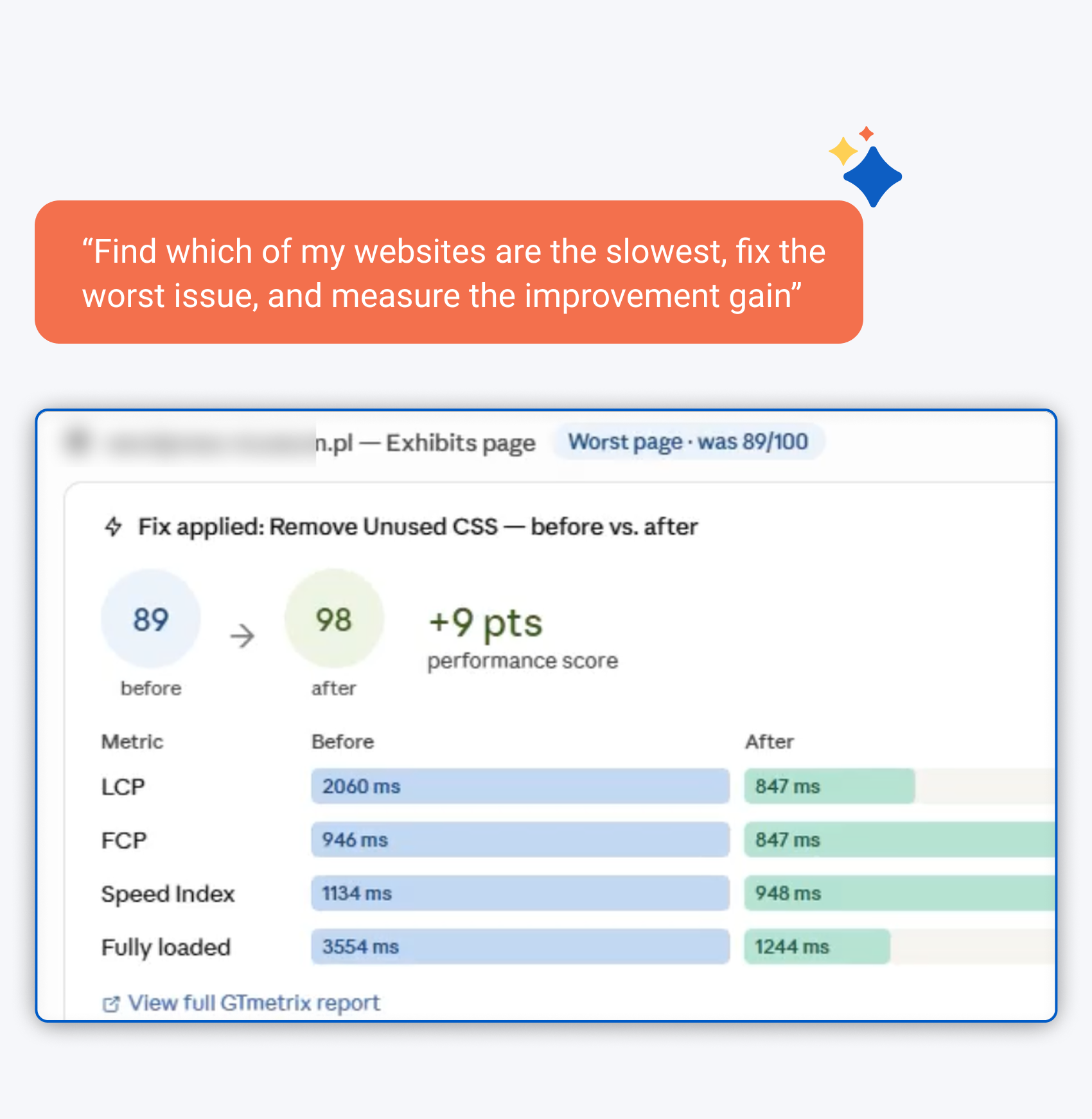
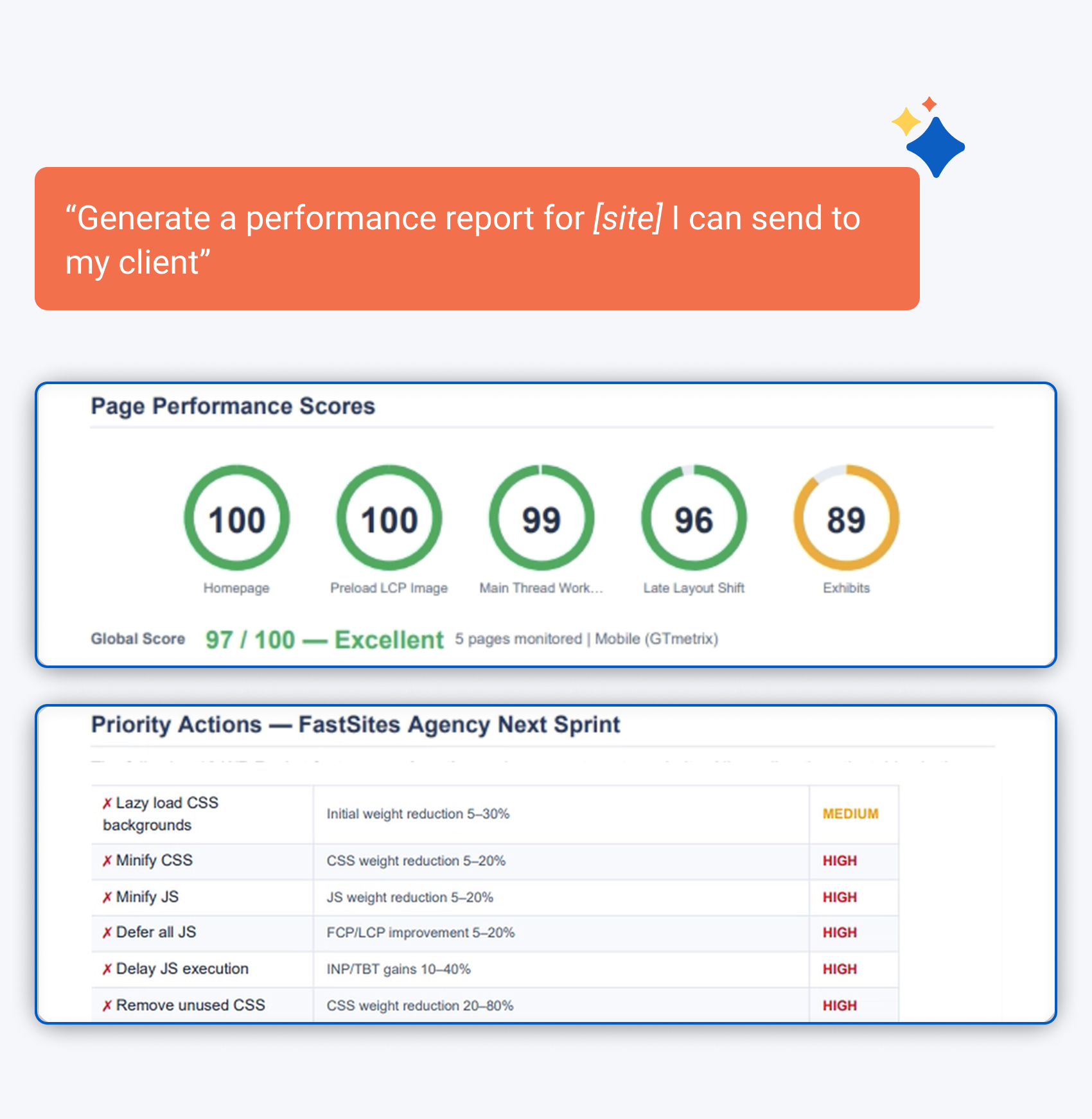
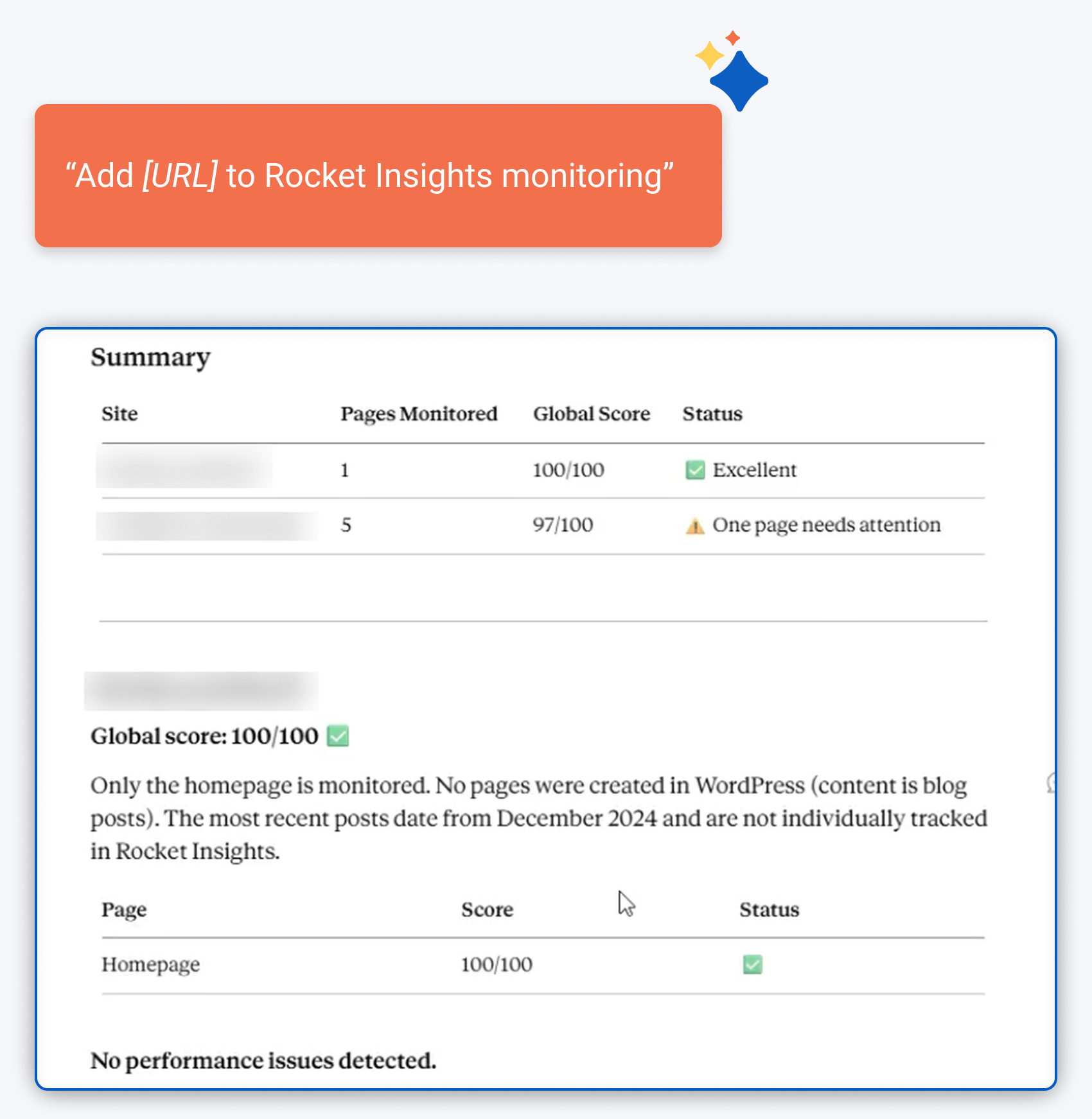
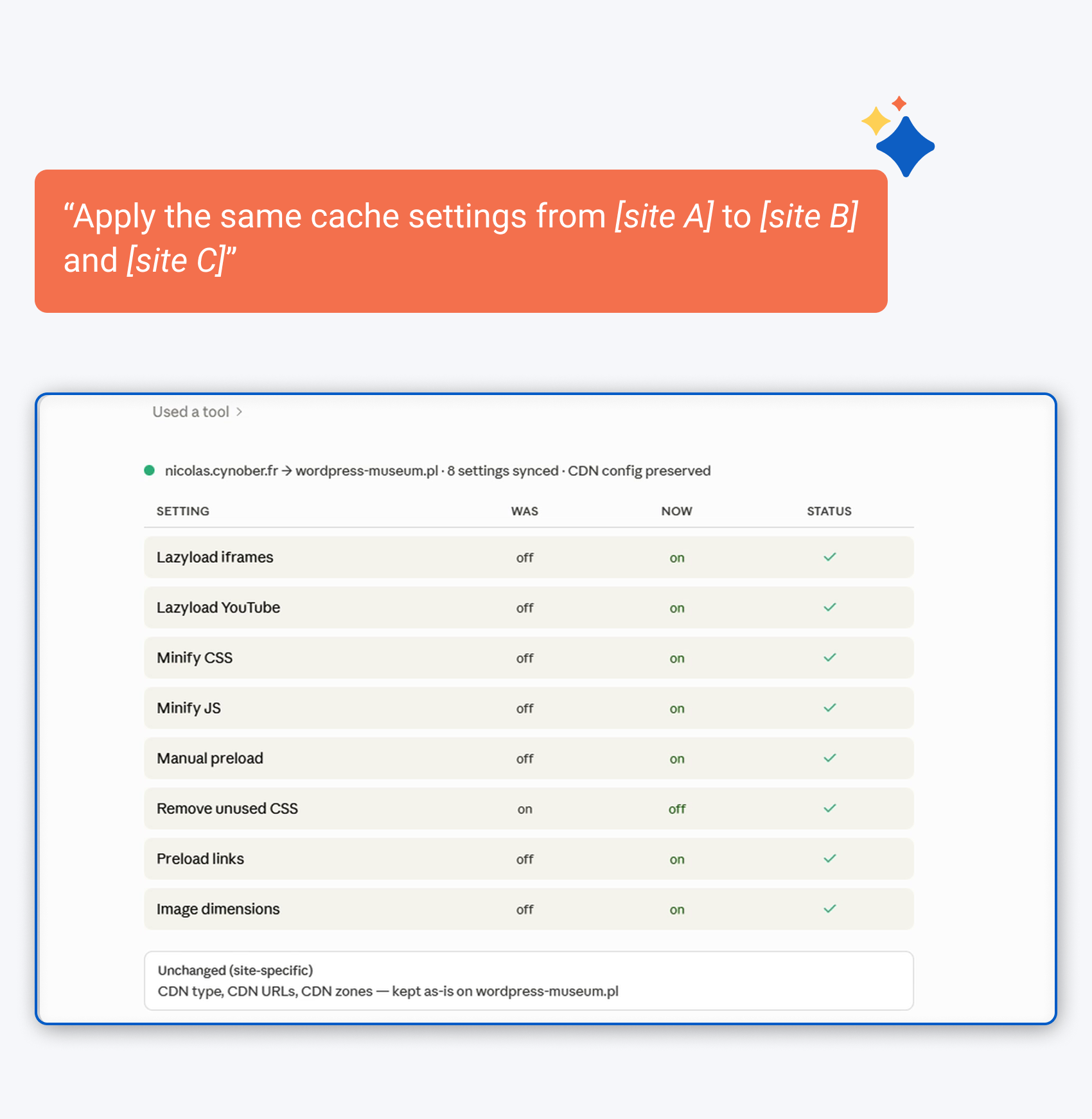
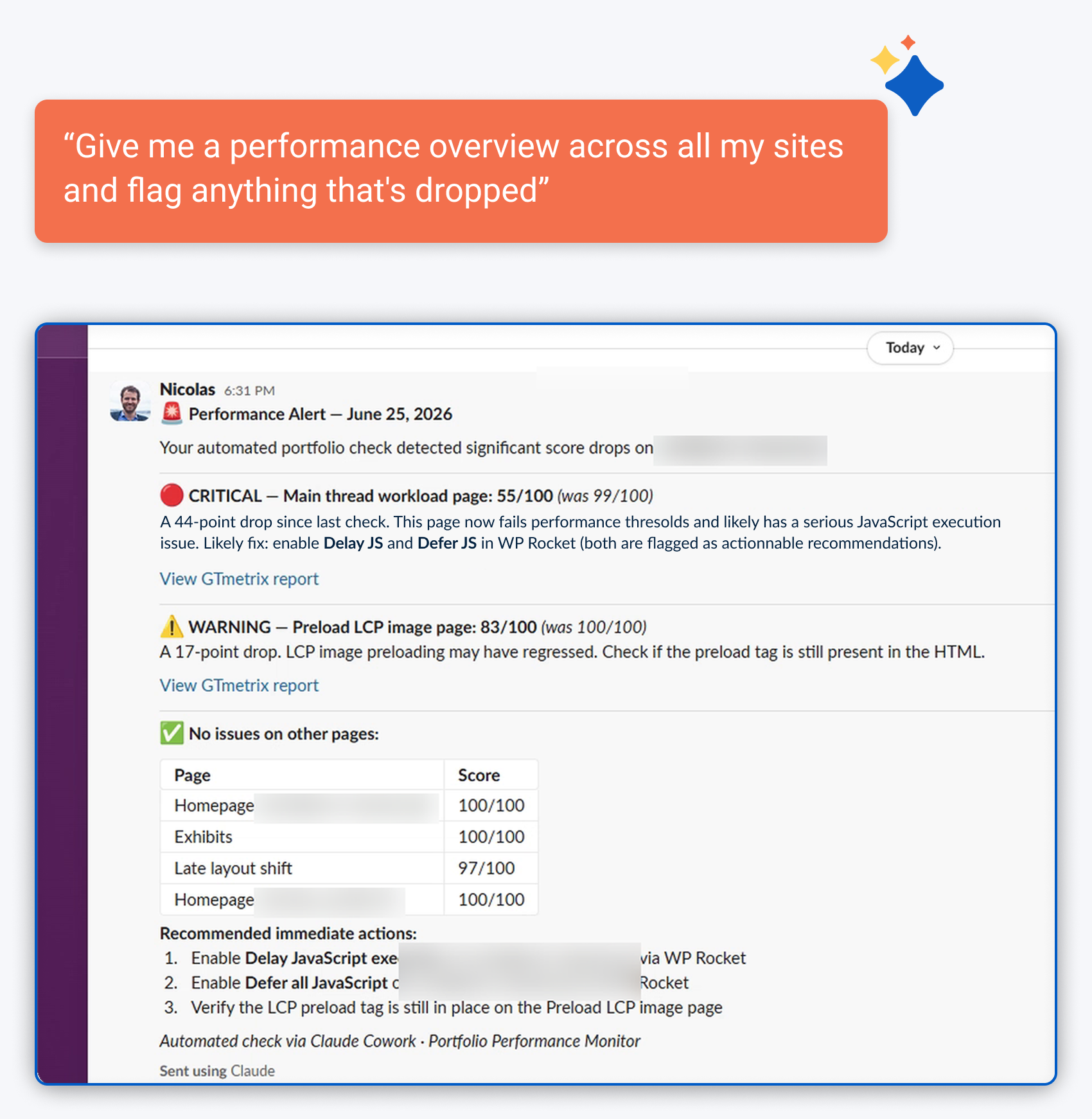
WP Rocket MCP is really useful when optimizing a specific website. Retrieving recommendations and applying improvements without opening the WordPress dashboard saves time. It’s also great for monitoring newly launched websites or clients who need extra attention, without manual checks every time.


What used to take 60–90 minutes per site now takes 5–10. Checking, fixing, and reporting your entire portfolio becomes one conversation.
Set Up Once. Let Your AI Do the Rest.
Forget checking every client dashboard by hand — connect your AI once, and it takes it from there.
Add Add your clients' WordPress sites to Claude with a custom connector.
Connect Approve access in your browser, no code or passwords needed.
Ask Ask your AI to check performance, generate a report, or apply a fix.
If you use Codex, you can connect with an application password and a short config snippet instead.
The Plugin Built for the AI Era
While other plugins leave you checking dashboards by hand, WP Rocket gives Claude and Codex direct access through MCP — included at every plan level for free.
Pick the license that fits your portfolio and get MCP from day one.
Billed yearly. Price is valid for the 1st year. Billed upfront for the first 3 years. Taxes may apply depending on your country of residence.
Speed Guaranteed
Try WP Rocket for 14 days and boost your website speed. Not satisfied with the results? You can cancel your trial or get a full refund, no questions asked.
Frequently Asked Questions
Will WP Rocket MCP make any changes to my site without asking me first?
No. Your AI always shows you exactly what it wants to change and waits for your approval before anything is applied.
Can I use WP Rocket MCP on more than one site at once?
Yes. Connect as many sites as you want, each connected individually.
Which AI assistants are compatible with WP Rocket MCP?
WP Rocket MCP works with AI assistants that support the Model Context Protocol (MCP), including Claude and Codex.
Is my clients’ website data secure?
Yes. WP Rocket MCP uses secure authentication through a WordPress application password. Your AI only has access to the websites you choose to connect to, and any action that changes your website requires your approval.
Can I disconnect WP Rocket from my AI assistant at any time?
Yes. You stay in control. You can disconnect your AI assistant at any time by removing its access or revoking the WordPress application password you used to connect it.
Does WP Rocket MCP cost extra?
No. Included in all WP Rocket plans at no extra cost.