



Stop guessing your next performance optimization
Start knowing exactly what to fix.
You check your performance score and see issues impacting speed. Then what?
It’s not always clear what to fix first or which changes will actually improve your performance.
Rocket Insights, the performance hub inside WP Rocket, gives you clear guidance.
It shows key metrics, recommends which WP Rocket features to enable, and lets you re-test anytime to track speed improvements.
Rocket Insights is included for free in any WP Rocket license.
Be in control of your performance results
Here’s what it means for you:
From performance insights to action, in one place
Most speed testing tools show results, but not what to optimize next or how performance trends across your key pages.
With Rocket Insights, you can:
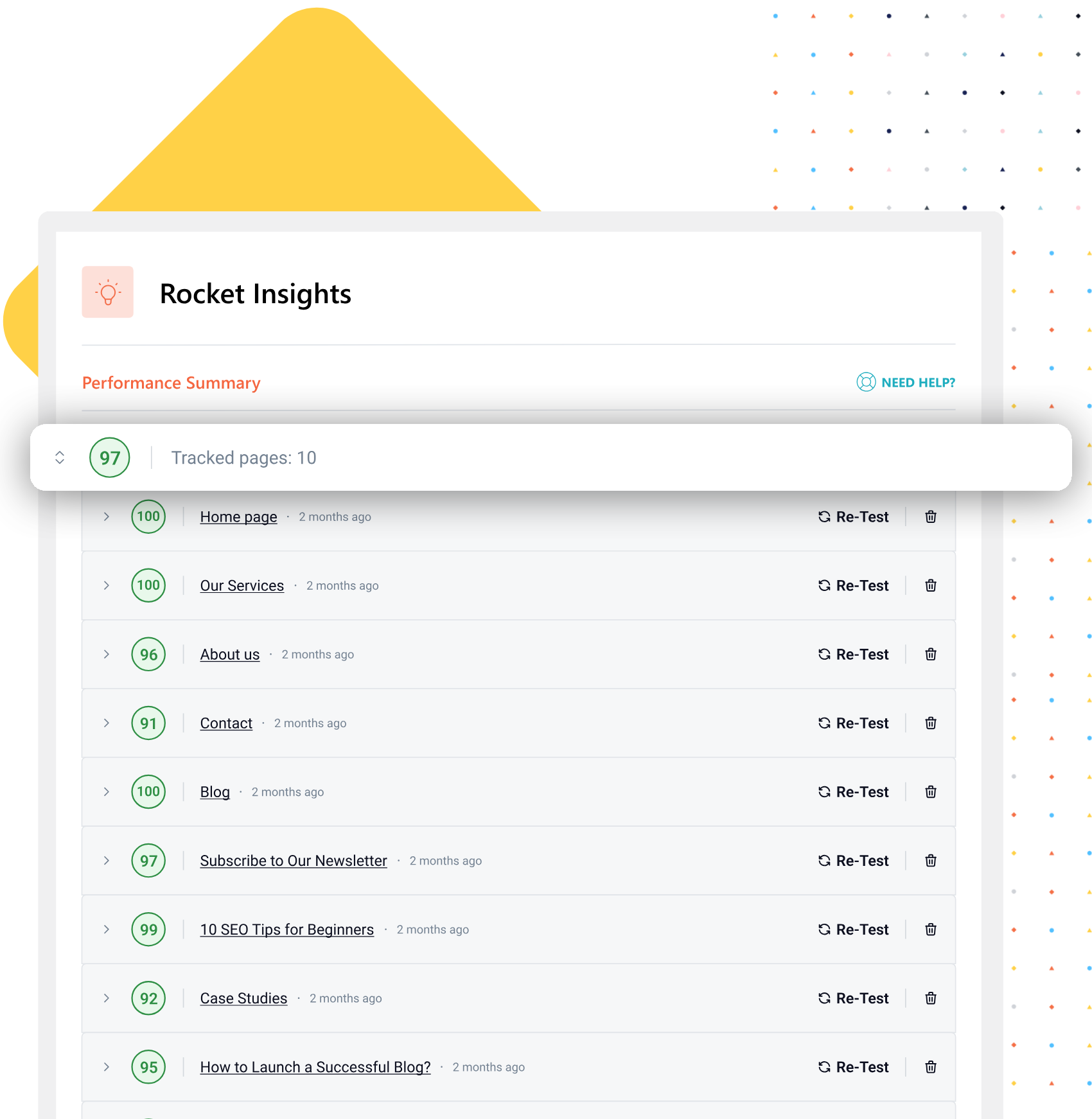
Track up to 10 top pages
Monitor the pages that matter most — homepage, product pages, landing pages — and build a complete picture of your site’s performance.
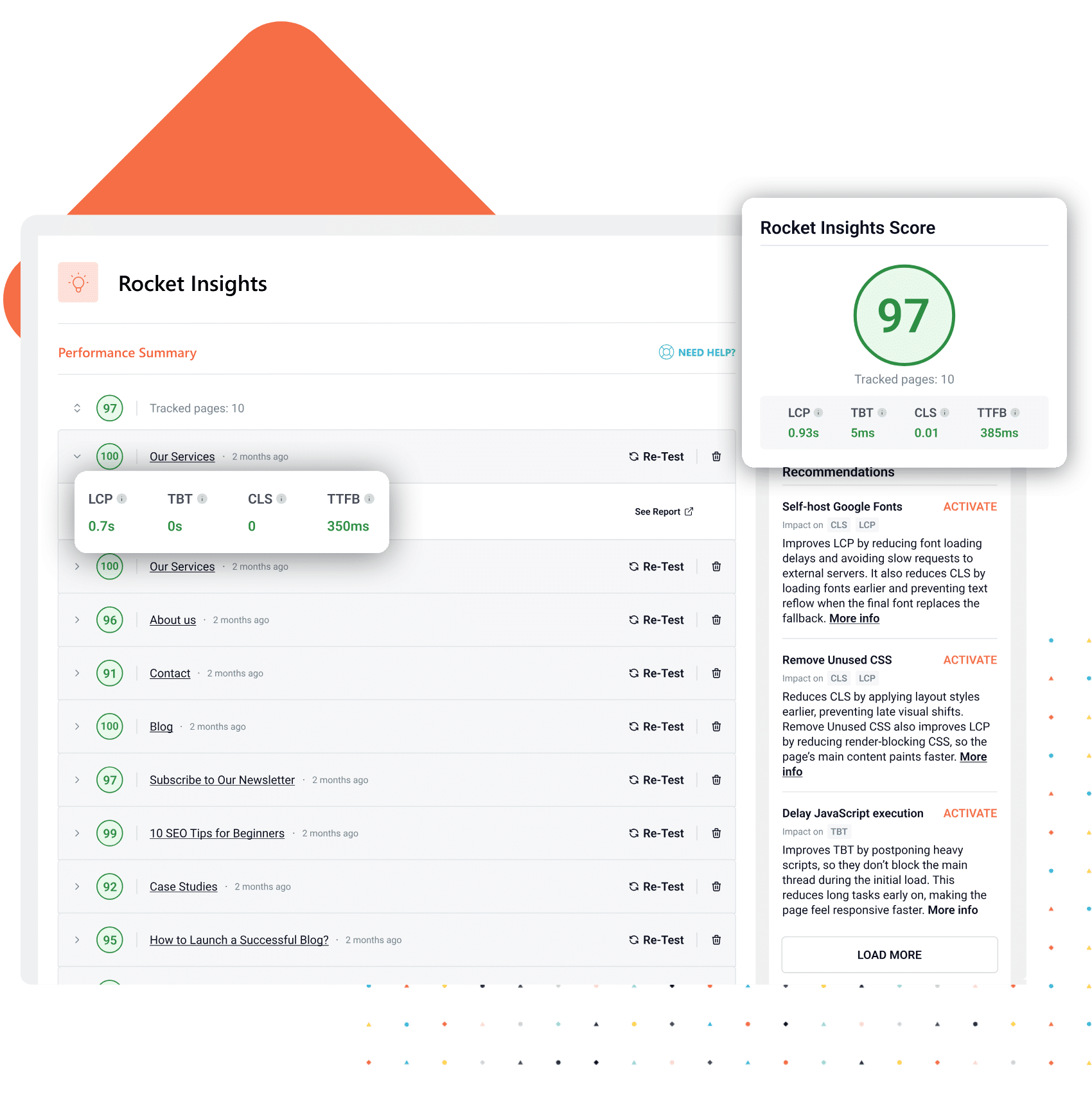
See performance scores and key metrics
View your performance score and key metrics, like LCP, CLS, TBT, and TTFB, at both global and page level to see what needs to be optimized.
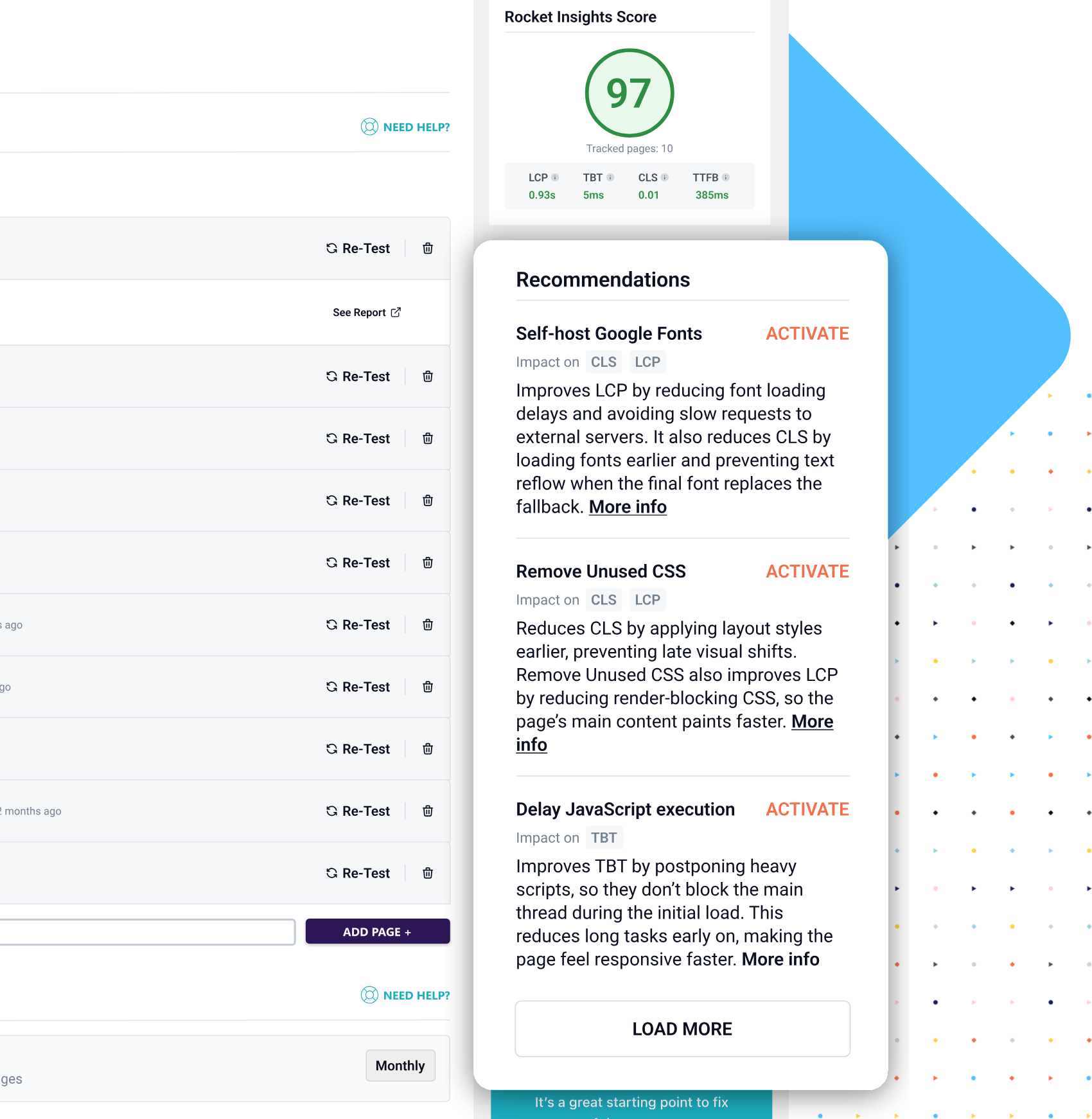
Get recommendations based on WP Rocket features
Receive clear recommendations tied to WP Rocket features with direct access to enable them, so you can apply the right optimizations right away.
Re-test anytime and automate monitoring
Choose daily, weekly, or monthly scheduling, and Rocket Insights keeps an eye on your pages in the background. You’ll always know how your site is performing — without having to remember to check.
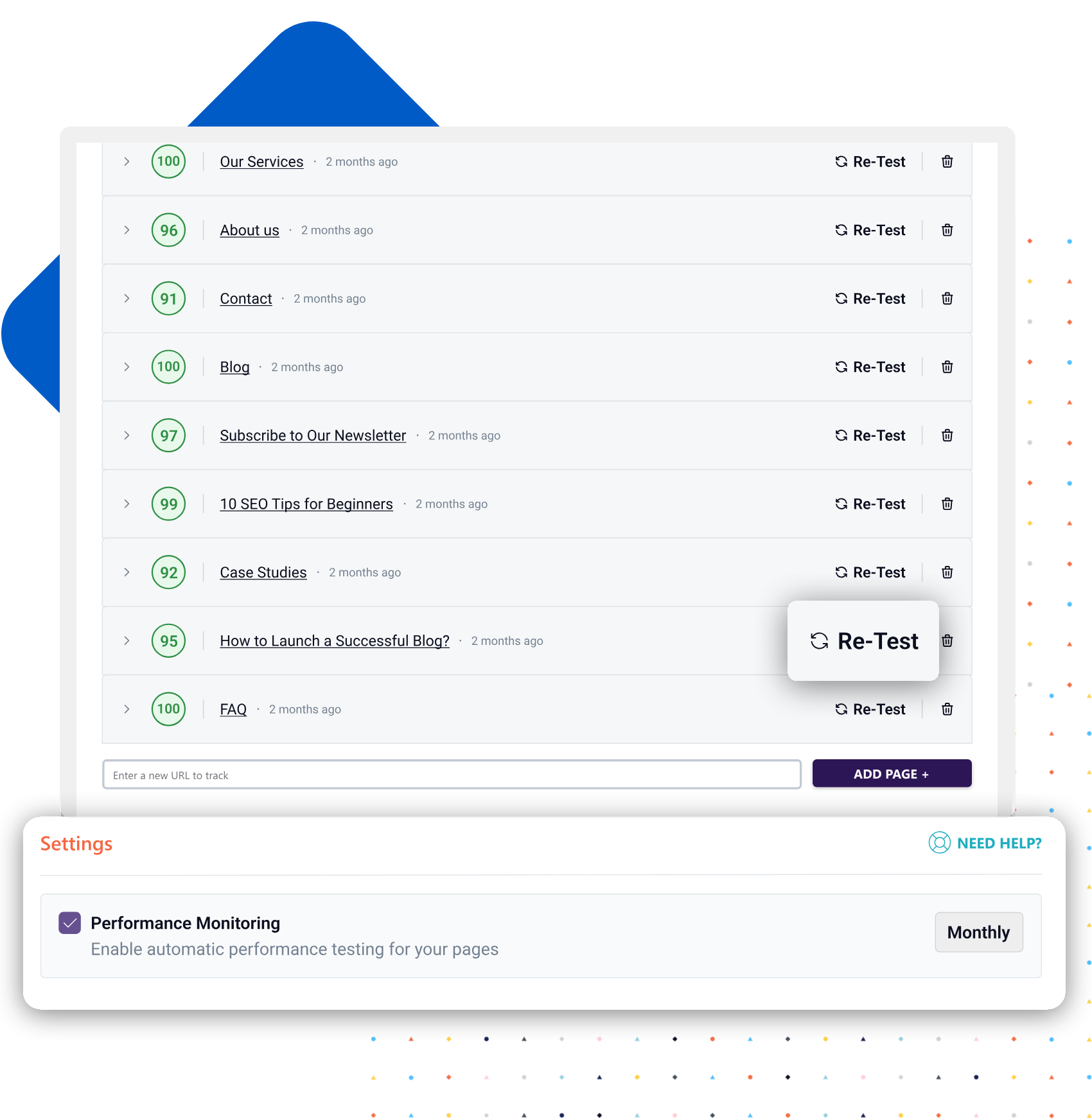
All without leaving your WP Rocket dashboard.
Perfect for boosting speed with clear guidance
Turning performance data into the right optimizations can be challenging and time-consuming.
Rocket Insights gives you clear direction, so you can move forward with confidence.
Rocket Insights is the perfect solution if you:
How Rocket Insights Works
From setup to results in just a few clicks.

Get WP Rocket and add your key pages
Open the Rocket Insights tab, paste the URLs of the pages you want to monitor, and you’re ready. Takes less than a minute.


Uncover your performance metrics
Instantly view your global performance grade and 4 advanced indicators — for every tracked page and across your entire site.


Fix what matters, test the impact
Follow the recommendations, enable the suggested WP Rocket features in one click, and re-test to confirm the improvement right away.

Get WP Rocket
Everything you need to optimize, monitor, and improve your website speed
In one plugin. With just a few clicks.
Why Rocket Insights is unlike any other speed testing tool
Here’s what sets it apart
- It lives inside WordPress
No separate dashboard, no new login, no tab-switching. - It goes beyond the score
See the metrics behind your grade and exactly what’s hurting performance. - It tells you exactly what to do
Get recommendations that link directly to WP Rocket features — no generic advice. - It proves your improvements
Run unlimited tests, validate, and track the real-world impact of every change. - It monitors automatically
Set your preferred schedule once, and Rocket Insights keeps tracking your pages.
Get WP Rocket with
Rocket Insights Included
Choose the license that best fits your needs
Taxes may apply depending on your country of residence.
Frequently Asked Questions
How does Rocket Insights actually help me improve performance?
Rocket Insights helps you optimize speed by showing your performance score and key metrics like LCP, CLS, TBT, and TTFB, so you can see exactly what’s impacting your results. It then shows you what to optimize next and which WP Rocket features to activate. After enabling the recommended options, you can re-test your pages instantly and confirm what actually improves your performance.
Is Rocket Insights really free?
Yes. Rocket Insights is fully included with every WP Rocket license at no extra cost. It doesn’t require an extra subscription. Update to version 3.21, and it’s already there.
Do I need to configure anything?
No. After updating WP Rocket or getting WP Rocket for the first time, open the Rocket Insights tab from your dashboard and add the pages you want to track. That’s it.
How is this different from Google PageSpeed Insights or GTmetrix?
Rocket Insights gives you a performance score and key metrics at both a global level and for each tracked page, recommends the exact WP Rocket feature to enable, and lets you instantly re-test to confirm the improvements. All inside your WP Rocket dashboard!
How many pages can I track?
You can track up to 10 pages per website. On Plus and Multi licenses, this applies to every individual website included in your license.
How often are automatic tests run?
You can choose daily, weekly, or monthly scheduling. Manual tests are always available with no limit on how many you can run.
Do I need any technical knowledge to use Rocket Insights?
Not at all. Rocket Insights is designed to be straightforward, no matter your technical and coding skills. Add your pages, review the results, follow the recommendations, and enable the suggested WP Rocket features. It’s as simple as that!
Skyrocket Your PageSpeed Score